
Zavedení
Thank you for choosing the Casio AW-90H-2BVDF Wristwatch. This manual provides essential information regarding the setup, operation, and maintenance of your watch. Please read it carefully to ensure proper use and to maximize the lifespan of your timepiece.

Obrázek: Přední strana view of the Casio AW-90H-2BVDF Wristwatch, displaying its analog and digital time displays.
Obecný průvodce
Your Casio AW-90H-2BVDF watch features both analog hands and a digital display. It typically includes multiple buttons for various functions. While specific button labels may vary, common functions are usually assigned to buttons located on the sides of the watch case.
- Tlačítko režimu: Cycles through different modes (Timekeeping, Alarm, Stopwatch, Dual Time).
- Tlačítko Upravit: Used to select items for setting in various modes.
- Tlačítko Start/Stop: Used to start/stop stopwatch, or change values during setting.
- Světelné tlačítko: Aktivuje podsvícení pro osvětlení.
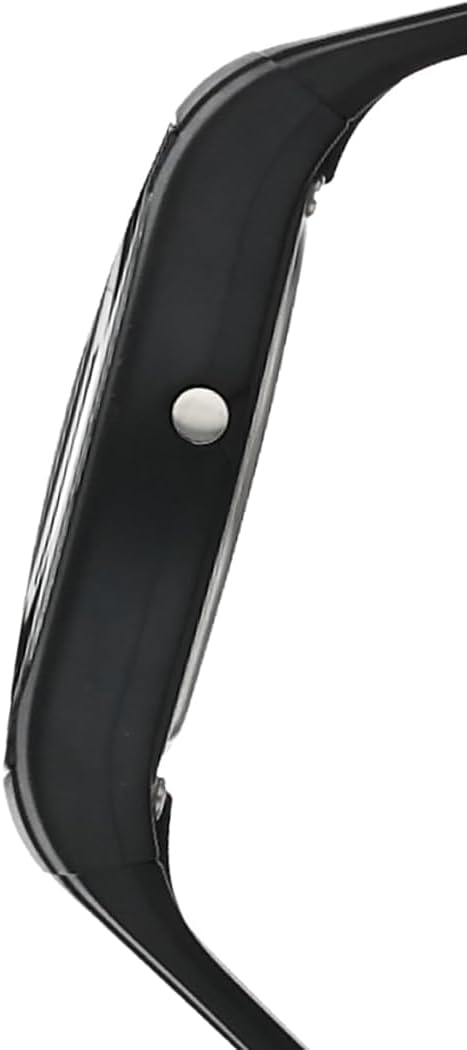
Obrázek: Boční view of the Casio AW-90H-2BVDF Wristwatch, highlighting one of the control buttons.
Setup and Timekeeping
Nastavení digitálního času a data
- V režimu měření času stiskněte tlačítko Upravit button until the seconds digits start to flash, indicating the setting screen.
- Stiskněte tlačítko Režim button to cycle through the setting options: Seconds → Hour → Minutes → Year → Month → Day.
- Použijte Start/Stop button to increase the flashing value. Hold down to change rapidly.
- Jakmile jsou všechna nastavení správná, stiskněte tlačítko Upravit tlačítko pro opuštění obrazovky nastavení.
Nastavení analogových ručiček
The analog hands are typically synchronized with the digital time. If they are out of alignment, refer to the specific hand adjustment procedure in the full module manual (available on the Casio website by searching your model number). Generally, this involves entering a hand setting mode and using buttons to move the hands.
Provozní režimy
Stiskněte tlačítko Režim tlačítko pro procházení různých funkcí hodinek:
- Režim měření času: Zobrazuje aktuální čas a datum.
- Režim alarmu: Nastavte a aktivujte denní budíky.
- Režim stopek: Změřte uplynulý čas.
- Režim duálního času: View the time in a different time zone.
Použití alarmu
- Enter the Alarm Mode using the Režim tlačítko.
- Stiskněte tlačítko Upravit button to enable setting the alarm time. The hour digits will flash.
- Použijte Start/Stop button to change the hour. Press Režim to switch to minutes and adjust.
- Stiskněte Upravit pro potvrzení času budíku.
- Chcete-li zapnout/vypnout budík, stiskněte tlačítko Start/Stop button while in Alarm Mode (not in setting mode).
Používání stopek
- Enter the Stopwatch Mode using the Režim tlačítko.
- Stiskněte tlačítko Start/Stop tlačítko pro spuštění stopek.
- Stiskněte Start/Stop znovu zastavit.
- Stiskněte tlačítko Upravit tlačítko pro vynulování stopek.
Osvětlení
Stiskněte tlačítko Světlo button (if available) to illuminate the digital display for a few seconds in low-light conditions.
Péče a údržba
Voděodolnost
Your watch is marked with "WATER RESIST" on the case back, indicating it is suitable for everyday use and can withstand splashes or brief immersion in water. However, it is not designed for diving or prolonged water exposure. Do not operate buttons while the watch is wet or submerged.

Obrázek: Zadní view of the Casio AW-90H-2BVDF Wristwatch, showing the stainless steel case back with "WATER RESIST" engraving.
Čištění
Otřete hodinky měkkým, suchým hadříkem, abyste odstranili nečistoty a vlhkost. Na odolnou špínu použijte měkký hadřík.ampened with water and a mild neutral detergent, then wipe dry. Avoid using volatile agents like thinner or benzine, which may damage the resin components.
Informace o baterii
This watch uses one CR123A battery (included). When the display becomes dim or functions become erratic, it is time to replace the battery. Battery replacement should ideally be performed by a qualified watch technician to ensure proper sealing and water resistance.
Skladování
When not in use for extended periods, store your watch in a dry place away from direct sunlight, extreme temperatures, and strong magnetic fields.
Odstraňování problémů
- Nesprávný čas: Ensure you have correctly set both the digital and analog times. If the analog hands are misaligned, refer to the hand adjustment procedure.
- Prázdný nebo tmavý displej: Baterie může být slabá nebo vybitá. Vyměňte baterii.
- Tlačítka nereagují: Ensure the watch is not in a locked mode (if applicable) or that it is not wet. If the issue persists after drying, the battery may be low.
- Voda uvnitř Pozor: If you notice condensation or water droplets inside the watch, have it inspected immediately by a qualified technician to prevent further damage.
Specifikace
| Číslo modelu | AW-90H-2BVDF |
| Výrobce | Casio |
| Rozměry produktu | 2.44 x 4.09 x 3.7 palce |
| Hmotnost položky | 2.08 unce |
| Typ baterie | 1 CR123A (součástí balení) |
| Voděodolnost | Water Resistant (suitable for splashes, not diving) |
| Jazyk | angličtina |
Informace o záruce
Your Casio watch is covered by a manufacturer's warranty against defects in materials and workmanship. The specific terms and duration of the warranty may vary by region. Please refer to the warranty card included with your purchase or visit the official Casio webpodrobné záruční informace.
Zákaznická podpora
For further assistance, technical support, or service inquiries, please contact Casio customer support. You can find contact information and frequently asked questions on the official Casio website. When contacting support, please have your watch model number (AW-90H-2BVDF) readily available.


