Zavedení
This instruction manual provides comprehensive guidance for the installation, operation, maintenance, and troubleshooting of your Intel Classic DH61CR Desktop Motherboard. Please read this manual thoroughly before proceeding with installation or operation to ensure proper functionality and to prevent damage to the product or other components.
The Intel DH61CR motherboard is designed to support Intel LGA 1155 socket processors and DDR3 memory, offering a reliable foundation for personal computer systems.
Nastavení a instalace
1. Unpacking and Component Overview
Carefully remove the motherboard from its packaging. Inspect all components for any signs of damage. Ensure all accessories listed in the product documentation are present.
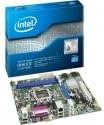
Image: The Intel DH61CR Desktop Motherboard shown alongside its retail packaging. This image provides a visual reference for the product and its initial presentation.
Familiarize yourself with the layout of the motherboard, including the CPU socket, RAM slots, expansion slots, and various connectors.
2. Instalace CPU (patice LGA 1155)
- Najděte na základní desce patici procesoru LGA 1155.
- Jemně zatlačte páčku zátěže dolů a zatáhněte ji do strany, abyste otevřeli zajišťovací rámeček patice procesoru.
- Zarovnejte trojúhelníkovou značku na procesoru s odpovídající značkou na patici. Opatrně vložte procesor do patice, aniž byste jej museli silou zasunout.
- Zavřete zajišťovací rám a zajistěte jej zatlačením páky zpět do zajištěné polohy.
- Apply a thin, even layer of thermal paste to the top of the CPU (if not pre-applied to the cooler).
- Chladič CPU nainstalujte podle pokynů výrobce a ujistěte se, že je bezpečně upevněn a má dobrý kontakt s CPU.
3. Instalace paměti RAM (DDR3)
- Identify the DDR3 memory slots. The Intel DH61CR supports DDR3 RAM.
- Otevřete klipy na obou koncích paměťového slotu.
- Zarovnejte zářez na paměťovém modulu DDR3 s výstupkem v paměťovém slotu.
- Pevně zatlačte na oba konce paměťového modulu, dokud klipsy nezacvaknou na místo a modul tak nezajistí.
4. Instalace úložného zařízení
Connect your SATA hard drives or solid-state drives to the SATA ports on the motherboard using SATA data cables. Ensure the power cables from your power supply are also connected to these devices.
5. Připojení napájení
- Připojte 24pinový ATX napájecí konektor ze zdroje do hlavní napájecí zásuvky na základní desce.
- Connect the 4-pin (or 8-pin, if applicable) ATX 12V power connector to the CPU power socket.
- Ujistěte se, že jsou všechna napájecí připojení bezpečná.
6. Připojení na předním panelu
Connect the front panel cables from your computer case (power button, reset button, HDD LED, power LED, USB ports, audio jacks) to the corresponding headers on the motherboard. Refer to the motherboard's silkscreen labels for correct pin assignments.
7. Rozšiřující karty
Install any necessary expansion cards (e.g., graphics card, network card) into the appropriate PCIe x16 or PCIe x1 slots. Secure them with the case's retention mechanism.
Návod k obsluze
1. První spuštění
After all components are installed and connected, connect your monitor, keyboard, and mouse. Power on the system. The system should display the BIOS POST screen. If not, refer to the Troubleshooting section.
2. Přístup k BIOSu/UEFI
Chcete-li spustit nástroj pro nastavení systému BIOS/UEFI, stiskněte určenou klávesu (běžně Del, F2nebo F10) during the initial boot sequence. The exact key is usually displayed on the screen during POST.
Within the BIOS/UEFI, you can configure boot order, system time, hardware settings, and other advanced options. Save changes before exiting.
Údržba
1. Čištění
Regularly clean the interior of your computer case to prevent dust buildup, which can lead to overheating. Use compressed air to remove dust from fans, heatsinks, and motherboard components. Ensure the system is powered off and unplugged before cleaning.
2. Aktualizace BIOSu
Pravidelně kontrolujte podporu Intelu website for BIOS updates for your DH61CR motherboard. BIOS updates can improve system stability, add support for new hardware, or fix bugs. Follow the instructions provided by Intel carefully when performing a BIOS update to avoid system damage.
Odstraňování problémů
Pokud narazíte na problémy, znovuview následující běžné kroky pro řešení problémů:
- Bez napájení: Ensure all power cables (24-pin ATX, 4-pin CPU) are securely connected. Check the power supply unit (PSU) switch and wall outlet.
- Bez displeje: Verify the monitor is connected and powered on. Ensure the graphics card (if dedicated) is properly seated and powered. If using integrated graphics, confirm the monitor is connected to the motherboard's video output.
- System Beeps: A series of beeps during startup usually indicates a hardware issue. Consult the motherboard's beep code guide (often found on the manufacturer's support website) to diagnose the specific problem (e.g., RAM error, graphics card issue).
- Nestabilita/pády systému: Check for proper CPU cooler installation and thermal paste application. Ensure RAM modules are correctly seated. Test memory with diagnostic tools. Update drivers and BIOS.
- Operační systém se nenačítá: Verify the boot order in BIOS/UEFI. Check SATA cable connections to storage devices. Ensure the operating system is correctly installed on a bootable drive.
For persistent issues, consult the Intel support webwebu nebo kontaktujte jejich technickou podporu.
Technické specifikace
| Funkce | Specifikace |
|---|---|
| Značka | Intel |
| Název modelu | DH61CRB3 |
| Zásuvka CPU | LGA 1155 |
| Kompatibilní procesory | Intel Core i3-2100, Intel Core i5-2400, Intel Core i7-2600, Pentium |
| Typ čipové sady | Intel H61 Express |
| Technologie paměti RAM | DDR3 |
| Maximální RAM | 8 GB |
| Rychlost paměti | 1333 MHz |
| Kompatibilní zařízení | Osobní počítač |
| Rozhraní úložiště | Serial ATA/300 |
| Rozšiřující sloty | 1 x PCIe x16 slot |
| Video výstup | CPU Dependent Video |
| Platforma | Windows 7, Windows Vista Ultimate |
| Rozměry produktu | 10.5 x 8.5 x 2 palce |
| Hmotnost položky | 1.9 libry |
| Výrobce | INTEL |
| Datum první dostupnosti | 30. dubna 2012 |
Záruka a podpora
Warranty information for the Intel Classic DH61CR Desktop Motherboard is typically provided with the product at the time of purchase or can be found on the official Intel webstránky. Uschovejte si prosím doklad o koupi pro případ reklamace.
For technical support, driver downloads, and additional documentation, please visit the official Intel support website. You can often find detailed FAQs and community forums there to assist with common issues.
Note: Intel's official support channels are the primary resource for product-specific assistance.