
1. Úvod
This manual provides essential instructions for the safe and effective use of your PWR+ Laptop Charger. Please read this manual thoroughly before using the product and retain it for future reference. This charger is designed to provide reliable power to compatible Dell Inspiron and XPS series laptops.
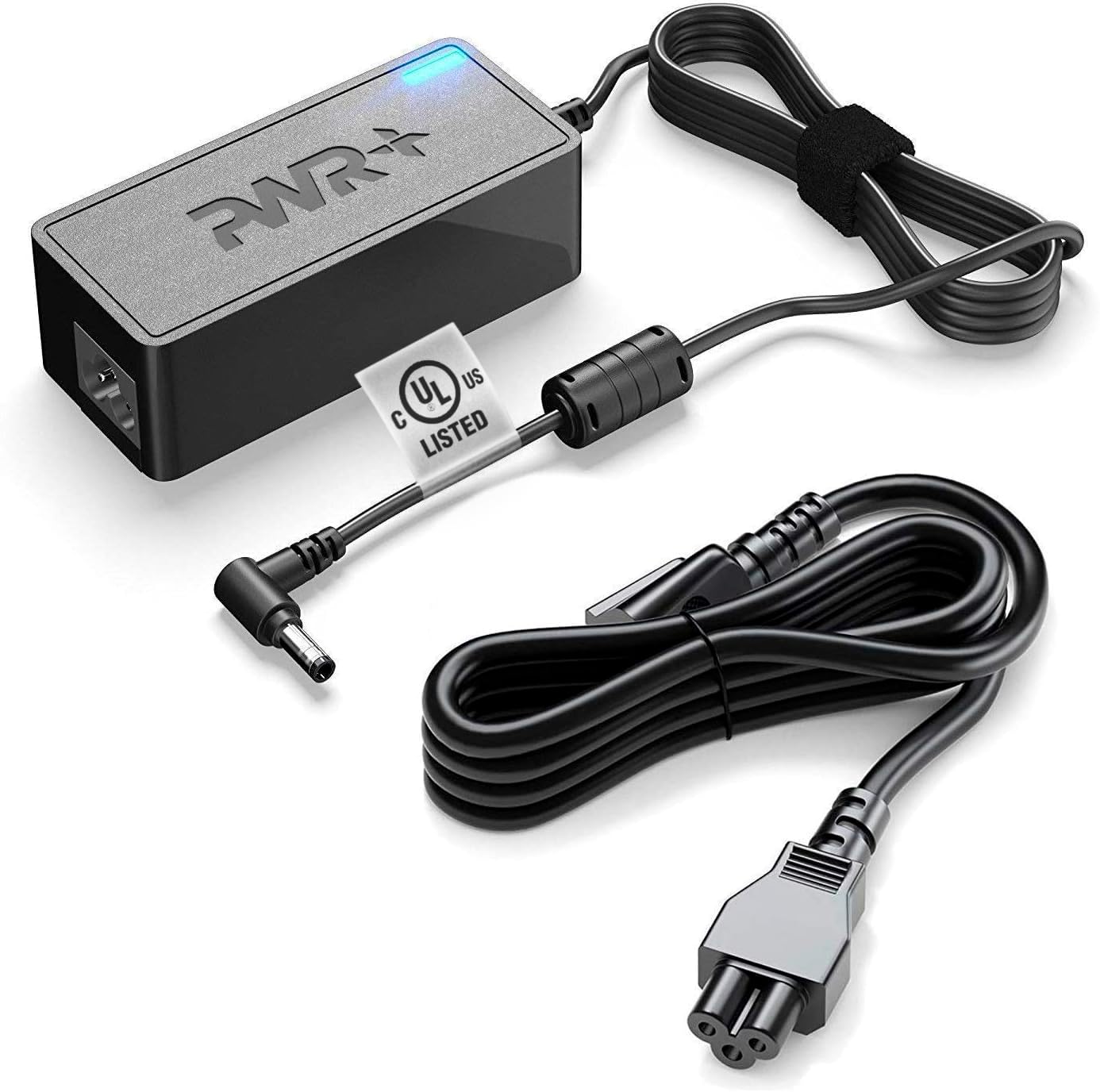
Image 1.1: The PWR+ Laptop Charger, including the main adapter unit, DC output cable with a 4.5mm tip, and the detachable AC input power cord.
2. Konec produktuview a funkce
The PWR+ Laptop Charger is engineered for efficiency and safety, featuring a robust design and multiple protective measures.
Klíčové vlastnosti:
- Výkon: 19.5V, 3.33-3.34A, 65W/45W.
- Vstupní objemtage Rozsah: 100-240V (universal compatibility).
- Extra Long Power Cords: Designed for extended reach and flexibility.
- Seznam UL: Tested and certified for safety by Underwriters Laboratories.
- Vestavěné bezpečnostní ochrany: Includes Short Circuit Protection (SCP), Over Current Protection (OCP), Over Voltage Protection (OVP), and Over Temperature Protection (OPT).

Image 2.1: An illustration detailing the high-grade copper wiring, aluminum foil shield, PVC cable jacket, and various built-in safety protections (SCP, OCP, OVP, OPT) within the PWR+ charger.
3. Kompatibilita
This PWR+ Laptop Charger is compatible with a wide range of Dell Inspiron, Latitude, and XPS laptop models. Please verify your laptop's power requirements and connector type before use.
Compatible Dell Series:
- Dell Inspiron: 11, 13, 14, 15, 17 (3000, 5000, 7000 Series)
- Dell Latitude: 12, 13, 14, 15 (e.g., 3379, 3390, 3490, 3590, 7202, 7350)
- Dell XPS: 12, 13 (e.g., 9333, 9343, 9350, 9360, 9Q33, L221X, L321X, L322X)
- Dell Vostro: 14, 15 (e.g., 3458, 3558)
- Dell Optiplex: 3020, 7040, 9020, 3046
This charger supports Dell part numbers including 00285K, 0YTFJC, 3RG0T, DA45NM131, DA45NM140, AA45NM131, LA45NM121, 5NW44, HA45NM140, JT9DM, 03RG0T, HK45NM140, 04H6VH, LA45NM131, LA45NM140, FA45NE1-00, PA-1450-66D1, RFRWK, 0G6J41, 04H6NV, 0CDF57, 0X9RG3, 0MGJN, 09CGP4, 0JXC18, RWHHR, 070VTC, 0KXTTW, 0JHJX0, 44PV8, CC0DT, CDF57, D0KFY, 312-1307, 332-0971, JHJX0, 332-1827, 450-18066, X9RG3.
4. Bezpečnostní informace
Your safety is paramount. This PWR+ charger is UL Listed, ensuring it meets rigorous safety standards. Always follow these guidelines:
- Ujistěte se, že nabíječku používáte pouze s kompatibilními zařízeními.
- Nevystavujte nabíječku vodě ani nadměrné vlhkosti.
- Vyhněte se extrémním teplotám.
- Nabíječku nerozebírejte ani neupravujte.
- Inspect the cables and adapter for damage before each use. Discontinue use if any damage is observed.
- Uchovávejte mimo dosah dětí.

Image 4.1: Close-up of the UL Listed certification mark on the charger cable, indicating compliance with safety standards.
5. Nastavení
Follow these steps to set up your PWR+ Laptop Charger:
- Připojte napájecí kabel: Insert the three-prong end of the AC power cord into the power brick. Ensure it is firmly seated.
- Zapojte do zásuvky ve zdi: Insert the two-prong end of the AC power cord into a standard wall electrical outlet. The indicator light on the power brick should illuminate, confirming power is supplied.
- Připojení k notebooku: Carefully insert the DC output connector (the smaller tip) into the charging port of your Dell laptop. Ensure a snug fit.
- Ověřte nabíjení: Confirm that your laptop indicates it is receiving power and charging.

Image 5.1: The PWR+ laptop charger connected to a Dell laptop, demonstrating proper setup for charging.
6. Návod k obsluze
Once set up, the PWR+ Laptop Charger operates automatically to provide power to your laptop and charge its battery. The charger is designed for continuous use, but it is good practice to disconnect it when not in use for extended periods.
- The blue LED indicator on the power brick signifies that the charger is receiving power and is operational.
- The charger will automatically adjust its output to match your laptop's power requirements within its specified range (65W/45W).
- For optimal battery health, avoid frequently draining your laptop battery completely before recharging.
7. Údržba
Správná údržba zajišťuje dlouhou životnost a bezpečný provoz vaší nabíječky:
- Čištění: Disconnect the charger from the power outlet and laptop before cleaning. Use a dry, soft cloth to wipe the surfaces. Do not use liquid cleaners or solvents.
- Správa kabelů: Avoid sharp bends or kinks in the cables. Use the included Velcro strap to neatly coil the cables when storing or transporting the charger.
- Skladování: Nabíječku skladujte na chladném a suchém místě mimo dosah přímého slunečního záření a extrémních teplot.
- Inspekce: Periodically check the cables and connectors for any signs of wear, fraying, or damage.
8. Řešení problémů
If you encounter issues with your PWR+ Laptop Charger, refer to the following common problems and solutions:
| Problém | Možná příčina | Řešení |
|---|---|---|
| Kontrolka nabíječky nesvítí. | No power from outlet or loose connection. | Ensure AC cord is fully inserted into the brick and wall outlet. Test the outlet with another device. |
| Notebook se nenabíjí. | Loose DC connector, incompatible charger, or laptop issue. | Ensure DC connector is firmly seated in the laptop's charging port. Verify charger compatibility with your laptop model. Restart laptop. |
| Nabíječka se zdá být horká. | Normal operation under load, or poor ventilation. | A slight warmth is normal. Ensure the charger is in a well-ventilated area and not covered. If excessively hot, disconnect immediately and contact support. |
| "AC power adapter type cannot be determined" error. | Laptop not recognizing the charger's wattage. | Ensure the charger is fully compatible with your specific Dell model's wattage requirements. Re-seat the DC connector. |
If the problem persists after attempting these solutions, please contact PWR+ customer support.
9. Specifikace
- Značka: PWR+
- Číslo modelu: PWR-TAJ195333
- Vstupní objemtage: 100-240V
- Výstupní objemtage: 19.5V
- Výstupní proud: 3.33-3.34A (65W/45W)
- Typ konektoru: Proprietary (4.5mm tip)
- Hmotnost položky: Přibližně 1.54 libry
- Zdroj napájení: Elektrický kabel
- Speciální vlastnosti: UL Listed, Extra Long Power Cord, Charging Indicator, Multiple Safety Features
10. Záruka a podpora
PWR+ stands behind the quality of its products.
Informace o záruce:
- Zásady vrácení peněz: 30 Days Refund.
- Zásady směny: 24 Months Exchange.

Image 10.1: The PWR+ charger displaying a '2 Year Extended Warranty' sticker, highlighting the product's warranty period.
Zákaznická podpora:
For any questions, technical assistance, or warranty claims, please contact PWR+ customer support. PWR+ is a WA, USA based company dedicated to providing friendly customer support.
prodejce: PWRTECH LLC
Obchodní adresa: 15000 Woodinville-Redmond RD Ste B100, Woodinville, WA, US