
1. Úvod
Thank you for choosing the Rocketfish RF-HDWEB 720p HD USB Webcam. This manual provides essential information for the proper installation, operation, and maintenance of your webcam. Designed for clear video communication and high-resolution photo capture, this webcam features a true 2 MP sensor with a wide-angle glass lens, delivering 720p HD video at up to 30 frames per second. It also supports photo capture up to 8 MP through interpolation. The integrated autofocus technology ensures sharp images, and the built-in microphone with noise cancellation provides clear audio. This device is compatible with both PC (32-bit) and Mac systems.

Figure 1: Rocketfish RF-HDWEB 720p HD USB Webvačka.
2. Co je v krabici
Zkontrolujte prosím obsah balení, abyste se ujistili, že jsou přítomny všechny položky:
- USB kabel
- Camera Body (Rocketfish RF-HDWEB Webvačka)
- Installation CD (for optional drivers and software)

Figure 2: Retail packaging of the Rocketfish RF-HDWEB Webcam, showing the product and its features.
3. Nastavení
- Připojte Webvačka: Zapojte kabel USB z webvložte do volného portu USB 2.0 na vašem počítači.
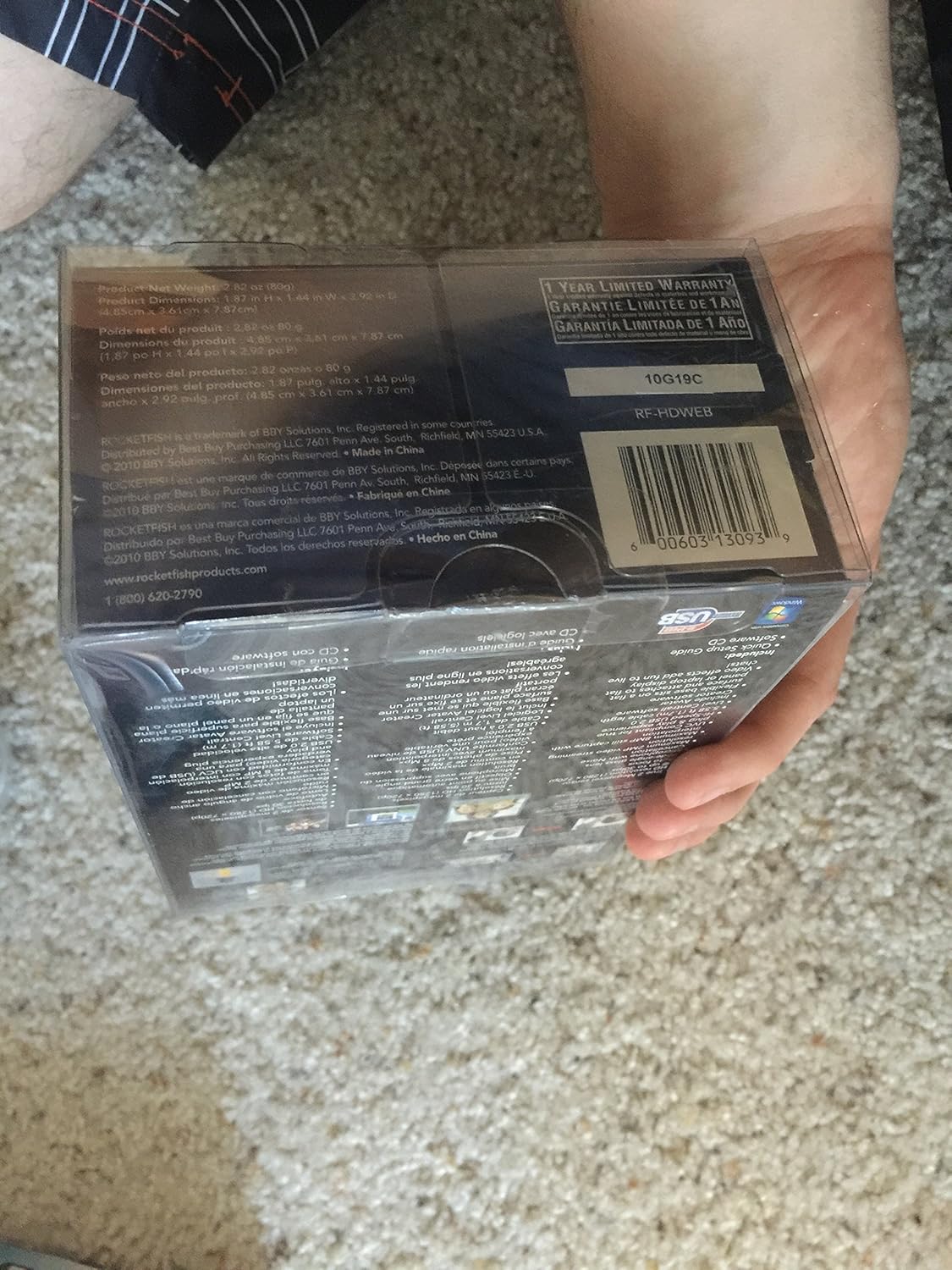
Figure 3: The Rocketfish RF-HDWEB Webcam, ready for connection.
- Instalace ovladače (Windows): For Windows 7 and newer operating systems, the computer should automatically detect the webcam and install default drivers within a few minutes. This allows basic functionality with most applications.
- Driver Installation (Mac): The webcam is compatible with Mac systems and typically works without additional driver installation for basic functions.
- Volitelná instalace softwaru: An installation CD is included with the webcam. This CD contains additional drivers and software (e.g., Live! Central by Creative) that may offer more options, effects, and advanced settings.
- To install the optional software, first ensure any default Windows drivers for the webcam are uninstalled (via Device Manager > Imaging Devices > Rocketfish HD Webvačka).
- Insert the installation CD and follow the on-screen prompts.
- Poznámka: Some users have reported issues with the included software on Windows 7, leading to "error 15". If you encounter this, uninstall the software and rely on the default Windows drivers for basic functionality.
- Umístění Webvačka: The webcam features a sturdy base designed to fit securely on top of most monitor frames or to be placed flat on a desktop. Adjust the angle as needed for optimal viewIng.
4. Návod k obsluze
Jednou webcam is connected and drivers are installed, you can begin using it with various applications.
- Video Communication: The Rocketfish RF-HDWEB webcam works seamlessly with most instant messenger services, including AIM, Yahoo! Messenger, MSN Messenger, and Skype.
- Open your preferred video communication application.
- Navigate to the video/audio settings and select "Rocketfish HD Webcam" as your video input device.
- Select the integrated microphone as your audio input device if desired.
- The webcam provides HD resolution 720p (1280x720p) video streaming at up to 30 frames per second.
- Fotografování: The webcam can capture still images up to 8 MP through interpolation.
- Use compatible software (e.g., the included Live! Central software, or third-party applications) to access photo capture features.
- Automatické zaostření: The webcam features autofocus technology to maintain clear and detailed images.
- In some applications or with the optional software, you may have the ability to disable autofocus and set manual focus if preferred.
- Mikrofon: The built-in microphone includes noise cancellation for clearer audio during calls.
- Zajistěte webcam's microphone is selected as the input device in your application's audio settings.
5. Údržba
To ensure the longevity and optimal performance of your Rocketfish RF-HDWEB webvačky, dodržujte tyto pokyny pro údržbu:
- Čištění: Gently wipe the lens with a soft, lint-free cloth. For the camera body, use a dry or slightly damp hadříkem. Vyhněte se agresivním chemikáliím nebo abrazivním materiálům.
- Skladování: Pokud nepoužíváte, uložte webSkladujte kameru na čistém a suchém místě mimo dosah extrémních teplot a přímého slunečního záření.
- Péče o kabely: Abyste předešli vnitřnímu poškození, nelámejte ani neohýbejte kabel USB.
6. Řešení problémů
| Problém | Možná příčina | Řešení |
|---|---|---|
| Webcam not detected or not working. |
|
|
| Obraz je rozmazaný nebo nezaostřený. |
|
|
| "Error 15" when installing or using included software. |
|
|
| Poor video quality or low frame rate. |
|
|
7. Specifikace
| Funkce | Detail |
|---|---|
| Číslo modelu | RF-HDWEB |
| Typ snímače | True 2 MP Sensor (MOS Photo Sensor Technology) |
| Rozlišení videa | 720p HD (1280x720) up to 30fps (maximum 2MP video streaming resolution) |
| Rozlišení fotografie | Up to 8 MP (with interpolation) |
| Typ objektivu | Wide-angle glass lens |
| Soustředit | Technologie automatického ostření |
| Mikrofon | Vestavěné potlačení hluku |
| Konektivita | Vysokorychlostní USB 2.0 |
| Kompatibilita | PC (32-bit) and Mac compatible |
| Rozměry produktu | 7.3 x 5.2 x 3.1 palce |
| Hmotnost položky | 8.8 unce |
| Datum první dostupnosti | 22. prosince 2010 |
| UPC | 0600603130939 |
8. Záruka a podpora
The Rocketfish RF-HDWEB Webkamera je dodávána s 1letá omezená záruka. For specific terms and conditions, please refer to the warranty information provided with your product packaging or visit the official Rocketfish webmísto.
For technical support or customer service, you may contact Rocketfish directly:
- Telefon: 1 (800) 620-2790
- Webmísto: rocketfishproducts.com

Figure 4: Product packaging displaying warranty details and UPC (0600603130939).