
X Rocker 5113601
X Rocker G-Force Video Gaming Floor Rocker Chair Instruction Manual
Model: 5113601
Zavedení
This manual provides essential information for the setup, operation, and maintenance of your X Rocker G-Force Video Gaming Floor Rocker Chair. Please read these instructions carefully before use to ensure proper function and longevity of your product.
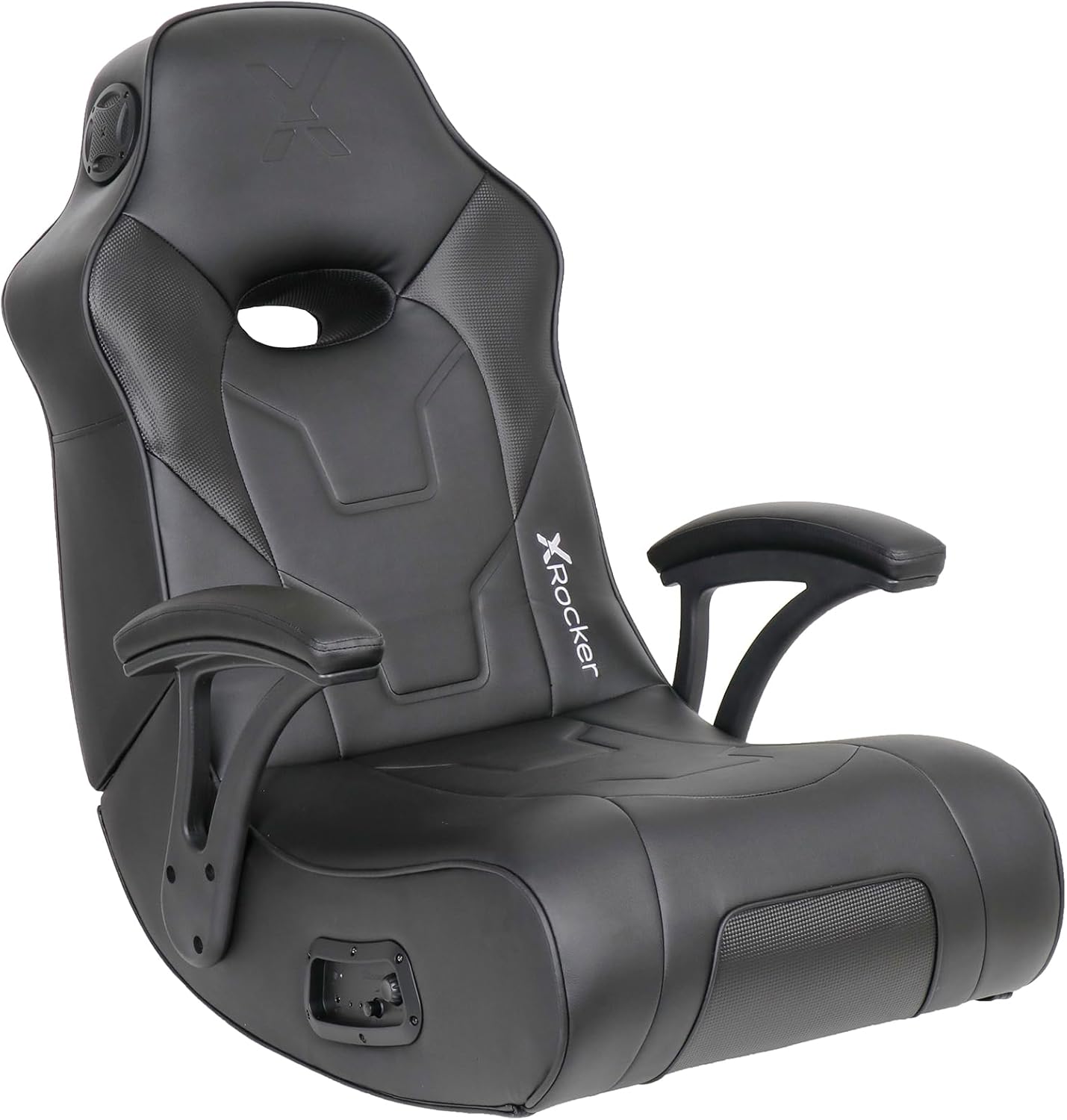
Image: The X Rocker G-Force Video Gaming Floor Rocker Chair in black, showcasing its ergonomic design and integrated armrests.
Bezpečnostní informace
- This chair has a maximum weight capacity of 300 pounds and is suitable for adults, teens, and children.
- Users should be cautious when getting in and out of the chair to avoid injury.
- Do not move the chair by the armrests; this can cause damage.
- Avoid placing excessive pressure on the armrests.
- Keep the chair out of direct sunlight and away from heat sources to preserve the material.
Nastavení
Shromáždění
Assembly is required and is estimated to take approximately 5 minutes. The necessary Allen wrench and cables are included.
- Vybalte všechny součásti z krabice.
- Attach the armrests using the provided Allen wrench.
- Fasten the pin used to hold the seat up.
- Secure the Velcro straps that also help hold the seat in position.
- Umístěte židli na rovný a stabilní povrch.
Initial Placement and Folding
The X Rocker G-Force is a floor rocker designed for comfortable seating during gaming, reading, or relaxing. Its foldable design allows for easy storage when not in use. To fold, gently push the backrest forward until it collapses onto the seat. Use the metal clip (if provided) to secure it in the folded position.

Image: The X Rocker G-Force chair shown in its folded, compact state, ideal for space-saving storage.
Video: This video demonstrates the G Force XL Video Gaming Chair Floor Rocker by X Rocker, including its folding mechanism and general use.
Návod k obsluze
Audio systém
The chair features a built-in sound system with 2 headrest-mounted speakers and a backrest subwoofer for an immersive audio experience. It supports both wireless Bluetooth and wired connections.
- Kabelové připojení: Use the provided cables to connect to your gaming consoles (PS5, Xbox Series X/S, Xbox One, PlayStation 4, Nintendo), TVs, PC Computers, and smart devices. An additional digital audio transmitter may be required for some TV outputs (sold separately).
- Bezdrátové připojení Bluetooth: Activate Bluetooth on your device and pair with the X Rocker chair.
- Ovládání: Adjust volume and bass levels using the control panel located on the side of the chair.

Image: Close-up of the X Rocker G-Force control panel, showing input/output ports, volume, and bass controls.
Video: This video, "X Rocker - The Future of Gaming Furniture," highlights various features of X Rocker gaming furniture, including integrated audio and design.
Rocking and Reclining
The chair is designed to rock and recline, allowing you to find a comfortable position for extended use. It features 2 reclining positions.
Video: This video, "Level Up your Game with X Rocker Video Gaming Chairs," showcases the immersive gaming experience provided by X Rocker chairs, including their comfort and features.
Údržba
Čištění
Otřete dočista s reklamouamp cloth. Avoid harsh chemicals or abrasive cleaners that could damage the vegan leather material.
Péče o materiál
- Avoid prolonged exposure to direct sunlight to prevent drying and cracking of the vegan leather.
- Keep the chair away from direct heat sources.
- Clean spills promptly using as little water as possible.
Odstraňování problémů
Wireless Audio Issues
If experiencing static, hissing, or intermittent sound with wireless audio, ensure the chair and transmitter are on the same channel (if applicable) and that the volume is adequately adjusted. A wired connection may offer a more stable audio experience for some setups. Consider using a high-quality 3.5mm audio cable for wired connections.
Žádný zvuk
- Zkontrolujte všechny kabelové spoje a ujistěte se, že jsou bezpečné.
- Verify the power supply is connected and the chair is turned on.
- Ensure the volume on both the chair and the connected device is turned up.
- For Bluetooth, ensure the chair is properly paired with your device.
Specifikace
| Funkce | Detail |
|---|---|
| Značka | X Rocker |
| Název modelu | G-Force Floor Rocker Gaming Chair |
| Číslo modelu | 5113601 |
| Barva | Černý |
| Rozměry produktu (DxŠxV) | 20.67"H x 25.39"Š x 32.48"V |
| Výška sedu | 10.83 palce |
| Hloubka sedu | 20.67 palců |
| Délka sedáku | 28.94 palce |
| Šířka opěradla židle | 25.4 palce |
| Doporučená maximální hmotnost | 300 libry |
| Materiál | Umělá kůže, pěna |
| Speciální funkce | Arm Rest, Foldable, Space Saving, Upholstered Leather, Built-in Audio |
| Ležící polohy | 2 |
| Konektivita | Wireless Bluetooth, Wired (Audio, RCA) |
| Zahrnuté komponenty | Allen wrench, Cables, Connection Guide, Power Supply Cord |

Image: Diagram showing the key dimensions of the X Rocker G-Force chair, including seat size and maximum capacity.
Záruka a podpora
For warranty information and customer support, please refer to the documentation included with your product or visit the official X Rocker webK dispozici jsou také plány ochrany pro rozšířené krytí.
Zákaznická podpora: For assistance, please contact X Rocker customer service directly.
Ask a question about this manual
Ask about setup, troubleshooting, compatibility, parts, safety, or missing instructions. Manuals+ will review the question and use this page’s manual context to help answer it.