
1. Úvod
This manual provides detailed instructions for the proper use and maintenance of your Casio Edifice EFA-131D-1A1VDF Analog-Digital Watch. Please read this manual carefully to ensure correct operation and to fully utilize all features of your timepiece.
The Casio Edifice EFA-131D-1A1VDF features a black dial, stainless steel case, and stainless steel band. It combines analog timekeeping with digital display functions, offering versatility and precision.
- Barva ciferníku: Černý
- Tvar pouzdra: Kolo
- Materiál skla ciferníku: Minerální
- Barva pásma: Stříbro
- Materiál pásku: Nerez
- Typ hodinkového strojku: Křemen
- Watch Display Type: Analogově-digitální
- Materiál pouzdra: Nerez
- Průměr pouzdra: 49 milimetru
- Typ spony: Nasazovací spona
2. Nastavení a počáteční nastavení
Before using your watch, it is important to set the correct time and date.
2.1. Adjusting the Analog Time
- Pull the crown (B) out to the second click. This will stop the second hand.
- Otáčením korunky nastavte hodinovou a minutovou ručičku na požadovaný čas.
- Zatlačte korunku zpět do normální polohy.
2.2. Adjusting the Digital Time and Date
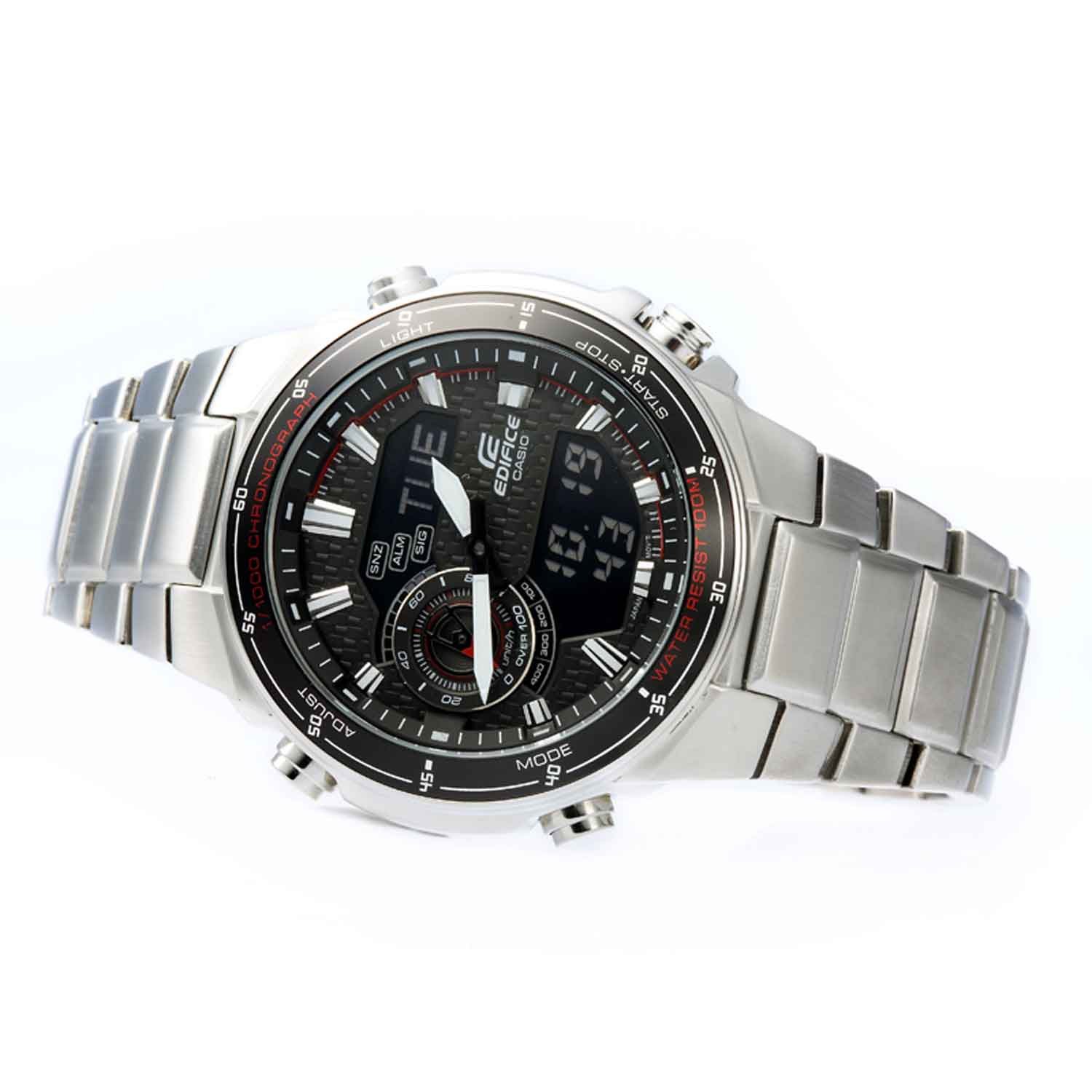
The digital display can be adjusted using the buttons on the side of the watch.
- Stiskněte tlačítko MODE button (C) repeatedly until the Timekeeping Mode is displayed.
- Podržte tlačítko UPRAVIT button (A) until the city code starts to flash in the digital display. This indicates the setting screen.
- Použijte VPŘED button (D) and ZVRÁTIT button (E) to select the desired setting item (e.g., city code, DST, 12/24-hour format, hour, minute, year, month, day).
- Použijte MODE button (C) to move between setting items.
- Jakmile jsou všechna nastavení nakonfigurována, stiskněte tlačítko UPRAVIT button (A) to exit the setting screen.
Obrázek: Přední strana view of the Casio Edifice EFA-131D-1A1VDF watch, highlighting the analog and digital displays, and the various control buttons for setting adjustments.
2.3. Nastavení pásku
The stainless steel band can be adjusted for a comfortable fit. It is recommended to have this adjustment performed by a qualified jeweler or watch technician to prevent damage to the band or clasp.
3. Ovládání funkcí hodinek
Your Casio Edifice watch offers several functions accessible via the MODE tlačítko (C).
3.1. Navigace režimů
Stiskněte tlačítko MODE button (C) to cycle through the different modes:
- Režim měření času: Zobrazuje aktuální čas a datum.
- Režim stopek: Měří uplynulý čas.
- Režim alarmu: Sets daily alarms.
- Režim světového času: Displays the current time in various cities around the world.
3.2. Funkce stopek
- Navigate to the Stopwatch Mode using the MODE tlačítko (C).
- Stiskněte tlačítko START/STOP button (D) to start the stopwatch.
- Stiskněte tlačítko START/STOP button (D) again to stop the stopwatch.
- Stiskněte tlačítko RESETOVAT button (E) to reset the stopwatch to zero.
3.3. Funkce alarmu
- Přejděte do režimu alarmu pomocí MODE tlačítko (C).
- Podržte tlačítko UPRAVIT button (A) until the alarm time starts to flash.
- Použijte VPŘED button (D) and ZVRÁTIT button (E) to set the desired alarm hour and minute.
- Stiskněte tlačítko UPRAVIT button (A) to confirm and exit the setting screen.
- Stiskněte tlačítko VPŘED button (D) in Alarm Mode to toggle the alarm ON/OFF.
3.4. Illumination (Light)
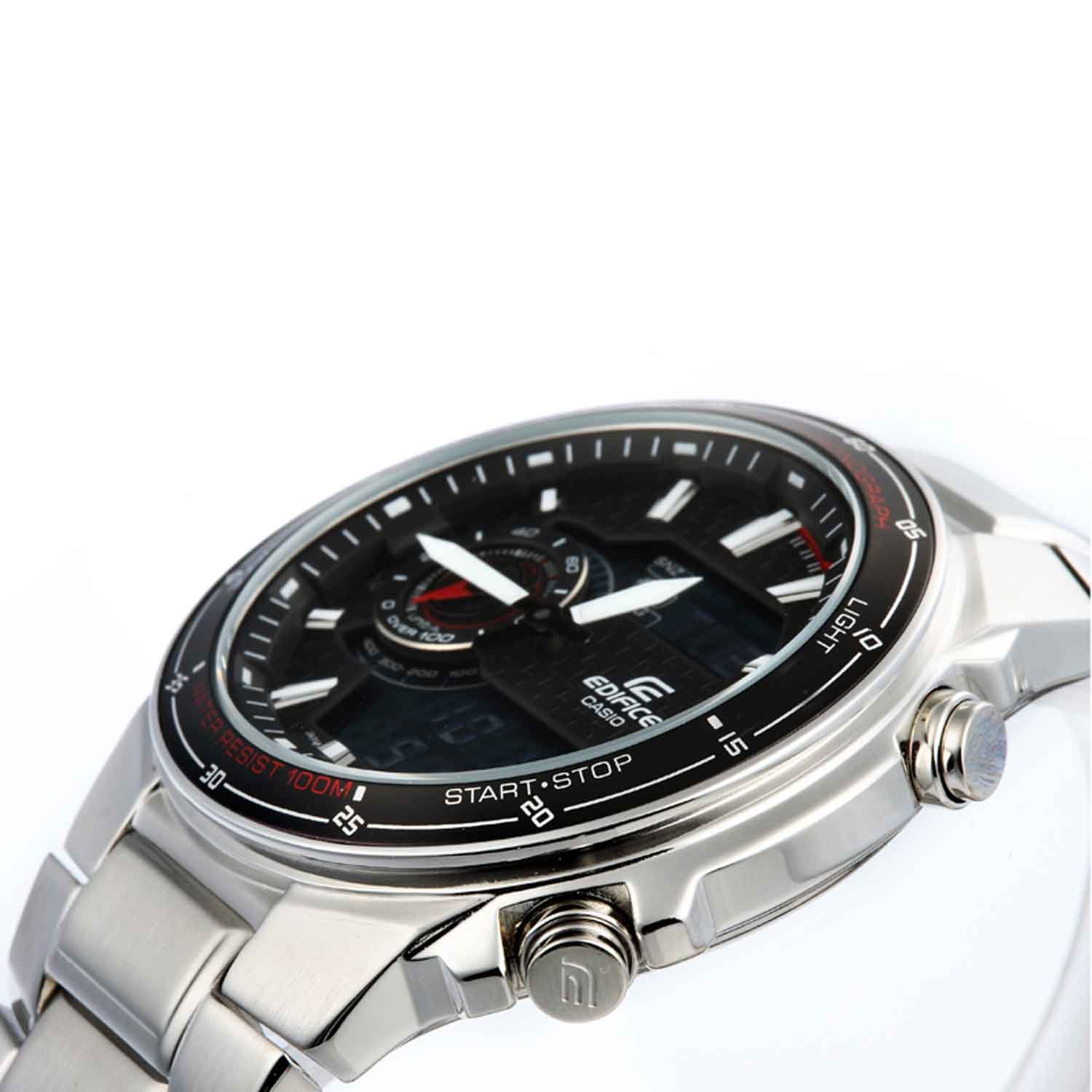
Stiskněte tlačítko SVĚTLO button (F) to illuminate the digital display for easy viewza zhoršených světelných podmínek.
Obrázek: Zkosená přední strana view of the Casio Edifice EFA-131D-1A1VDF watch, illustrating the digital display and the positions of the control buttons for various functions.
4. Údržba
Proper maintenance ensures the longevity and performance of your watch.
4.1. Voděodolnost
This watch is water resistant up to 100 meters (10 BAR). This means it is suitable for swimming and snorkeling, but not for scuba diving. Do not operate the watch buttons or crown while the watch is wet or submerged in water.
4.2. Čištění
Wipe the watch case and band with a soft, dry cloth to remove dirt and moisture. For stainless steel bands, a soft brush with mild soapy water can be used, followed by thorough rinsing and drying. Avoid using chemical cleaners or solvents.
4.3. Výměna baterie
The watch is powered by a quartz movement. When the battery runs low, the display may dim or the watch may stop functioning. Battery replacement should be performed by an authorized Casio service center or a qualified watch technician to ensure proper sealing and water resistance.

Obrázek: Zpět view of the Casio Edifice EFA-131D-1A1VDF watch, displaying the stainless steel case back where water resistance information is typically engraved, and the deployment clasp.
5. Řešení problémů
Pokud se s hodinkami setkáte s problémy, podívejte se na následující běžné problémy a jejich řešení:
-
Watch is not keeping accurate time (Analog or Digital):
Ensure the time settings are correct as described in Section 2. If the issue persists, the battery may be low and require replacement.
-
Digitální displej je prázdný nebo tmavý:
This typically indicates a low battery. Replace the battery at an authorized service center.
-
Tlačítka nereagují:
Check if the watch is wet. Do not operate buttons underwater. If the watch is dry and buttons are still unresponsive, there might be an internal malfunction requiring professional inspection.
-
Kondenzace uvnitř hodinek:
If condensation appears inside the watch glass and does not clear quickly, it may indicate a breach in water resistance. Seek immediate professional service to prevent further damage.
6. Specifikace
| Funkce | Detail |
|---|---|
| Číslo modelu | EFA-131D-1A1VDF |
| Typ pohybu | Křemen |
| Typ zobrazení | Analogově-digitální |
| Materiál pouzdra | Nerez |
| Průměr pouzdra | 49 milimetrů |
| Tloušťka pouzdra | 13 milimetrů |
| Materiál pásku | Nerez |
| Barva pásu | Stříbro |
| Barva číselníku | Černý |
| Materiál skla ciferníku | Minerální |
| Hloubka vodotěsnosti | 100 metrů (10 barů) |
| Hmotnost položky | 318 g |
| Rozměry produktu | 1.5 x 1.5 x 1.5 cm |

Image: Close-up of the watch's case back, detailing engraved specifications such as water resistance and material composition.
7. Záruka a podpora
7.1. Informace o záruce
Your Casio Edifice EFA-131D-1A1VDF watch comes with a 2letá záruka pro domácnosti from the manufacturer. This warranty covers manufacturing defects under normal use. Please retain your purchase receipt as proof of warranty.
7.2. Zákaznická podpora
For warranty claims, service, or further assistance, please contact Casio customer support or visit an authorized Casio service center. Contact details can typically be found on the official Casio webwebu nebo na vašem záručním listu.