
Zavedení
This manual provides detailed instructions for the proper setup, operation, and maintenance of your Panasonic KX-TS 520 corded telephone. Please read these instructions carefully before using your new telephone to ensure optimal performance and longevity.
The Panasonic KX-TS 520 is a reliable corded telephone designed for home and office use, featuring essential functions for clear communication. It operates without the need for batteries or external power adapters, drawing power directly from the telephone line.
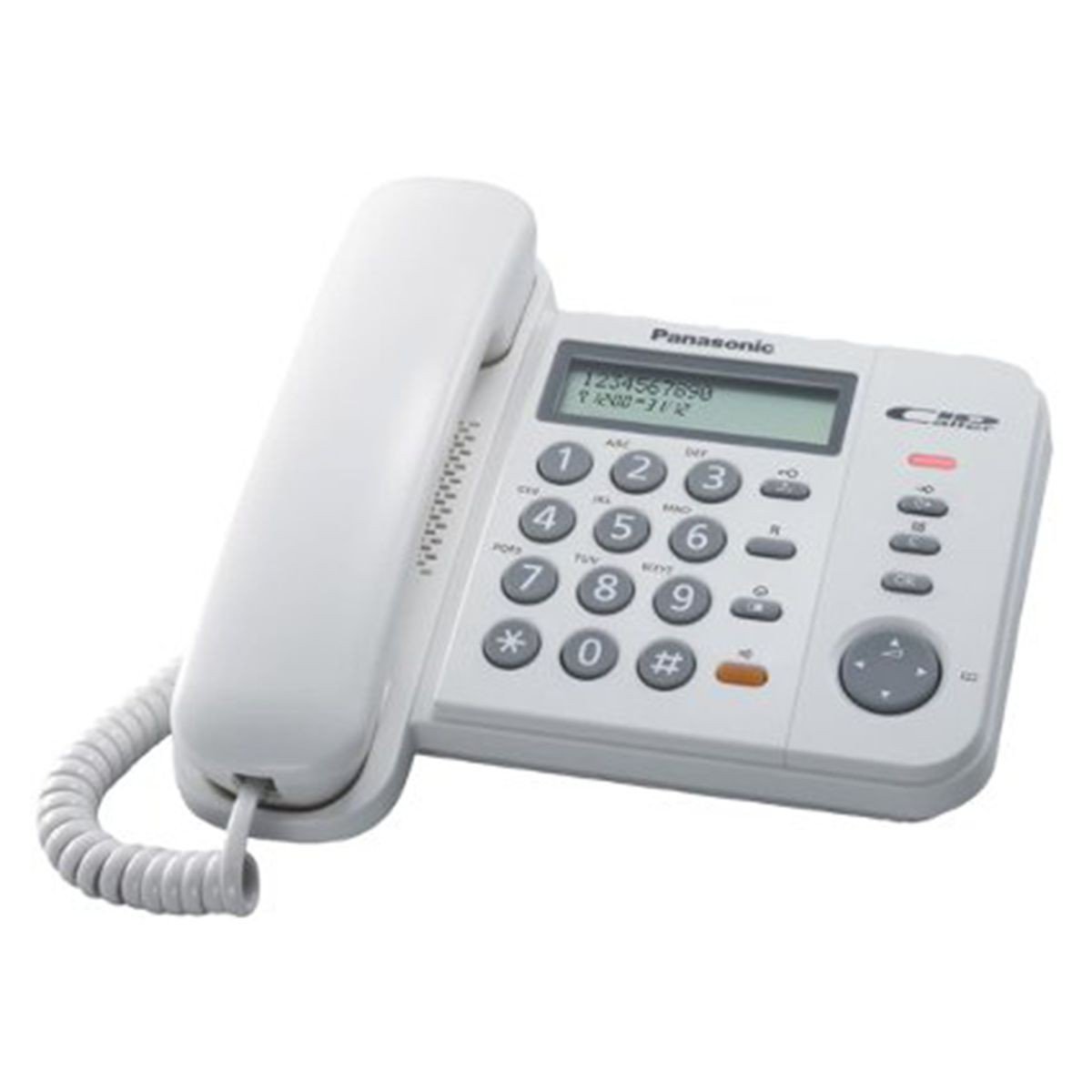
Obrázek 1: Panasonic KX-TS 520 Corded Telephone. This image shows the complete telephone unit, including the base, handset, and keypad.
Nastavení
Follow these steps to set up your Panasonic KX-TS 520 telephone.
- Rozbalení: Carefully remove all components from the packaging. Ensure you have the telephone base, handset, coiled handset cord, and telephone line cord.
- Connecting the Handset: Zapojte jeden konec spirálového kabelu sluchátka do sluchátka a druhý konec do zdířky označené "HANDSET" on the side of the telephone base.
- Připojení telefonní linky: Zapojte jeden konec telefonního kabelu do zdířky označené "LINE" on the back of the telephone base. Plug the other end into your wall telephone jack.
- Moc: The telephone is powered directly by the telephone line. No external power adapter or batteries are required for basic operation.
Návod k obsluze
This section details the primary functions of your telephone.
Uskutečnění hovoru
- Zvedněte sluchátko.
- Poslouchejte oznamovací tón.
- Vytočte požadované telefonní číslo pomocí klávesnice.
- Wait for the other party to answer.
- When finished, replace the handset on the base.
Přijetí hovoru
- Když telefon zvoní, zvedněte sluchátko pro přijetí hovoru.
- When finished, replace the handset on the base.
Nastavení hlasitosti
- Hlasitost sluchátka: During a call, use the volume control switch (often a slider or button) on the side of the handset or base to adjust the listening volume. There are 6 levels of control.
- Hlasitost vyzvánění: A switch on the telephone base allows you to select between High, Low, or Off for the ringer volume. Adjust this according to your environment.
Speed Dial (3 Stations)
Your telephone features three one-touch memory buttons (M1, M2, M3) for frequently called numbers.
- Uložení čísla:
- Zvedněte sluchátko.
- Stiskněte tlačítko "STORE" button (if available, otherwise consult specific model instructions for programming).
- Dial the telephone number you wish to store.
- Stiskněte jedno z tlačítek paměti (M1, M2, or M3).
- Vyměňte sluchátko.
- Vytočení uloženého čísla:
- Zvedněte sluchátko.
- Press the desired memory button (M1, M2, or M3). Číslo bude vytočeno automaticky.
Funkce opakovaného vytáčení
Opakované vytočení posledního volaného čísla:
- Zvedněte sluchátko.
- Stiskněte tlačítko "REDIAL" tlačítko. Poslední volané číslo bude automaticky znovu vytočeno.
Funkce pauzy
The pause function is useful when dialing through a PBX system or long-distance services that require a pause before dialing the next set of digits.
- While dialing, press the "PAUSE" button at the point where a pause is needed.
- Continue dialing the remaining digits after the pause.
Data Port Usage
The integrated data port allows you to connect other devices such as modems, fax machines, or answering machines to the same telephone line.
- Locate the data port on the telephone base.
- Connect the telephone line from your external device to this data port.
Údržba
Správná péče zajistí dlouhou životnost vašeho telefonu.
- Čištění: Otřete telefon měkkým hadříkemamp hadříkem. Nepoužívejte abrazivní čisticí prostředky, vosky ani rozpouštědla.
- Umístění: Avoid placing the telephone in direct sunlight, near heat sources, or in areas with excessive dust or moisture.
- Zacházení: Handle the handset and cords gently to prevent damage.
Odstraňování problémů
If you experience issues with your telephone, try these solutions before seeking service.
| Problém | Řešení |
|---|---|
| Žádný oznamovací tón. |
|
| Cannot hear the other party. |
|
| Other party cannot hear you. |
|
| Telefon nezvoní. |
|
Pokud problémy přetrvávají i po vyzkoušení těchto kroků, kontaktujte prosím zákaznickou podporu.
Specifikace
- Značka: Panasonic
- Model: KX-TS520
- Typ: Kabelový telefon
- Materiál: Akrylonitrilbutadienstyren (ABS)
- Zdroj napájení: Corded (Line Powered)
- Rozměry (DxŠxV): 19.6 x 19 x 9.5 cm (7.7 x 7.5 x 3.7 palce)
- Typ vytáčení: Jedna klávesnice
- Kompatibilní zařízení: PSTN Network
- Line Operation: Jeden řádek
- Ringer Volume Control: Vysoká, Nízká, Vypnuto
- Ovládání hlasitosti sluchátka: 6 úrovní
- Speciální vlastnosti: 3 One-Touch Speed Dial Memory, Redial, Pause Function, Data Port
Informace o záruce
This product is covered by the official manufacturer's warranty. Please refer to the warranty card included with your purchase or visit the Panasonic official webpodrobné podmínky týkající se záručního krytí a servisu naleznete na webových stránkách.
Zákaznická podpora
For further assistance, technical support, or inquiries regarding your Panasonic KX-TS 520 telephone, please visit the official Panasonic support webnebo se obraťte na jejich oddělení zákaznických služeb. Kontaktní informace obvykle naleznete na webových stránkách společnosti Panasonic. webna webu nebo v obalu vašeho produktu.
You can find more information about Panasonic products and support at: Www.panasonic.com