
Zavedení
This manual provides essential information for the safe and efficient operation of your Brookstone iDesign Tower Stereo System. Please read this manual thoroughly before using the product and retain it for future reference.
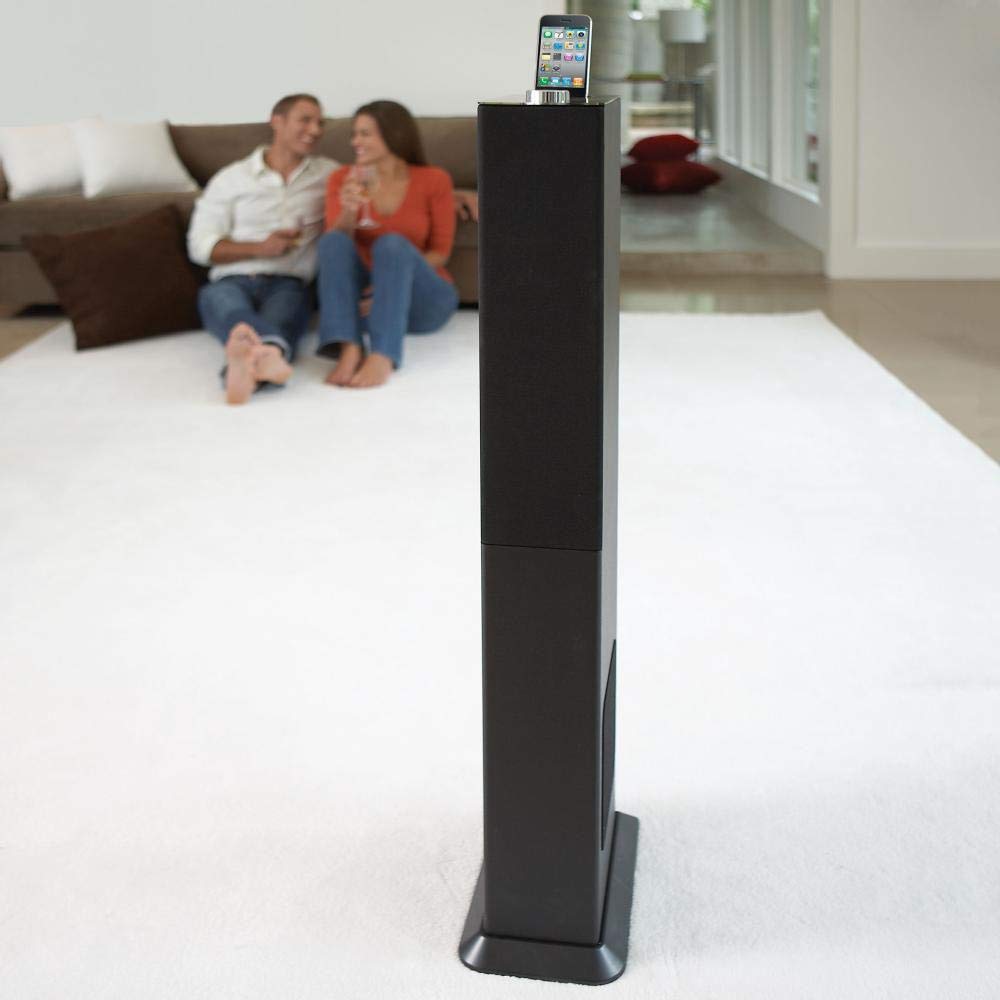
Image: The Brookstone iDesign Tower Stereo System, a tall, slender speaker unit designed for audio playback and device charging.
Bezpečnostní informace
- Zdroj napájení: Používejte pouze určený napájecí adaptér. Ujistěte se, že hlasitosttage odpovídá místnímu napájení.
- Větrání: Nezakrývejte žádné větrací otvory. Nainstalujte v souladu s pokyny výrobce.
- Voda a vlhkost: Nevystavujte tento spotřebič dešti ani vlhkosti. Nepokládejte na něj předměty naplněné tekutinami, například vázy.
- Teplo: Neinstalujte v blízkosti zdrojů tepla, jako jsou radiátory, tepelné regulátory, kamna nebo jiná zařízení (včetně amplifikátory), které produkují teplo.
- Čištění: Čistěte pouze suchým hadříkem.
- Servis: Veškerý servis svěřte kvalifikovanému servisnímu personálu. Je -li zařízení jakýmkoli způsobem poškozeno, je nutná údržba.
Obsah balení
Zkontrolujte prosím, zda jsou v balení přítomny všechny položky:
- iDesign Tower Stereo System
- Dálkové ovládání
- Napájecí adaptér
- Uživatelská příručka (tento dokument)
- Note: iPod/iPhone devices are not included.
Konec produktuview
The iDesign Tower Stereo System features a sleek design with integrated speakers and a docking station for compatible Apple devices. It includes a backlit on/volume knob and a remote control for convenient operation, delivering full, deep bass, crisp, clear highs, and warm middle tones.
Hlavní komponenty:
- Mřížky reproduktorů: Multi-angled speakers for room-filling sound.
- Docking Port: For iPod and iPhone devices (1st and 2nd generation iPod touch, iPod classic, 4th and 5th generation iPod nano, iPhone 3GS, iPhone 3G, iPhone).
- On/Volume Knob: Backlit control for power and volume adjustment.
- Pomocný vstup: For connecting other audio devices (cable not included).
- Příkon: Pro připojení napájecího adaptéru.
- Senzor dálkového ovládání: Přijímá signály z dálkového ovladače.
Nastavení
1. Umístění
Place the iDesign Tower Stereo System on a stable, flat surface. Ensure there is adequate space around the unit for proper ventilation. Avoid placing it in direct sunlight or near heat sources.
2. Připojení napájení
- Connect the power adapter cable to the Power Input port on the back of the iDesign Tower Stereo System.
- Zapojte napájecí adaptér do standardní zásuvky.
3. Device Docking (iPod/iPhone)
The system is designed for specific iPod and iPhone models:
- iPod touch (1st and 2nd generation)
- iPod classic
- iPod nano (4th and 5th generation)
- iPhone 3GS
- iPhone 3G
- iPhone
Carefully align your compatible iPod or iPhone device with the docking port and gently push it down until it is securely seated. The device will begin charging automatically when docked and the system is powered on.
4. Auxiliary Input (Optional)
To connect other audio devices (e.g., MP3 players, CD players) that are not compatible with the docking port, use a 3.5mm audio cable (not included) to connect the device's headphone output to the Auxiliary Input port on the iDesign Tower Stereo System.
Návod k obsluze
1. Zapnutí/vypnutí
Press the On/Volume knob to turn the system on or off. The knob will illuminate when the system is powered on.
2. Ovládání hlasitosti
Rotate the On/Volume knob clockwise to increase the volume and counter-clockwise to decrease it. You can also adjust the volume using the remote control.
3. Výběr zdroje
The system automatically detects a docked iPod or iPhone. If an auxiliary device is connected, you may need to select the input source using the remote control (if available) or by cycling through inputs with a dedicated button (refer to remote control section for details).
4. Použití dálkového ovládání
The included remote control allows you to manage playback functions (play, pause, skip tracks) and volume for your docked iPod or iPhone from a distance. Point the remote control towards the sensor on the front of the tower system.
5. Nabíjecí zařízení
When a compatible iPod or iPhone is docked and the system is powered on, the device will charge automatically.
Údržba
Čištění
Wipe the exterior of the system with a soft, dry cloth. Do not use liquid cleaners or aerosol sprays, as these may damage the finish or internal components. Ensure the system is unplugged before cleaning.
Skladování
Pokud systém skladujete delší dobu, odpojte jej ze zásuvky a uložte jej na chladném a suchém místě, mimo dosah přímého slunečního záření a extrémních teplot.
Odstraňování problémů
| Problém | Možná příčina | Řešení |
|---|---|---|
| Žádná síla | Napájecí adaptér není připojen nebo zásuvka nefunguje. | Ensure power adapter is securely connected to the system and a working wall outlet. |
| Z dokovaného zařízení nefunguje žádný zvuk | Device not properly docked; volume too low; device not playing. | Re-seat the device in the dock. Increase system volume and device volume. Ensure music is playing on the device. |
| Z pomocného vstupu není žádný zvuk | Auxiliary cable not connected; incorrect source selected; volume too low. | Ensure auxiliary cable is securely connected. Select auxiliary input. Increase system and source device volume. |
| Dálkové ovládání nefunguje | Batteries dead; remote not pointed at sensor; obstruction. | Replace remote control batteries. Point remote directly at the sensor. Remove any obstructions between remote and system. |
| Zařízení se nenabíjí | Device not compatible; system not powered on; device not properly docked. | Verify device compatibility (see Setup section). Ensure system is powered on. Re-seat the device in the dock. |
Specifikace
- Model: B003YB9T2C
- Značka: Brookstone
- Rozměry balení: 42.6 x 14 x 8.6 palce
- Hmotnost položky: 28.3 libry
- První k dispozici: 10. března 2010
- Kompatibilita: iPod touch (1st/2nd gen), iPod classic, iPod nano (4th/5th gen), iPhone 3GS, iPhone 3G, iPhone.
Záruka a podpora
For warranty information and customer support, please refer to the documentation included with your purchase or visit the official Brookstone webUschovejte si doklad o koupi pro případ reklamace.
"Made for iPod" and "Made for iPhone" mean that an electronic accessory has been designed to connect specifically to iPod or iPhone, respectively, and has been certified by the developer to meet Apple performance standards. Apple is not responsible for the operation of this device or its compliance with safety and regulatory standards. Please note that the use of this accessory with iPod or iPhone may affect wireless performance.