
Zavedení
The Mackie HD1221 is a 12-inch 2-way compact high-definition powered loudspeaker designed for professional audio applications. It features 1200W of Class-D Fast Recovery amplification, high-definition audio processing, and custom-designed transducers by EAW. This manual provides essential information for the safe and effective use of your HD1221 loudspeaker, including setup, operation, maintenance, and troubleshooting.
Bezpečnostní informace
Before operating the Mackie HD1221 loudspeaker, please read and understand all safety instructions. Failure to do so may result in electric shock, fire, or other injuries. Keep these instructions for future reference.
- Zdroj napájení: Přístroj připojujte pouze k typu zdroje napájení popsanému v návodu k obsluze nebo vyznačenému na spotřebiči.
- Základy: Ensure the loudspeaker is properly grounded to prevent electric shock.
- Větrání: Nezakrývejte žádné větrací otvory. Nainstalujte v souladu s pokyny výrobce.
- Voda a vlhkost: Nepoužívejte tento přístroj v blízkosti vody a nevystavujte jej kapající nebo stříkající vodě.
- Čištění: Čistěte pouze suchým hadříkem.
- Servis: Veškeré opravy svěřte kvalifikovanému servisnímu personálu. Servis je nutný, pokud bylo zařízení jakýmkoli způsobem poškozeno, například je poškozen napájecí kabel nebo zástrčka, pokud do zařízení vnikla tekutina nebo do něj spadly předměty, zařízení bylo vystaveno dešti nebo vlhkosti, nefunguje normálně. , nebo byla vypuštěna.
- Montáž: Používejte pouze s vozíkem, stojanem, stativem, držákem nebo stolem určeným výrobcem nebo prodávaným se zařízením. Při používání vozíku buďte opatrní při přemísťování kombinace vozíku/přístroje, abyste se nezranili při převrácení.
Obsah balení
Verify that the following items are included in your Mackie HD1221 package:
- Mackie HD1221 Powered Loudspeaker
- Napájecí kabel
- Stručný průvodce (pokud je k dispozici)
- Informace o záruce
Pokud některá položka chybí nebo je poškozena, okamžitě kontaktujte svého prodejce.
Konec produktuview
The Mackie HD1221 is a versatile loudspeaker designed for various applications, including main PA, stage monitor, and flown installations. It features a robust construction and advanced audio processing.
Přední a boční Views
Obrázek 1: Přední a boční view of the HD1221 loudspeaker, highlighting the durable grille and integrated handles for portability.

Obrázek 2: Levá strana view of the HD1221 loudspeaker.
Ovládací prvky a připojení na zadním panelu

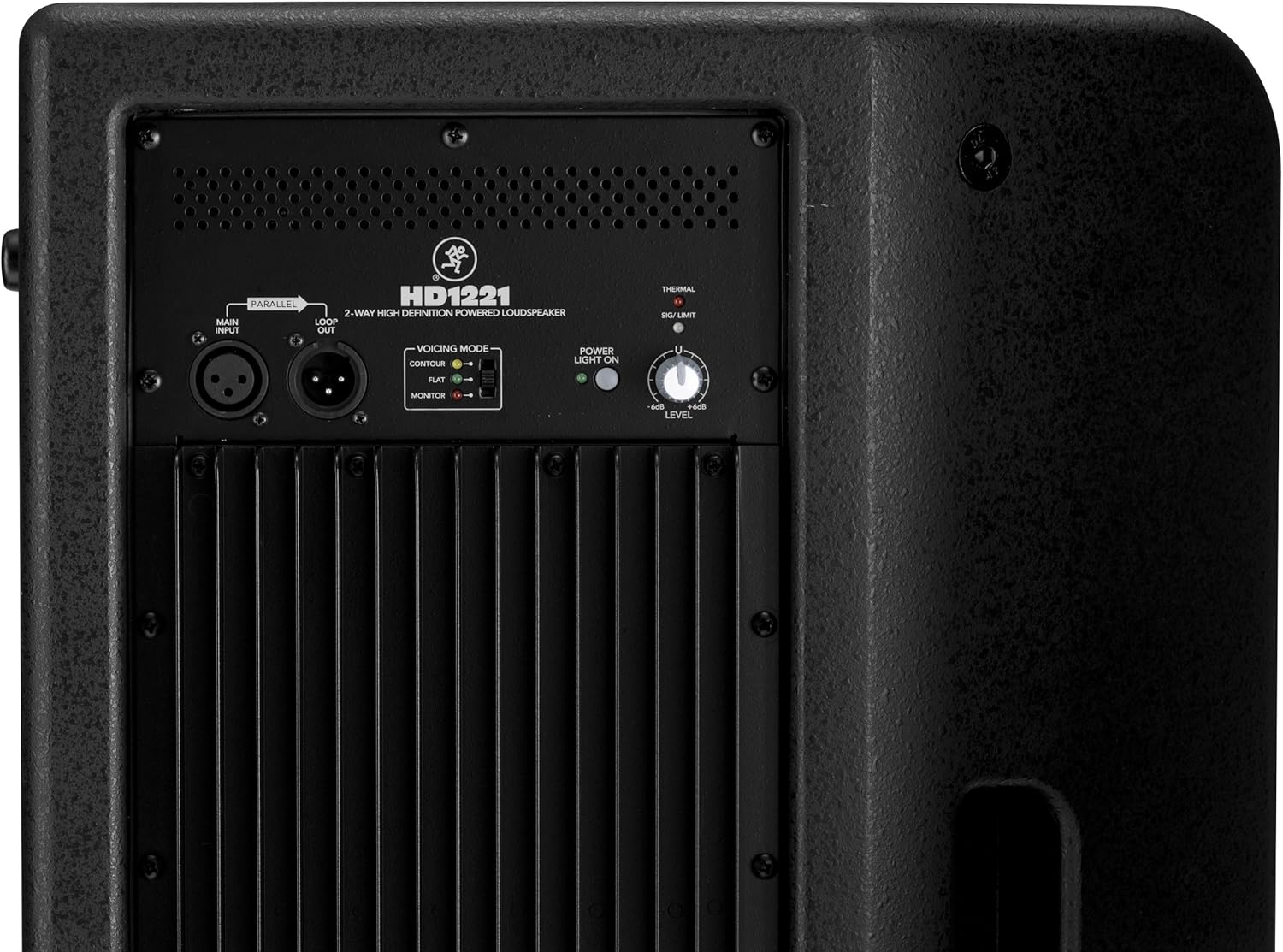
Figure 3: Rear panel of the HD1221, detailing the input/output section, voicing mode switch, power indicator, and level control knob.
- Main Input (XLR): Connect your audio source here.
- Loop Out (XLR): Provides a parallel output of the main input signal for connecting to additional loudspeakers or other audio equipment.
- Voicing Mode Switch: Selects between Contour, Flat, and Monitor modes to optimize the loudspeaker's frequency response for different applications.
- Kontrolka napájení svítí: Indikuje stav napájení jednotky.
- Thermal/Sig/Limit Indicators: Provide visual feedback on the loudspeaker's operational status, including thermal protection, signal presence, and limiting.
- Ovládání úrovně: Adjusts the overall output volume of the loudspeaker.
- Vstup střídavého proudu: Connects the power cable to the mains supply.
Vnitřní součásti
Obrázek 4: Vnitřní view of the HD1221, showcasing the 12-inch neodymium woofer and 1.75-inch titanium compression driver, designed by EAW.
Nastavení
Proper setup ensures optimal performance and safety. Follow these steps for initial setup:
Připojení napájení
- Ensure the Level control on the rear panel is set to its minimum position.
- Connect the supplied AC power cable to the AC Power Input on the rear panel of the HD1221.
- Zapojte druhý konec napájecího kabelu do uzemněné elektrické zásuvky.
Audio připojení
- Connect your audio source (e.g., mixer, instrument) to the Main Input (XLR) on the rear panel.
- If connecting multiple loudspeakers, use the Loop Out (XLR) to send the signal to the next loudspeaker.
Možnosti montáže
The HD1221 offers several mounting options for flexibility:
Montáž na sloup

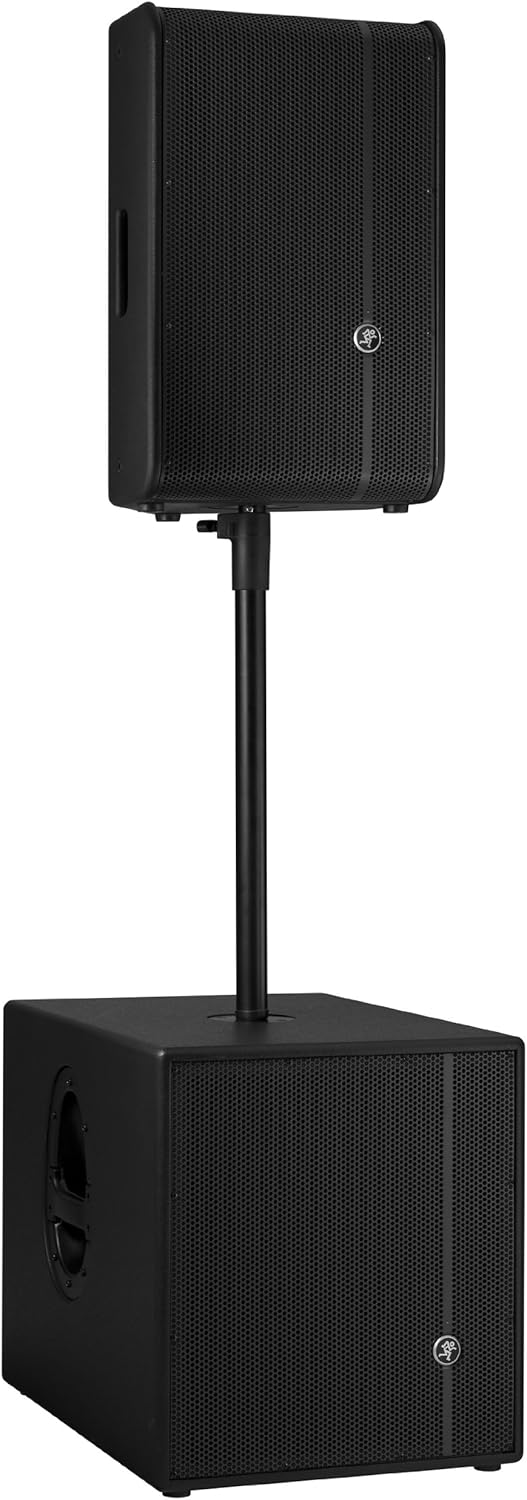
Figure 5: The HD1221 mounted on a pole, typically above a subwoofer like the HD1501 for a full-range PA system.
The HD1221 can be mounted on a standard speaker pole stand. Ensure the stand is stable and rated for the weight of the loudspeaker (approximately 58 lbs).
Stage Monitor Placement
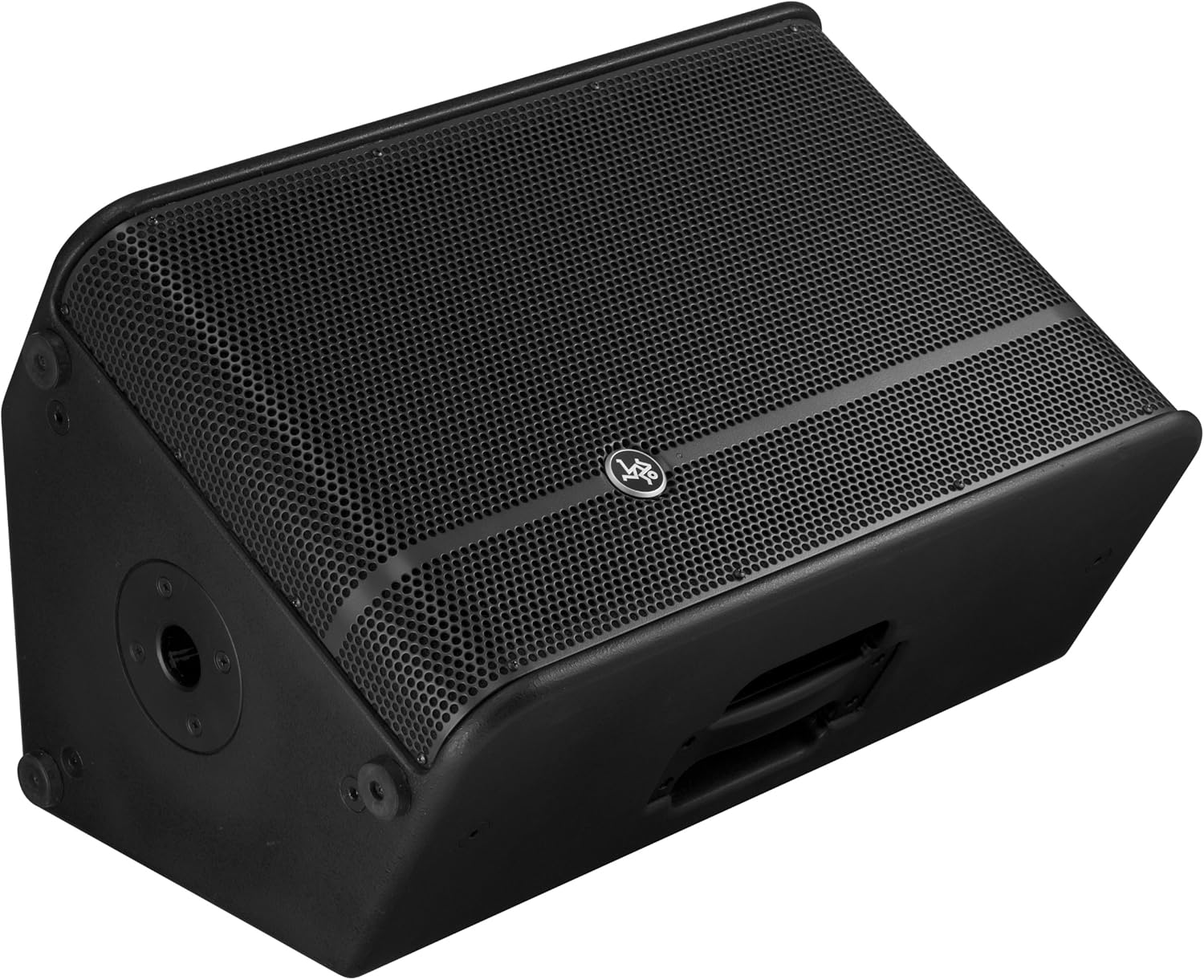
Figure 6: The HD1221 configured as a stage monitor, utilizing its 60-degree angle for optimal sound projection towards the performer.
The cabinet design allows for use as a stage monitor with a 60-degree angle. Place the loudspeaker directly on the stage floor, angled towards the performer.
Flying/Suspension

Figure 7: The HD1221 suspended vertically using appropriate rigging hardware.

Figure 8: The HD1221 suspended horizontally using appropriate rigging hardware.
The HD1221 can be flown both vertically and horizontally. Always use certified rigging hardware and consult with a qualified professional for safe installation. The user-rotatable horn allows for precise sound placement in either orientation.
Návod k obsluze
Jakmile je reproduktor nastaven, postupujte podle těchto kroků pro jeho obsluhu:
- Zapnutí: Turn on your audio source (mixer, etc.) first, then turn on the HD1221 loudspeaker. The 'Power Light On' indicator should illuminate.
- Set Voicing Mode: Use the Voicing Mode switch on the rear panel to select the appropriate setting for your application:
- Obrys: Provides a sculpted frequency response, often suitable for music playback.
- Byt: Offers a neutral frequency response, ideal for critical listening or when external EQ is used.
- Monitor: Optimizes the frequency response for use as a stage monitor, reducing low-end rumble and enhancing clarity.
- Úprava úrovně: Slowly increase the Level control on the rear panel to achieve the desired volume. Monitor the 'Sig/Limit' indicator; if it flashes frequently or stays lit, reduce the input level from your source or the HD1221's level to prevent distortion and potential damage.
- Vypnout: When finished, turn off the HD1221 loudspeaker first, then turn off your audio source.
Oficiální video produktu
Video 1: Overview of the Mackie HD1221 12-inch 2-Way High-Definition Powered Loudspeaker, demonstrating its features and applications.
Údržba
Regular maintenance helps prolong the life and performance of your HD1221 loudspeaker.
- Čištění: Use a dry, lint-free cloth to clean the exterior of the loudspeaker. Do not use liquid cleaners or solvents.
- Mřížka: Periodically check the steel grille for any damage or debris. Clean gently if necessary.
- Spojení: Ujistěte se, že všechny kabely jsou bezpečně připojeny a nejsou poškozené.
- Skladování: When not in use, store the loudspeaker in a dry, temperate environment, protected from dust and extreme temperatures.
Odstraňování problémů
If you encounter issues with your HD1221, refer to the following common problems and solutions:
| Problém | Možná příčina | Řešení |
|---|---|---|
| Žádný zvukový výstup | No power; incorrect connections; low level setting; faulty cable. | Check power cable and outlet. Verify audio cable connections. Increase Level control. Test with a different cable. |
| Zkreslený zvuk | Input level too high; faulty cable; damaged speaker component. | Reduce input level from source or HD1221. Check 'Sig/Limit' indicator. Test with a different cable. If distortion persists, contact support. |
| Žádná kontrolka napájení | No power; power switch off; internal fuse blown. | Ensure power cable is connected and outlet is active. Check power switch. If still no light, contact support. |
| Overheating (Thermal indicator lit) | Insufficient ventilation; prolonged high-volume operation. | Ensure adequate airflow around the unit. Reduce volume. Allow unit to cool down. |
Specifikace
Detailed technical specifications for the Mackie HD1221 powered loudspeaker:
- Výkon: 1200W Špičkový
- Typ reproduktoru: 2-Way High-Definition Powered Loudspeaker
- basový reproduktor: 12-inch Neodymium Woofer
- Ovladač komprese: 1.75palcový titanový kompresní driver
- Roh: Uživatelsky otočný klakson o 90° x 50°
- Materiál skříně: 15mm březová překližka
- Mřížka: Ocel válcovaná za studena
- Úhel monitoru: 60 stupňů
- Režimy hlasového projevu: Contour, Flat, Monitor
- Ampzvedání: Class-D Fast Recovery
- Impedance: 8 ohmů
- Hmotnost položky: 58 libry
- Protokol připojení: Wi-Fi (Note: This specification might refer to internal processing or future features, as direct Wi-Fi audio input is not typical for this type of speaker.)
- Číslo modelu: HD1221
- UPC: 663961030495
Záruka
The Mackie HD1221 loudspeaker comes with a comprehensive warranty:
- Elektronika: 3-letá záruka
- Ovladače: 2-letá záruka
Please retain your proof of purchase for warranty claims. For full terms and conditions, refer to the warranty card included with your product or visit the official Mackie webmísto.
Podpora
For additional assistance, technical support, or service inquiries, please contact Mackie Customer Support. You can find contact information and frequently asked questions on the official Mackie webmísto.
Online zdroje: Navštivte Mackie Store on Amazon pro informace o produktech a aktualizace.