
Logitech Z506
Systém reproduktorů pro domácí kino Logitech Z506 s prostorovým zvukem
Model: Z506 (980-000430)
1. Úvod
The Logitech Z506 Surround Sound Home Theater Speaker System is designed to deliver a powerful and immersive 5.1 surround sound experience for your music, movies, and games. This system provides rich 3D stereo sound, even from 2-channel stereo sources, ensuring a dynamic audio environment. With its ported down-firing subwoofer, it produces deep, clean, and booming bass, complemented by 75 watts (RMS) of balanced, room-filling sound.
This manual provides comprehensive instructions for setting up, operating, maintaining, and troubleshooting your Logitech Z506 speaker system to ensure optimal performance and longevity.
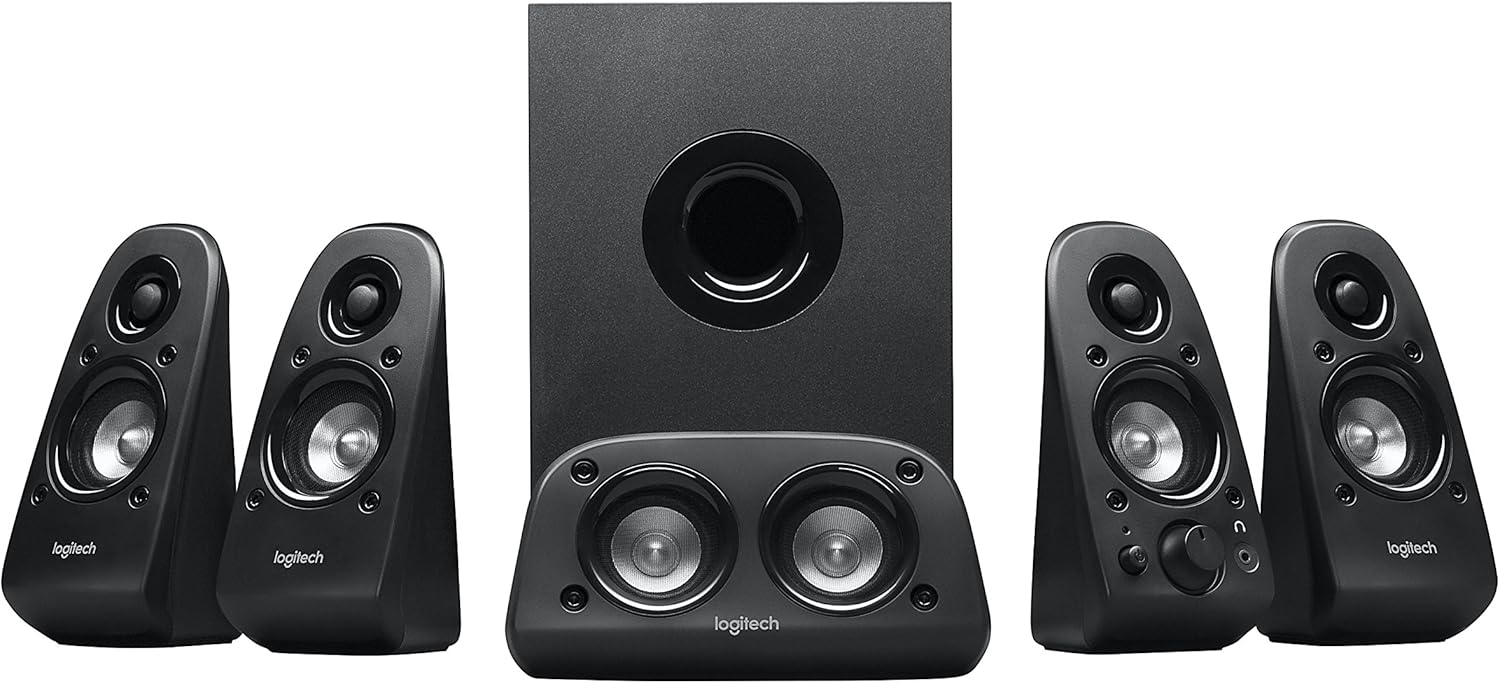
Obrázek 1: Přesview of the Logitech Z506 Surround Sound Speaker System, showing the subwoofer, center speaker, and four satellite speakers.
2. Nastavení
2.1 Vybalení a kontrola součástí
Carefully unpack all components from the box. Ensure you have the following items:
- Subwoofer (hlavní jednotka)
- Čtyři satelitní reproduktory
- One center channel speaker
- Accessory cables (color-coded speaker cables, audio input cables)
- Uživatelská dokumentace (tato příručka)
2.2 Umístění reproduktorů
Optimal speaker placement is crucial for achieving the best surround sound experience. Position the speakers as follows:
- Středový reproduktor: Place directly in front of you, above or below your monitor/TV.
- Front Left and Right Speakers: Position on either side of your monitor/TV, equidistant from you.
- Rear Left and Right Speakers: Place behind you, slightly to the sides, to create the surround effect.
- subwoofer: Place on the floor, ideally in a corner or near a wall, to enhance bass response.

Figure 2: The Logitech Z506 system, illustrating the subwoofer and satellite speakers from another perspective, useful for identifying components during setup.
2.3 Připojení reproduktorů
The Logitech Z506 system offers multiple input options for versatile connectivity. Use the color-coded speaker cables to connect the satellite and center speakers to the corresponding ports on the subwoofer unit.
For audio input, the system supports:
- 3x 0.14" / 3.5 mm Audio In Jacks: For connecting to PCs, smartphones, tablets, and other devices with a 3.5mm audio output.
- 2x Stereo RCA Input Jacks: For connecting to DVD players, game consoles, or other devices with RCA stereo outputs.
- 4x RCA Input Jacks for Speaker System: These are typically for direct 5.1 channel input from a sound card or compatible device.
- 1x DB 9 Pin Connector: For specific legacy connections.
Ensure all connections are secure before powering on the system. Connect the power cable to the subwoofer and then to a wall outlet.
3. Provoz
3.1 Zapnutí/vypnutí a ovládání hlasitosti
To power on the system, locate the power button, typically on one of the front satellite speakers. The system will indicate it is on, usually with an LED light. Adjust the overall volume using the main volume dial on the front right satellite speaker.
The system also features an on-speaker bass control, allowing you to easily dial the bass level up or down to suit your preference and the audio content.
3.2 Compatibility and Usage
The Logitech Z506 is highly versatile and compatible with a wide range of devices, including:
- Televizory
- Computers (PC)
- Smartphony a tablety
- Music players
- DVD players and Blu-ray players
- Gaming Consoles (PlayStation, Xbox, Wii)
For optimal 5.1 surround sound, ensure your audio source is configured to output 5.1 channels. If your source is 2-channel stereo, the Z506 will still provide rich 3D stereo sound.

Figure 3: The Logitech Z506 in use, providing immersive audio for gaming, highlighting its integration into a home entertainment setup.
4. Údržba
To ensure the longevity and optimal performance of your Logitech Z506 speaker system, follow these simple maintenance guidelines:
- Čištění: Reproduktory a subwoofer otírejte měkkým, suchým hadříkem. Nepoužívejte abrazivní čisticí prostředky, rozpouštědla ani spreje přímo na zařízení.
- Umístění: Chraňte reproduktory před přímým slunečním zářením, zdroji tepla a nadměrnou vlhkostí. Zajistěte dostatečné větrání kolem subwooferu, abyste zabránili přehřátí.
- Kabely: Periodically check all cable connections to ensure they are secure and free from damage. Avoid kinking or sharply bending cables.
- Skladování: If storing the system for an extended period, disconnect it from power and store it in a cool, dry place, preferably in its original packaging.
5. Řešení problémů
If you encounter issues with your Logitech Z506 speaker system, refer to the following common problems and solutions:
5.1 Žádný zvuk nebo nízká hlasitost
- Ensure the system is properly plugged into a power outlet and turned on.
- Check all audio cable connections between the speakers, subwoofer, and your audio source. Ensure they are securely plugged into the correct ports.
- Verify that the volume dial on the speaker system is turned up.
- Check the volume settings on your audio source (PC, TV, game console, etc.) and ensure it is not muted or set to a very low level.
- Pokud používáte počítač, ujistěte se, že je v nastavení zvuku vybráno správné výstupní zvukové zařízení.
5.2 Static Noise or Hum
A slight static noise or hum, even when no sound is playing, can sometimes occur. Consider the following:
- Ensure the Z506 is plugged directly into a wall outlet, not a power strip or surge protector that might be overloaded.
- The quality of the audio source hardware can influence noise. If connected to an older TV or device, a slight noise might be present. Try connecting to a different audio source to isolate the issue.
- If using with an older TV that doesn't support 5.1 well, try setting the Z506's volume to a lower level and increasing the TV's volume.
- Ensure all cables are properly shielded and not running parallel to power cables, which can introduce interference.
5.3 Zkreslený zvuk
- Reduce the volume level on both the speaker system and your audio source.
- Adjust the bass control on the speaker system. Excessive bass can lead to distortion, especially at high volumes.
- Check the audio settings on your source device (e.g., equalizer settings on a PC) and reset them to default or adjust them to reduce distortion.
- Ensure the speakers are not placed too close to walls or corners, which can sometimes cause unwanted resonance.
6. Specifikace
| Funkce | Detail |
|---|---|
| Název modelu | Z506 |
| Typ reproduktoru | Surround, Subwoofer |
| Konfigurace kanálů prostorového zvuku | 5.1 |
| Celkový RMS výkon | 75 wattů (RMS) |
| Výkon subwooferu | 27 wattů |
| Technologie připojení | Kabelové |
| Audio Input Jacks | 3x 3.5mm, 2x Stereo RCA, 4x RCA for Speaker System, 1x DB 9 Pin |
| Rozměry produktu (DxŠxV) | 7.13"H x 15.94"Š x 11.06"V |
| Hmotnost položky | 11.45 libry |
| Barva | Černý |
7. Informace o záruce
The Logitech Z506 Surround Sound Home Theater Speaker System comes with a Limited Warranty. For detailed information regarding the terms and conditions of your warranty, including coverage period and claims process, please refer to the official warranty documentation provided with your product or visit the Logitech support webmísto.
8. Podpora a kontakt
Pro další pomoc, technickou podporu nebo přístup k dalším zdrojům se prosím podívejte na následující:
- Online uživatelská příručka: A PDF version of the user guide is available for download zde.
- Podpora Logitech Webmísto: Navštivte oficiální podporu Logitech webweb s nejčastějšími dotazy, ovladači a kontaktními informacemi.
- Služby zákazníkům: If you require direct assistance, please contact Logitech customer service through their official channels.
Always ensure you have your product model number (Z506 or 980-000430) ready when contacting support.