
1. Konec produktuview
The Microsoft Wireless Desktop 800 offers the freedom and convenience of wireless technology for your computing needs. This set includes a wireless keyboard and mouse, designed for ease of use and reliable performance.
Klíčové vlastnosti:
- Wireless keyboard and mouse combination
- Secure wireless connection & snap-in transceiver
- Easy-access hot keys for common functions
- 1000 DPI optical tracking for responsive cursor control
- Optimized power management for extended battery life
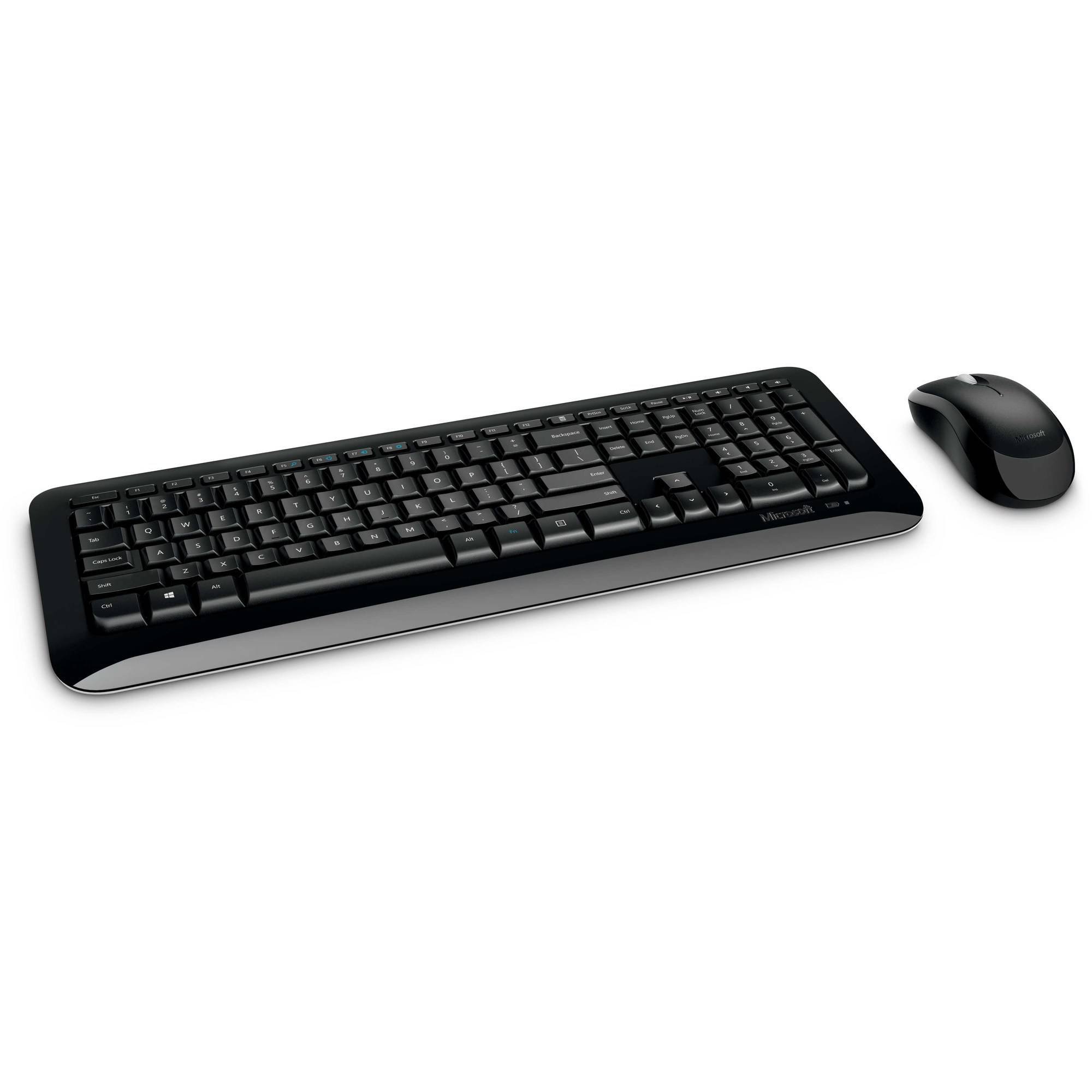
Figure 1: Microsoft Wireless Desktop 800 Keyboard and Mouse.
2. Pokyny k nastavení
Setting up your Microsoft Wireless Desktop 800 is a straightforward process. Follow these steps to get started:
- Nainstalujte baterie: Insert the required batteries into both the keyboard and the mouse. The keyboard typically uses AAA batteries, and the mouse uses AA batteries. Ensure correct polarity.
- Připojení transceiveru: Locate the tiny USB transceiver. Plug this wireless receiver into an available USB port on your computer.
- Zapnutí: Turn on the mouse using its power switch (usually located on the underside). The keyboard does not typically have a power switch and activates upon battery insertion and connection.
- Automatické připojení: Your keyboard and mouse should automatically connect to your computer. If not, refer to the troubleshooting section.
The transceiver can be conveniently snapped into the bottom of the mouse for secure storage when traveling, which also automatically turns off the mouse to conserve battery life.

Figure 2: The compact USB transceiver.
3. Obsluha vašeho zařízení
Funkce klávesnice:
- Bezpečné bezdrátové připojení: The keyboard utilizes 2.4 GHz wireless technology, providing a reliable connection with a range of up to 30 feet, minimizing interference.
- Easy Access Hot Keys: Quickly access frequently used tools such as zoom, audio controls, and the calculator using dedicated shortcut keys.
- Windows Start Button: Press the Windows Start button to quickly launch the Start menu on compatible Windows operating systems.
Funkce myši:
- Microsoft Optical Technology: Experience responsive and precise cursor control with 1,000-dots-per-inch (DPI) tracking.
- Rolovací kolečko: Procházejte dokumenty a webpages efficiently using the integrated scroll wheel.
- Oboustranný design: The mouse is designed for comfortable use in either the right or left hand.
4. Maintenance and Battery Management
- Indikátor životnosti baterie: The battery status indicator will glow red when the battery is running low, signaling that replacement is needed soon.
- Vypínač: To extend the battery life of your mouse, use the power switch located on its underside to turn it off when not in use or during travel.
- Prodloužená životnost baterie: Enjoy fewer interruptions with up to 15 months of battery life for the keyboard and mouse (individual battery life may vary).
- Čištění: K čištění povrchů klávesnice a myši používejte měkký, suchý hadřík. Nepoužívejte agresivní chemikálie ani abrazivní materiály.
5. Řešení problémů
If you encounter issues with your Microsoft Wireless Desktop 800, consider the following common solutions:
- Žádné připojení:
- Ensure the USB transceiver is securely plugged into a working USB port on your computer.
- Check that the batteries in both the keyboard and mouse are correctly installed and not depleted. Replace if necessary.
- Move the keyboard and mouse closer to the transceiver to rule out range issues.
- Přerušované připojení:
- Avoid placing the transceiver near other wireless devices or large metal objects that could cause interference.
- Ujistěte se, že operační systém vašeho počítače je aktuální.
- Kurzor myši se nehýbe:
- Zkontrolujte baterie myši.
- Ensure the optical sensor on the bottom of the mouse is clean and not obstructed.
- Use the mouse on a suitable surface; highly reflective or transparent surfaces may affect tracking.
6. Specifikace
| Funkce | Detail |
|---|---|
| Značka | Microsoft |
| Model | Bezdrátový desktop 800 |
| Barva | Černý |
| Technologie připojení | Radio Frequency (2.4 GHz) |
| Kompatibilní zařízení | Přenosný počítač, osobní počítač |
| Popis klávesnice | Bezdrátová klávesnice |
| Detekce pohybu | Optický (1000 DPI) |
| Podsvícení klávesnice | No (Single Color support refers to key legends) |
| Kompatibilita operačního systému | Windows 8, Windows 7, Windows Vista, Windows XP |
| Orientace ruky (myš) | Obouruký |
| Zdroj napájení | Napájení z baterie |
| Počet kláves (klávesnice) | 104 |
| Jsou vyžadovány baterie | 2 AAA (keyboard), 2 AA (mouse) - included |
| Hmotnost položky | 0.51 libry |
| Rozložení klávesnice | QWERTY |
7. Informace o záruce
The Microsoft Wireless Desktop 800 comes with a Manufacturer Warranty. For specific details regarding coverage, duration, and claims process, please refer to the warranty documentation included with your product or visit the official Microsoft support webmísto.
8. System Requirements and Support
Systémové požadavky:
- Operační systém: Windows 8, Windows 7, Windows Vista, or Windows XP
- Ostatní: K dispozici port USB
Zákaznická podpora:
For further assistance, technical support, or to download the latest drivers, please visit the official Microsoft support webwebu. Najdete tam také další zdroje a často kladené otázky.
Online podpora: support.microsoft.com