
Zavedení
The Logitech HD Webcam C310 is designed to provide clear and reliable video communication. Featuring HD 720p video calling and 5-megapixel snapshot capabilities, it's ideal for various applications. This manual provides essential information for setting up, operating, maintaining, and troubleshooting your webvačka.
Nastavení
Follow these steps to set up your Logitech HD Webcam C310:
- Rozbalte Webvačka: Opatrně vyjměte webcam from its packaging. Ensure all components, including the webcam unit and its integrated USB cable, are present.
- Umístěte Webvačka: The C310 features a flexible clip/stand designed to securely attach to the top of your monitor or laptop screen. It can also be placed on a flat surface. Adjust the clip to fit snugly without obstructing your screen.
- Připojení k počítači: Zapojte integrovaný kabel USB z webkameru do volného portu USB na vašem počítači. webcam is plug-and-play, meaning your operating system should automatically detect and install the necessary drivers.
- Instalace softwaru (volitelné): Zatímco webcam functions with standard drivers, for enhanced features like advanced settings and photo/video capture software, you may visit the official Logitech support website to download and install the latest software for your C310.
- Ověřte instalaci: Open a video conferencing application (e.g., Skype, Zoom, Google Meet) or your computer's camera application to confirm the webcam is recognized and displaying video.

Obrázek 1: Přední strana view of the Logitech HD Webvačka C310.

Figure 2: The C310 webcam positioned on a computer monitor for video calls.

Figure 3: Operating system compatibility for the Logitech C310 webvačka.
Obsluha Webvačka
The Logitech C310 is designed for ease of use with various communication platforms. Here are its key operational features:
- HD 720p Video Calls: Enjoy high-definition video calls on most major instant messaging applications and Logitech Vid HD. The webcam provides fluid, widescreen HD 720p video for clear communication.
- 5-Megapixel Snapshots: Capture high-resolution still images at up to 5 megapixels (software enhanced).
- One-Click Upload to Social Media: Easily capture HD video (720p) and upload it to platforms like Facebook or YouTube with a single click (requires Logitech software).
- Built-in Microphone with RightSound™: The integrated microphone ensures clear conversations by reducing background noise.
- RightLight™ 2 Technology: This feature intelligently adjusts the camera's settings to produce the best possible image, even in dim or poorly backlit environments.
- Logitech Video Effects: Add fun and creativity to your video calls with various video effects, including neon splashes and fish-eye distortions (requires Logitech software).
- IM Compatibility: The webcam is compatible with popular instant messaging applications such as Skype, Windows Live Messenger, Yahoo! Messenger, and AOL Instant Messenger (AIM®).
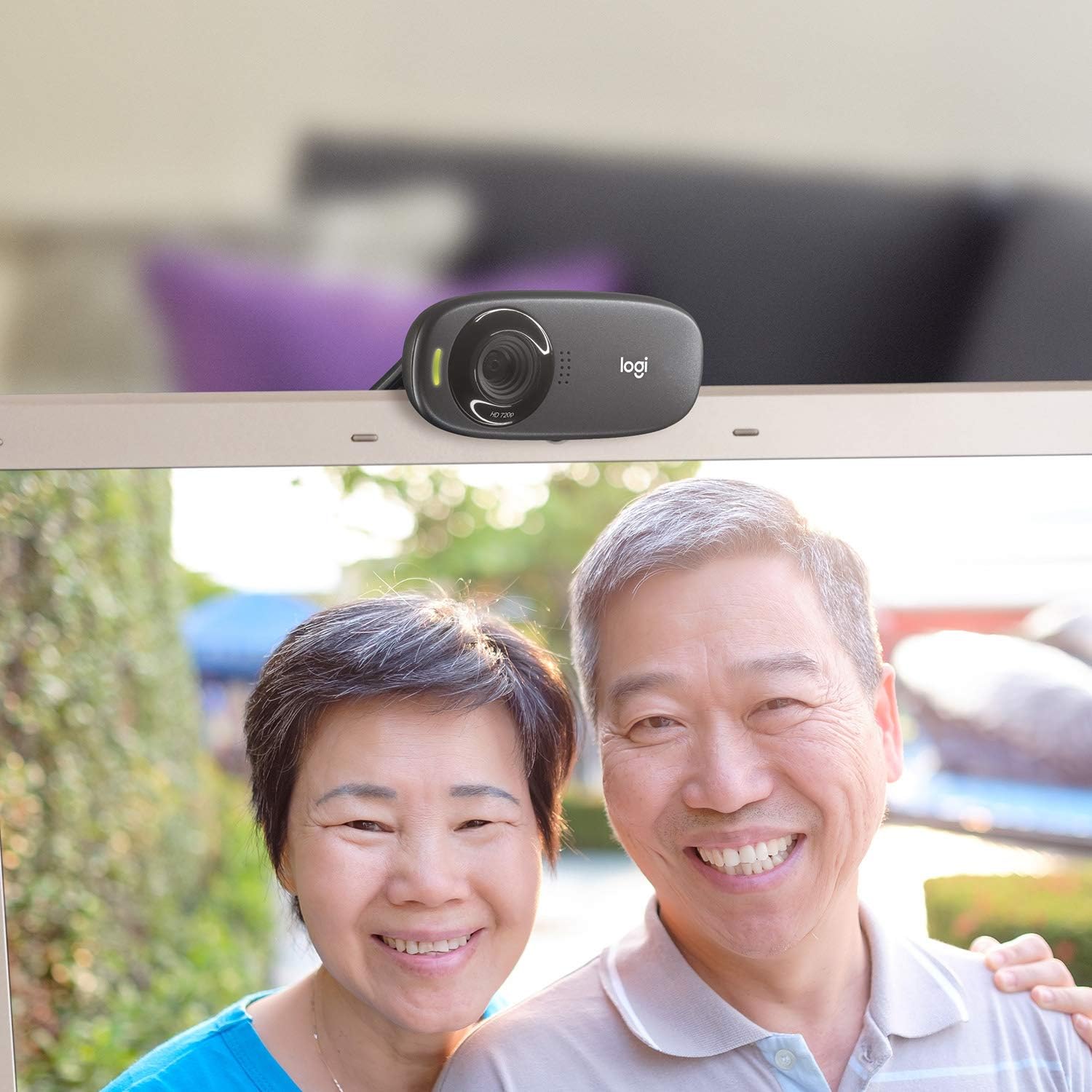
Obrázek 4: Přample of a clear video call using the C310 webvačka.
Údržba
Správná údržba zajistí dlouhou životnost a optimální výkon vašeho webvačka:
- Čištění: Jemně otřete měkkým hadříkem bez žmolků webcam lens and body. Avoid abrasive cleaners or solvents that could damage the surface.
- Skladování: Pokud nepoužíváte, uložte webUchovávejte kameru na čistém a suchém místě mimo dosah přímého slunečního záření a extrémních teplot.
- Péče o kabely: Do not excessively bend or pull the USB cable. This can damage the internal wires and affect connectivity.
Odstraňování problémů
If you encounter issues with your Logitech HD Webcam C310, try the following solutions:
- WebKamera nebyla detekována:
- Ujistěte se, že je kabel USB bezpečně zapojený do funkčního portu USB. Zkuste jiný port USB.
- Restartujte počítač.
- Check your computer's Device Manager (Windows) or System Information (Mac) to see if the webcam is listed and recognized.
- Aktualizujte ovladače USB vašeho počítače.
- Špatná kvalita videa:
- Ensure adequate lighting in your environment. RightLight™ 2 technology helps, but sufficient ambient light is crucial.
- Vyčistěte webobjektiv fotoaparátu měkkým hadříkem.
- Check your internet connection speed, especially during video calls, as a slow connection can degrade video quality.
- Close other applications that might be using significant bandwidth or system resources.
- Problémy s mikrofonem:
- Verify that the Logitech C310 microphone is selected as the default input device in your operating system's sound settings and in your video conferencing application.
- Zkontrolujte hlasitost mikrofonu v nastavení systému.
- Ensure no physical obstructions are blocking the microphone holes on the webvačka.
Specifikace
| Rozměry produktu | 8.27 x 2.99 x 5.98 palce |
| Hmotnost položky | 8 unce |
| Číslo modelu položky | 960-000637 |
| Rozlišení záznamu videa | 720p |
| Technologie fotosenzoru | CMOS |
| Technologie připojení | USB |
| Vestavěný mikrofon | Yes, with RightSound™ noise reduction |
| Automatická korekce světla | Yes, with RightLight™ 2 technology |
| Zachycení statického snímku | Up to 5 megapixels (software enhanced) |
| Výrobce | Logitech |
| Datum první dostupnosti | 12. listopadu 2010 |
Záruka a podpora
The Logitech HD Webcam C310 typically comes with a 2-year limited hardware warranty. For detailed warranty information, technical support, or to access additional resources, please visit the official Logitech support webwebu nebo se podívejte do dokumentace dodané s vaším produktem.
Můžete také zvážit nákupasing rozšířené plány ochrany pro dodatečné krytí:
- Dvouletý ochranný plán
- Dvouletý ochranný plán
- Kompletní ochrana: Jeden plán pokrývá všechny způsobilé minulé i budoucí nákupy (k dispozici je možnost měsíční fakturace).
For further assistance, contact Logitech Customer Service.