
Zavedení
This manual provides essential information for the safe and efficient use of your Doro PhoneEasy 105wr cordless phone. Please read these instructions carefully before using the phone and retain them for future reference.
Obsah balení
Než začnete, ujistěte se, že balení obsahuje všechny položky:
- Sluchátko Doro PhoneEasy 105wr
- Základní jednotka
- Napájecí adaptér pro základní jednotku
- Kabel telefonní linky
- Rechargeable Batteries (NiMH)
- Uživatelská příručka (tento dokument)
Nastavení
1. Připojení základní jednotky
- Připojte napájecí adaptér: Plug the small end of the power adapter into the DC IN socket on the back of the base unit. Plug the other end into a wall power outlet.
- Connect the Telephone Line Cord: Plug one end of the telephone line cord into the LINE socket on the back of the base unit. Plug the other end into your telephone wall socket.
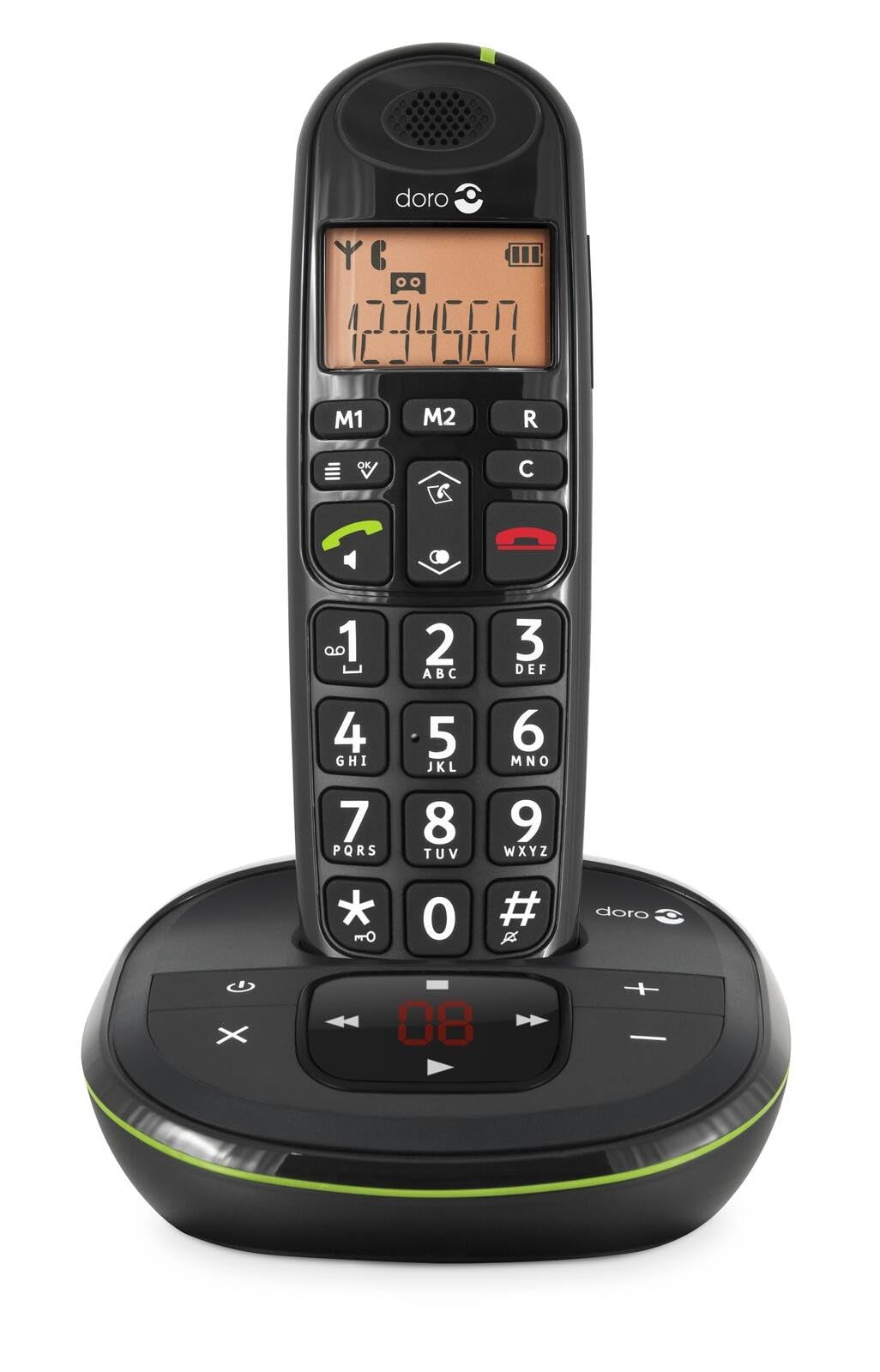 Image: The Doro PhoneEasy 105wr handset docked in its base unit, showing the keypad and display.
2. Installing Batteries in the Handset
- Otevřete přihrádku na baterie: Slide the battery compartment cover on the back of the handset downwards and remove it.
- Vložte baterie: Insert the supplied rechargeable NiMH batteries, observing the correct polarity (+ and -) as indicated inside the compartment.
- Zavřete přihrádku: Nasaďte zpět kryt přihrádky na baterie jeho posunutím nahoru, dokud nezacvakne.
3. Nabíjení sluchátka
Place the handset on the base unit. The battery icon on the handset display will animate to indicate charging. For optimal battery performance, charge the handset for at least 10-12 hours before its first use, even if the display indicates a full charge sooner.
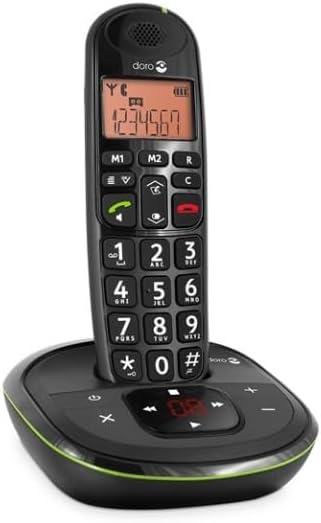
 Image: A slightly angled view of the Doro PhoneEasy 105wr handset in its charging cradle, highlighting its ergonomic design.
Návod k obsluze
Uskutečnění hovoru
- Vytáčení čísla: Zvedněte sluchátko nebo stiskněte Green Call button. Enter the phone number using the keypad.
- Ukončení hovoru: Stiskněte tlačítko Red End Call button nebo vraťte sluchátko zpět do základnové jednotky.
Příjem hovoru
Když telefon zvoní, stiskněte Green Call button to answer. To end the call, press the Red End Call button or return the handset to the base unit.
Nastavení hlasitosti
Během hovoru použijte Up a Dolů navigačními tlačítky na sluchátku upravte hlasitost sluchátka.
Telefonní seznam
Your Doro PhoneEasy 105wr can store up to 20 entries in its phonebook.
- Přidání záznamu:
- Stiskněte tlačítko Menu tlačítko.
- Přejděte do sekce „Telefonní seznam“ a vyberte možnost „Přidat nový“.
- Zadejte jméno a číslo a poté uložte.
- Volání z telefonního seznamu:
- Stiskněte tlačítko Telefonní seznam button (often a book icon).
- Scroll through the entries using the navigation buttons.
- Stiskněte tlačítko Green Call button to dial the selected entry.
Answering Machine (if applicable)
The Doro PhoneEasy 105wr features a digital answering machine with a recording capacity of 20 minutes.
- Přehrávání zpráv: Stiskněte tlačítko Přehrát/Zastavit tlačítko na základní jednotce.
- Mazání zpráv: Během přehrávání zprávy stiskněte Vymazat tlačítko na základní jednotce.
- Nahrávání odchozí zprávy: Refer to the handset menu for options to record or select a pre-recorded outgoing message.
 Obrázek: Přímá fronta view of the Doro PhoneEasy 105wr cordless phone, showing the large buttons and clear display on the handset, and the answering machine controls on the base.
Údržba
- Čištění: Otřete telefon a základnovou jednotku měkkým hadříkemamp tkanina. Nepoužívejte abrazivní čisticí prostředky nebo rozpouštědla.
- Péče o baterie: Používejte pouze určené dobíjecí baterie. Pokud telefon nebudete delší dobu používat, vyjměte baterie, abyste zabránili jejich vytečení.
- Podmínky prostředí: Nevystavujte telefon extrémním teplotám, přímému slunečnímu záření nebo vlhkosti.
Odstraňování problémů
| Problém | Možná příčina | Řešení |
|---|---|---|
| Žádný oznamovací tón | Telefonní kabel není připojen nebo je vadný. | Check the telephone line cord connection to the base unit and wall socket. Test with another phone if possible. |
| Sluchátko se nenabíjí | Handset not correctly placed on the base unit; dirty charging contacts; faulty batteries. | Ensure the handset is seated correctly. Clean charging contacts on both handset and base with a dry cloth. Replace batteries if old. |
| Špatná kvalita zvuku | Handset too far from base unit; interference; low battery. | Move closer to the base unit. Avoid placing the base near other electronic devices. Charge the handset battery. |
| Nelze uskutečňovat/přijímat hovory | No power to base unit; handset not registered. | Check power adapter connection. Refer to the full manual for handset registration instructions if needed. |
Specifikace
| Funkce | Detail |
|---|---|
| Značka | Doro |
| Číslo modelu | 380102 |
| Barva | Černý |
| Typ telefonu | Bezdrátový |
| Materiál | Kov (vnitřní součásti) |
| Zdroj napájení | Napájení z baterie (1 A baterie je součástí balení) |
| Typ vytáčení | Jedna klávesnice |
| Rozměry položky (D x Š x V) | 19.4 x 15.4 x 10.3 centimetrů |
| Hmotnost položky | 706 gramů |
| Typ systému odpovědí | Digitální |
| Doba hovoru | 600 Minutes (10 hours) |
| Pohotovostní doba | 100 hodiny |
| Kapacita záznamu | 20 minut |
| ID volajícího | Ano |
| Independent Test Certification | Energy Star |
Záruka a podpora
Information regarding specific warranty terms and customer support contact details is not available in this document. Please refer to the warranty card included with your product or visit the official Doro webwebu pro nejaktuálnější informace.
For further assistance, you may contact Doro customer service through their official channels.