
Logitech B100
Logitech B100 Wired Mouse User Manual
Model: B100
Zavedení
The Logitech B100 Wired Mouse is a reliable and essential peripheral designed for comfortable and efficient computer use. This optical mouse features an ambidextrous design, making it suitable for both right and left-handed users. With its 800 DPI sensitivity, it provides precise cursor control for various tasks, from document editing to web navigation. Its plug-and-play functionality ensures immediate usability without complex setup.
This manual provides detailed instructions for setting up, operating, maintaining, and troubleshooting your Logitech B100 mouse.
Obsah balení
Než začnete, ujistěte se, že balení obsahuje všechny položky:
- Logitech B100 Wired Mouse
- Quick Start User Guide (this document)
Nastavení
The Logitech B100 mouse is designed for simple plug-and-play installation. No additional software or drivers are typically required for basic functionality.
Připojení myši
- Najděte volný USB port na vašem počítači nebo notebooku.
- Insert the USB connector of the Logitech B100 mouse firmly into the USB port.
- Your operating system should automatically detect and install the necessary drivers. This process usually takes a few seconds.
- Once installed, the mouse cursor should appear on your screen and respond to movement.

Image: The Logitech B100 mouse showing its USB connector, ready for plug-and-play setup.
Ovládání myši
The B100 mouse offers standard three-button functionality with a scroll wheel for intuitive navigation.
Základní funkce
- Levé kliknutí: Používá se k výběru položek, otevírání filea aktivace odkazů.
- Klikněte pravým tlačítkem myši: Opens context menus, providing additional options for selected items.
- Rolovací kolečko: Used to scroll up and down through documents and web stránky.
- Kliknutí prostředním tlačítkem myši (tlačítko rolovacího kolečka): Can be pressed to open links in new tabs or activate auto-scrolling in some applications.
Oboustranný design
The symmetrical design of the Logitech B100 allows for comfortable use by both right-handed and left-handed individuals. Simply position the mouse as preferred for your dominant hand.

Image: A hand demonstrating comfortable use of the Logitech B100 mouse, highlighting its ergonomic design.
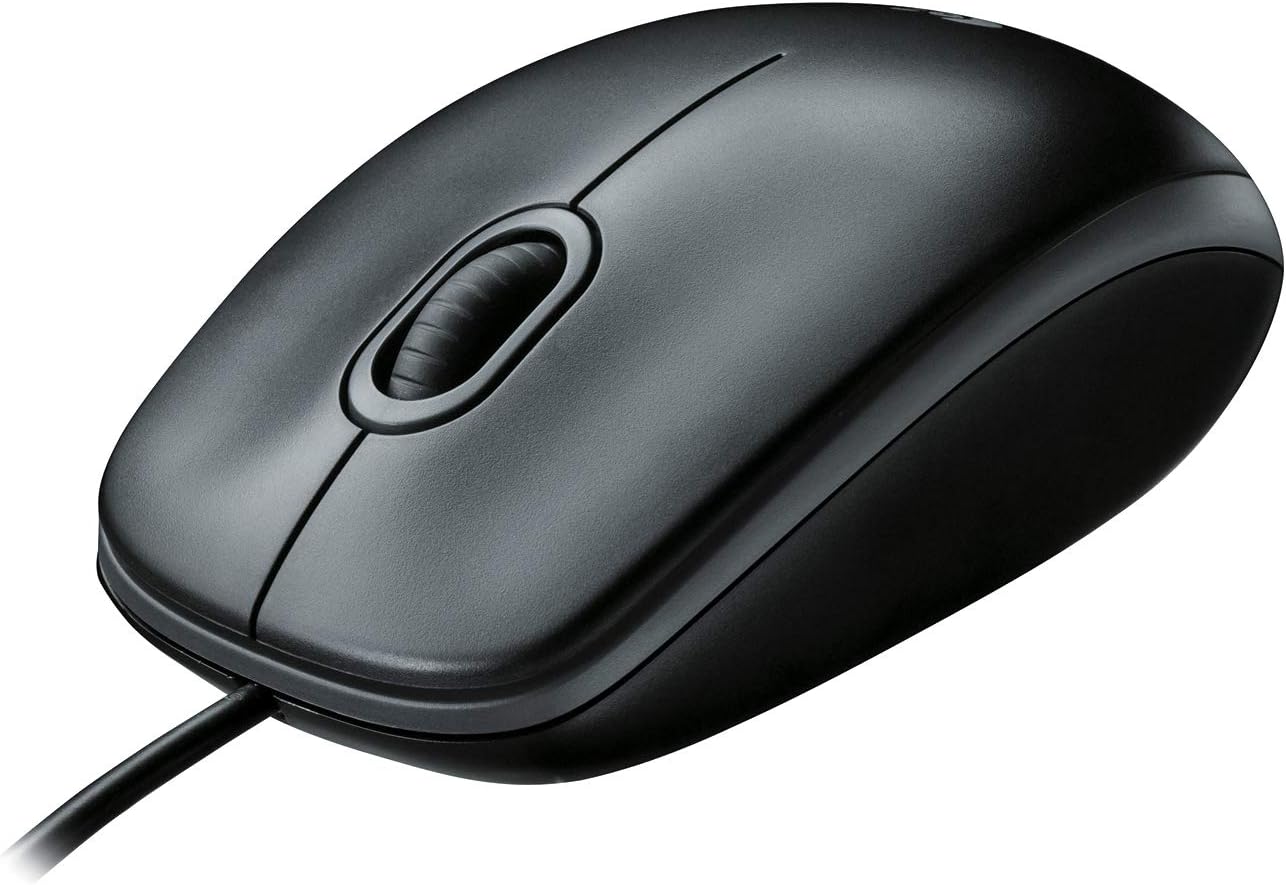
Obrázek: Jasný pohled shora dolů view of the Logitech B100 wired mouse, showcasing jeho klasický design.
Údržba
To ensure optimal performance and longevity of your Logitech B100 mouse, follow these simple maintenance guidelines:
- Čištění: Použijte měkký hadřík, který nepouští vlákna dampPovrch myši otřete vodou nebo jemným čisticím roztokem. Nepoužívejte agresivní chemikálie ani abrazivní materiály.
- Optický senzor: Periodically check the optical sensor on the bottom of the mouse for dust or debris. Gently clean it with a cotton swab if necessary.
- Péče o kabely: Abyste předešli poškození, vyhněte se ostrým ohybům nebo nadměrnému tahání za kabel USB.
- Skladování: Pokud myš nepoužíváte, skladujte ji v čistém a suchém prostředí mimo dosah extrémních teplot.

Image: The underside of the Logitech B100 mouse, showing the optical sensor and product labeling.
Odstraňování problémů
If you encounter issues with your Logitech B100 mouse, try the following troubleshooting steps:
- Myš nereaguje:
- Ujistěte se, že je kabel USB bezpečně zapojený do funkčního portu USB. Zkuste jiný port USB.
- Restartujte počítač.
- Check if the optical sensor on the bottom of the mouse is clean and unobstructed.
- Nepravidelný pohyb kurzoru:
- Vyčistěte optický senzor.
- Ujistěte se, že myš používáte na čistém, nereflexním a rovnoměrném povrchu. Doporučuje se použití podložek pod myš.
- Tlačítka nebo rolovací kolečko nefungují:
- Restartujte počítač.
- Try connecting the mouse to a different computer to determine if the issue is with the mouse or the computer's software/drivers.
Pro podrobnější informace o řešení problémů se můžete obrátit na oficiální Průvodce řešením problémů (PDF) poskytuje společnost Logitech.
Specifikace
| Funkce | Detail |
|---|---|
| Číslo modelu | 910-001439 |
| Konektivita | USB (kabelové) |
| Technologie detekce pohybu | Optický |
| Citlivost DPI | 800 DPI |
| Barva | Černý |
| Rozměry (DxŠxV) | 1.49 x 2.44 x 4.44 palce (37.8 x 62 x 112.8 mm) |
| Hmotnost | 3.84 unce (108.86 gramů) |
| Délka kabelu | Neuvedeno |
| Kompatibilita operačního systému | Windows 10, 11 nebo novější, Linux, Chrome OS, macOS 10.5 nebo novější |
| Speciální funkce | Ambidextrous design, Plug-and-Play |

Image: A diagram illustrating the physical dimensions (length, width, height) of the Logitech B100 mouse.
Záruka a podpora
The Logitech B100 Wired Mouse is engineered by Logitech, a leader in computer peripherals. This product is serviced and supported exclusively by Logitech in accordance with their terms and conditions.
For warranty information, technical support, or customer service, please contact Logitech directly through their official support channels. You can typically find support contact details on the Logitech webna místě nebo v obalu produktu.
For general information about Logitech products, you can visit the Obchod Logitech na Amazonu.