
1. Přesview
The Casio AE1000W Digital Watch is designed for durability and functionality, offering a range of features suitable for daily wear and travel. This manual will guide you through its various functions and ensure optimal use.
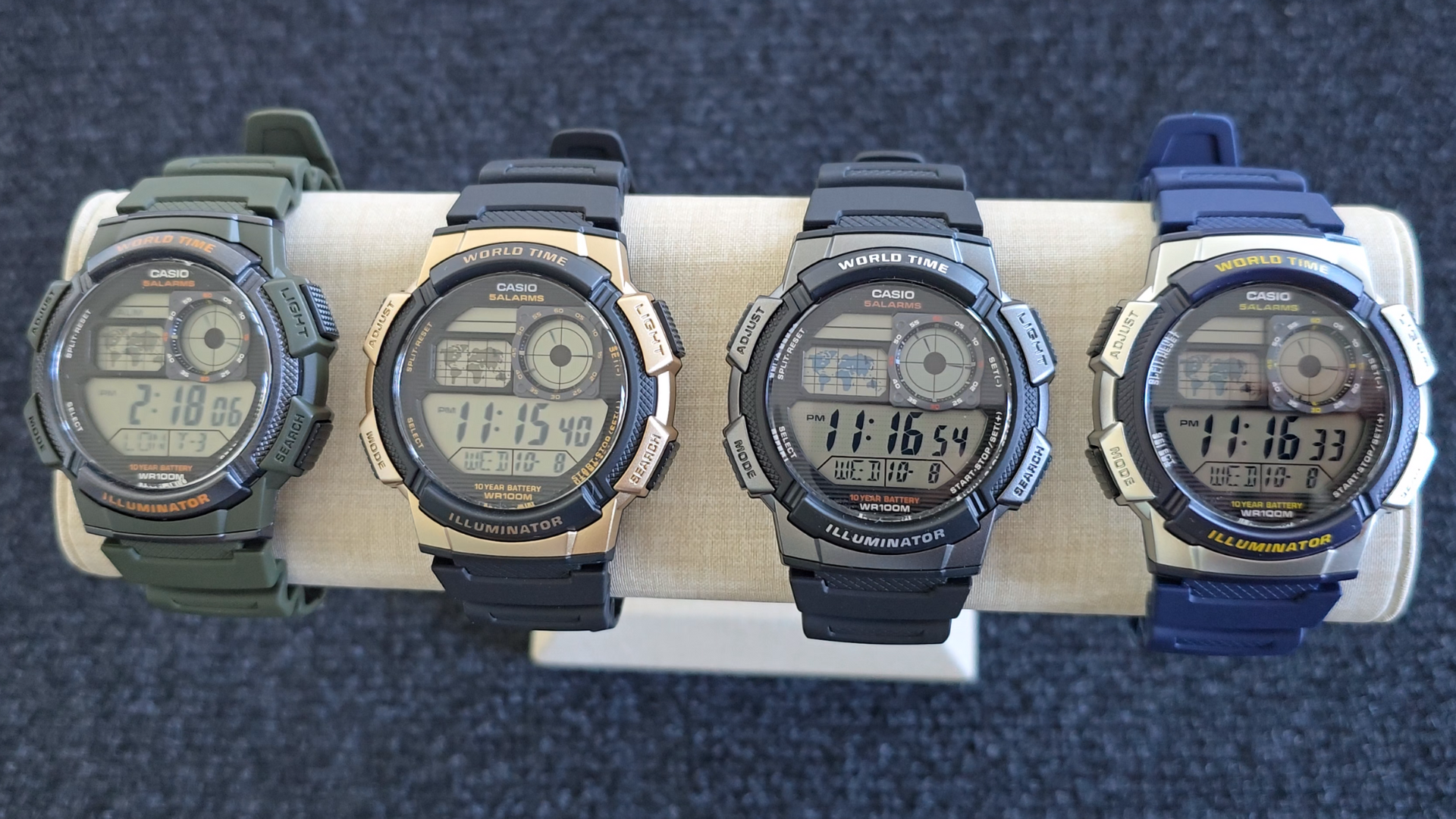
Image: Casio AE1000W Digital Watch series in various color options.
2. Klíčové vlastnosti
- světový čas: Displays current time in 48 cities (31 time zones) with a world map indicator.
- Multi Alarms: Features five independent daily alarms.
- Stopky: 1/100-second stopwatch with measuring modes: elapsed time, split time, 1st-2nd place times.
- Odpočítávadlo: Measuring unit: 1 second, Countdown range: 24 hours.
- LED světlo: Illuminates the watch face for easy reading in low light conditions.
- Voděodolnost: 100 meters (330 feet) suitable for swimming and snorkeling.
- 10letá životnost baterie: Baterie s dlouhou výdrží pro delší použití.
- Quartz pohyb: Zajišťuje přesné měření času.
- Glass Crystal: Durable watch face protection.

Image: Emblem highlighting the 10-year battery life feature.
3. Nastavení
3.1 Počáteční nastavení času a data
- V režimu měření času stiskněte a podržte tlačítko UPRAVIT tlačítko, dokud nezačne blikat kód města.
- Použijte VYHLEDÁVÁNÍ a MODE buttons to select your desired city code (Home City).
- Stiskněte tlačítko UPRAVIT button to move to the DST (Daylight Saving Time) setting. Use VYHLEDÁVÁNÍ to toggle DST On/Off.
- Stiskněte UPRAVIT again to cycle through the settings: 12/24-hour format, Seconds, Hour, Minute, Year, Month, Day. Use VYHLEDÁVÁNÍ a MODE ke změně hodnot.
- Jakmile jsou všechna nastavení správná, stiskněte tlačítko UPRAVIT tlačítko pro opuštění režimu nastavení.
4. Návod k obsluze
4.1 Navigace režimů
Stiskněte tlačítko MODE button to cycle through the different modes: Timekeeping, World Time, Alarm, Stopwatch, and Countdown Timer.
4.2 Funkce světového času
In World Time Mode, the watch displays the current time in 48 cities across 31 time zones. The world map indicator visually highlights the selected time zone.
- Vstupte do režimu světového času stisknutím tlačítka MODE tlačítko.
- Použijte VYHLEDÁVÁNÍ button to scroll through the different city codes. The time for the selected city will be displayed, and the corresponding area on the world map will be highlighted.
- To swap your Home City time with a World Time City, press and hold the UPRAVIT button while in World Time Mode.
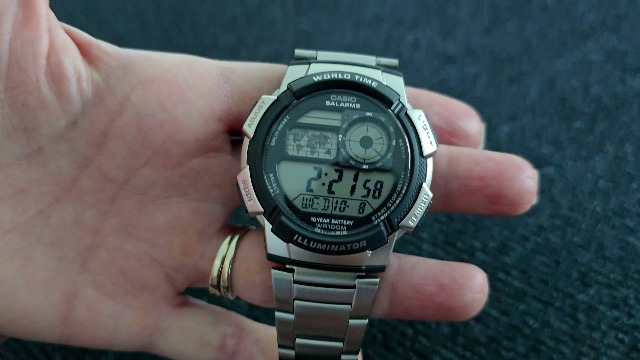
Obrázek: Přední strana view of the Casio AE1000W watch, showing the digital display and world map.
4.3 Alarmy
The watch features five daily alarms. You can set each alarm independently.
- Vstupte do režimu alarmu stisknutím tlačítka MODE button until "ALM" appears.
- Použijte VYHLEDÁVÁNÍ button to cycle through the five alarms (AL1 to AL5) and the Hourly Časový signál (SIG).
- To set an alarm, select the desired alarm (e.g., AL1) and press and hold the UPRAVIT tlačítko, dokud nezačnou blikat číslice hodin.
- Použití VYHLEDÁVÁNÍ a MODE pro nastavení hodiny a minuty.
- Stiskněte UPRAVIT pro potvrzení a ukončení.
- To turn an alarm On/Off, select the alarm and press the UPRAVIT krátce tlačítko.
4.4 Stopky
The stopwatch measures elapsed time, split times, and 1st-2nd place times.
- Vstupte do režimu stopek stisknutím tlačítka MODE button until "STW" appears.
- Stiskněte START/STOP/SET(+) to start and stop the stopwatch.
- Stiskněte ROZDĚLIT/RESETOVAT to record split times or reset the stopwatch to zero.
4.5 Odpočítávací časovač
The countdown timer can be set for up to 24 hours.
- Enter Countdown Timer Mode by pressing the MODE button until "TMR" appears.
- Chcete-li nastavit čas odpočítávání, stiskněte a podržte tlačítko UPRAVIT tlačítko, dokud nezačnou blikat číslice hodin.
- Použití VYHLEDÁVÁNÍ a MODE pro nastavení hodiny a minuty.
- Stiskněte UPRAVIT potvrdit.
- Stiskněte START/STOP/SET(+) pro spuštění a zastavení odpočítávání.
4.6 LED podsvícení
Stiskněte tlačítko SVĚTLO button to illuminate the watch face for a few seconds, making it easy to read in the dark.
5. Údržba
- Čištění: Wipe the watch with a soft, dry cloth. For water-resistant models, you can rinse it with fresh water after exposure to saltwater.
- Voděodolnost: While water-resistant to 100M, avoid operating buttons underwater to prevent water ingress.
- Baterie: The watch features a 10-year battery. When the display becomes dim or functions become erratic, it may be time for a battery replacement by a qualified technician.
- Teplota: Nevystavujte hodinky extrémním teplotám, delšímu přímému slunečnímu záření nebo silným magnetickým polím.
6. Řešení problémů
- Nesprávný čas: Ensure your Home City is correctly set and Daylight Saving Time (DST) is adjusted as needed. Refer to Section 3.1.
- Tlačítka nereagují: Check if the watch is in a specific setting mode. Exit any setting mode by pressing the UPRAVIT button. If the issue persists, a full reset may be required (refer to the full Casio manual for advanced reset procedures).
- Displej je tlumený: This may indicate a low battery. While rated for 10 years, environmental factors can affect battery life. Consider professional battery replacement.
7. Specifikace
| Funkce | Detail |
|---|---|
| Značka | Casio |
| Číslo modelu | AE-1000W-1BVCF |
| Rozměry produktu | 2.4 x 4.09 x 3.78 palce |
| Hmotnost položky | 1.41 unce |
| Materiál | Pryskyřice |
| Baterie | 1 lithiová kovová baterie (součástí balení) |
| Voděodolnost | 100 metrů (330 stop) |
| Hnutí | Křemen |
| Typ zobrazení | Digital with LC Analog Display |
8. Záruka a podpora
Informace o záruce a zákaznické podpoře získáte od oficiálního prodejce Casio. webnebo se obraťte přímo na jejich zákaznický servis. Uschovejte si účtenku jako doklad o koupi pro případ reklamace.
Online podpora: Navštivte Podpora Casio Webmísto for FAQs, manuals, and service center locations.