
1. Úvod
Thank you for choosing the LogiLink PX0014 7-inch Digital Photo Frame. This device allows you to display your digital photos in a convenient and stylish manner. This manual provides essential information for setting up, operating, and maintaining your digital photo frame to ensure optimal performance and longevity.
2. Konec produktuview
2.1 Klíčové vlastnosti
- 7-inch LCD display with a resolution of 480 x 234 pixels.
- 16:10 aspect ratio for wide-screen viewIng.
- Supports JPEG image format.
- Equipped with a USB port for external storage.
- Supports SD/SDHC and Multimedia Card (MMC) memory cards.
- Includes Calendar and Clock functions.
2.2 Obsah balení
Zkontrolujte prosím balení, zda neobsahuje následující položky:
- LogiLink PX0014 Digital Photo Frame
- Napájecí adaptér
- Uživatelská příručka (tento dokument)
- Dálkové ovládání (pokud je součástí dodávky)
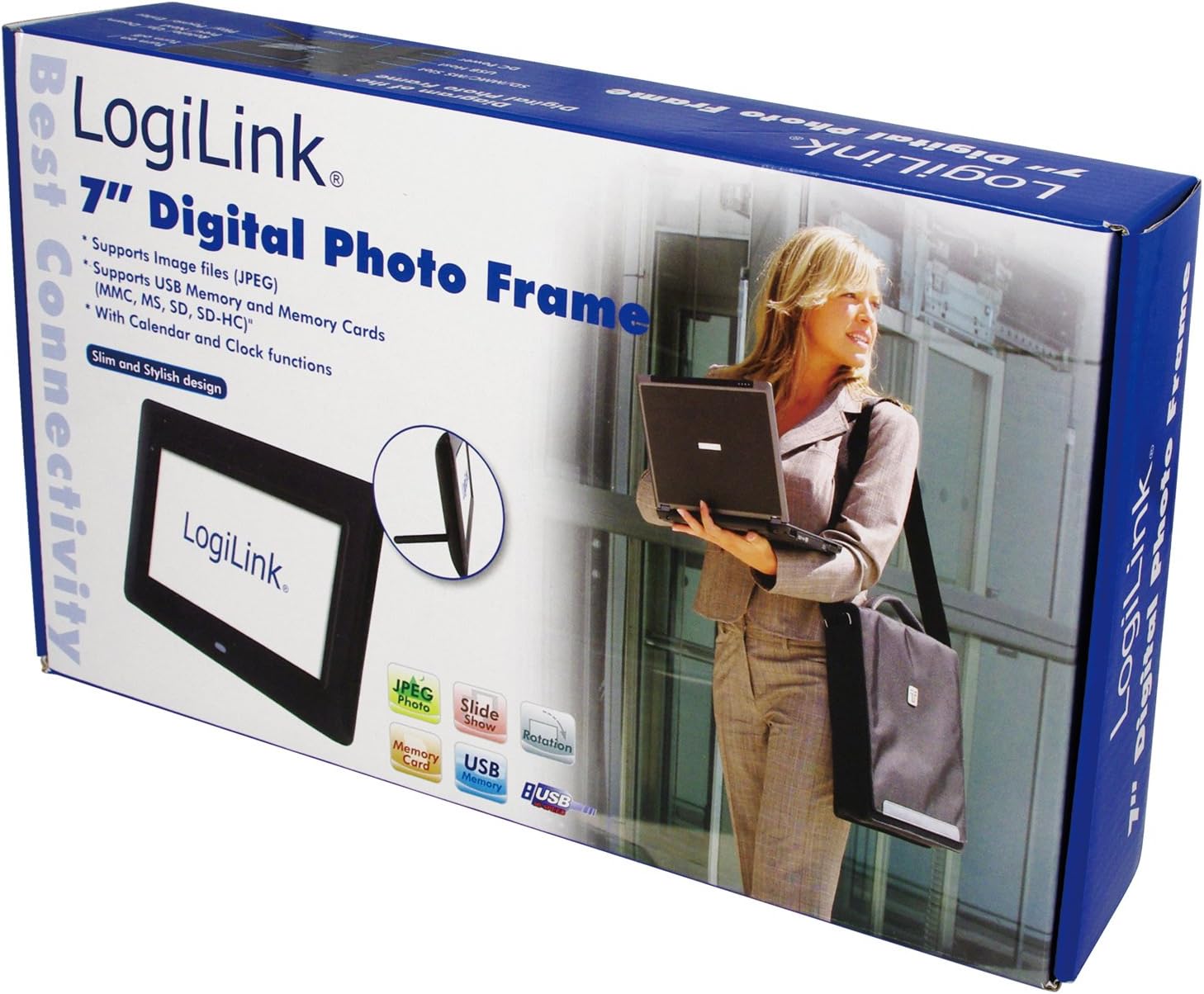
Image 1: The LogiLink PX0014 Digital Photo Frame packaging, showing the product box with a woman holding a laptop and an inset image of the frame itself.
2.3 Rozložení zařízení
Familiarize yourself with the various parts of your digital photo frame:

Image 2: The LogiLink PX0014 Digital Photo Frame, a black rectangular frame with a white screen displaying the LogiLink logo, positioned in front of its product packaging.
Refer to the diagram in the included quick start guide for specific button and port locations, typically including:
- Vypínač: Pro zapnutí/vypnutí zařízení.
- Navigační tlačítka: For menu navigation and photo selection.
- Sloty pro paměťové karty: For SD/SDHC and MMC cards.
- USB port: Pro připojení USB flash disků.
- Port DC IN: Pro připojení napájecího adaptéru.
- Stand Slot: Pro upevnění přiloženého stojanu.
3. Nastavení
3.1 Připojení napájení
- Insert the small end of the power adapter into the DC IN port on the back or side of the photo frame.
- Zapojte druhý konec napájecího adaptéru do standardní elektrické zásuvky.
- The frame should power on automatically or can be turned on using the power button.
3.2 Inserting Memory Cards or USB Drives
The LogiLink PX0014 supports SD/SDHC, MMC memory cards, and USB flash drives.
- Ensure the photo frame is powered off or in standby mode before inserting or removing storage devices.
- For Memory Cards: Locate the appropriate memory card slot. Insert the card with the metal contacts facing down (or as indicated by the slot diagram) until it clicks into place.
- For USB Drives: Vložte USB flash disk do USB portu.
- Once inserted, power on the frame. The frame should automatically detect the storage device and display its contents or prompt you to select a source.
4. Návod k obsluze
4.1 Základní navigace
Use the buttons on the back/side of the frame or the remote control (if included) to navigate the menus. Typically, there are buttons for:
- JÍDELNÍ LÍSTEK: Vstup do hlavní nabídky.
- EXIT/RETURN: Goes back to the previous screen or exits the menu.
- ARROW Keys (Up/Down/Left/Right): Procházejte možnosti.
- ENTER/OK: Potvrdí výběr.
4.2 Viewing Fotografie
- From the main menu, select 'Photo' or 'Browse'.
- Choose the desired storage source (e.g., 'SD Card', 'USB Drive').
- Navigate to the folder containing your JPEG images.
- Vyberte obrázek view it individually, or select 'Slideshow' to start an automatic presentation of all images in the folder.
- You can typically adjust slideshow intervals and transition effects in the settings menu.
4.3 Calendar and Clock Functions
The LogiLink PX0014 includes a built-in calendar and clock. To access and set these functions:
- Go to the main menu and select 'Settings' or 'System'.
- Look for options like 'Date & Time' or 'Calendar'.
- Adjust the current date, time, and time format as needed using the navigation buttons.
- Some models allow displaying the clock or calendar alongside photos during a slideshow. Check the settings for these display options.
5. Údržba
5.1 Čištění obrazovky
To clean the LCD screen, gently wipe it with a soft, lint-free cloth. For stubborn smudges, slightly dampen the cloth with water or a non-abrasive screen cleaner. Avoid using harsh chemicals or abrasive materials, as these can damage the screen surface.
5.2 Obecná péče a skladování
- Keep the digital photo frame away from direct sunlight, high temperatures, and excessive humidity.
- Zabraňte pádu zařízení nebo jeho vystavení silným nárazům.
- When not in use for extended periods, unplug the power adapter and store the frame in a cool, dry place.
6. Řešení problémů
If you encounter issues with your LogiLink PX0014, refer to the following common problems and solutions:
| Problém | Možná příčina | Řešení |
|---|---|---|
| Rám se nezapne. | Napájecí adaptér není připojen nebo je vadný; zásuvka nefunguje. | Ujistěte se, že je napájecí adaptér bezpečně připojen k rámu i k funkční elektrické zásuvce. Zkuste jinou zásuvku. |
| Nezobrazují se žádné obrázky. | No memory card/USB drive inserted; unsupported file formát; poškozený files. | Insert a memory card or USB drive with JPEG images. Ensure images are in JPEG format. Try different images or reformat the storage device (backup data first). |
| Cannot read memory card/USB drive. | Improper insertion; incompatible format; faulty card/drive. | Reinsert the card/drive correctly. Ensure it is formatted to FAT32. Try a different card/drive. |
| Dálkové ovládání nefunguje. | Battery depleted; obstruction; remote not pointed at sensor. | Replace the battery. Ensure there are no obstructions between the remote and the frame's IR sensor. Point the remote directly at the sensor. |
7. Specifikace
| Funkce | Detail |
|---|---|
| Značka | LogiLink |
| Číslo modelu | PX0014 |
| Rozměry produktu | 24.99 x 24.99 x 15.01 cm |
| Hmotnost položky | 300 g |
| Velikost obrazovky | 7 palce |
| Rezoluce | 480 x 234 pixelů |
| Poměr stran | 16:10 |
| Technologie připojení | USB |
| Čtečka karet | Multimedia Card, Memory Card (SD/SDHC) |
| Zdroj napájení | Elektrický kabel |
| Kontrolní metoda | Dálkové ovládání |
8. Informace o záruce
LogiLink products are designed and manufactured to the highest quality standards. This product is covered by a limited warranty from the date of purchase. Please refer to the warranty card included in your package or visit the official LogiLink webPodrobné záruční podmínky platné pro váš region naleznete na webových stránkách.
9. Podpora
For technical assistance, product inquiries, or to report any issues not covered in this manual, please contact LogiLink customer support. You can typically find contact information, including phone numbers, email addresses, and online support portals, on the official LogiLink webweb (www.logilink.eu).