
1. Přesview
The Microsoft LifeCam Cinema is a high-definition webcam designed for clear and smooth video communication. It features 720p HD video chat capabilities, a high-precision glass element lens for sharp image quality, and is certified for Skype. The webcam offers 360° rotation and incorporates TrueColor Technology with face tracking for bright and colorful video output.
Klíčové vlastnosti:
- 720p HD video chat
- High precision glass element lens for sharp image quality
- Certified for Skype
- otáčení o 360°
- TrueColor Technology with face tracking for bright and colorful video
2. Co je v krabici
Po otevření balení se ujistěte, že jsou přítomny všechny následující komponenty:
- Microsoft LifeCam Cinema Webvačka
- USB kabel (integrovaný)
- Uživatelská příručka (tento dokument)
- Zakřivený držák na lepidlo
- Montážní spona
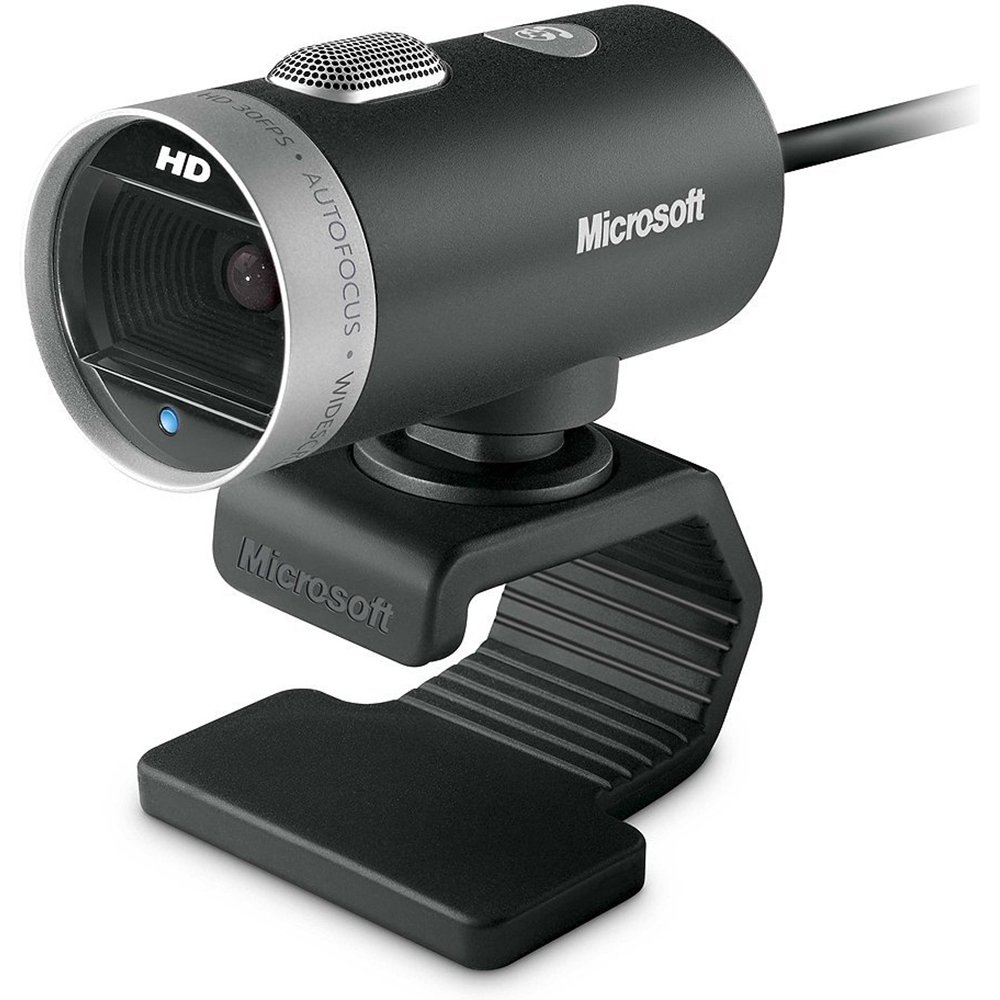
Image: The Microsoft LifeCam Cinema webcam, showing its main body, lens, microphone, and flexible stand with integrated USB cable.
3. Nastavení
- Umístění Webvačka: Place the LifeCam Cinema on top of your monitor or a flat surface. The flexible stand allows for stable placement.
- Connecting to your Computer: Plug the integrated USB cable into an available USB port on your computer.
- Instalace ovladače: Your operating system (Windows is supported) should automatically detect the device and install the necessary drivers. If prompted, follow the on-screen instructions. You may need to download the latest drivers from the official Microsoft support webmísto pro optimální výkon.
- Instalace softwaru: Install any accompanying LifeCam software if desired, which may offer additional features or settings.

Image: The Microsoft LifeCam Cinema webcam securely positioned on top of a computer monitor, demonstrating its stable mounting design.
Video: An official product video demonstrating the features and usage of the Microsoft LifeCam Cinema webcam, including its 720p HD widescreen video, auto focus, high-precision glass element lens, ClearFrame Technology, and digital microphone.
4. Návod k obsluze
- Starting a Video Call: Open your preferred video conferencing application (e.g., Skype, Zoom, Microsoft Teams). The LifeCam Cinema should be automatically recognized as your primary camera and microphone.
- Nastavení polohy: The webcam features 360° rotation, allowing you to easily adjust the camera angle without moving the base.
- Automatické zaostření: The camera automatically adjusts focus to keep you sharp and clear during video calls.
- TrueColor Technology: This feature automatically adjusts exposure for bright and colorful video, even in varying lighting conditions.
- Digital Microphone: The built-in digital microphone provides clear audio capture. Ensure it is selected as the input device in your application settings if you experience audio issues.
5. Údržba
- Čištění objektivu: K jemnému otření objektivu fotoaparátu použijte měkký hadřík bez žmolků, speciálně určený pro optiku. Nepoužívejte abrazivní materiály ani agresivní chemikálie.
- Čištění těla: Otřete webcam's body with a soft, damp hadříkem. Neponořujte zařízení do vody ani jej nepoužívejte k nadměrnému navlhčení.
- Skladování: Pokud nepoužíváte, uložte webSkladujte kameru na čistém a suchém místě mimo dosah extrémních teplot a přímého slunečního záření.
- Péče o kabely: Abyste předešli vnitřnímu poškození, neohýbejte ani nekruťte kabel USB.
6. Řešení problémů
- No Video/Camera Not Detected:
- Ujistěte se, že je kabel USB bezpečně zapojený do obou webkamera a počítač.
- Zkuste zapojit webkamera do jiného portu USB.
- Restartujte počítač.
- Check your computer's Device Manager (Windows) to see if the webcam is listed and if there are any driver issues. Reinstall drivers if necessary.
- Verify that your video conferencing software is configured to use the LifeCam Cinema as the video input device.
- Žádný zvuk/nefungující mikrofon:
- Check your computer's sound settings to ensure the LifeCam Cinema microphone is selected as the default recording device.
- Verify that your video conferencing software is configured to use the LifeCam Cinema as the audio input device.
- Ensure the microphone is not muted in your system settings or within the application.
- Špatná kvalita videa:
- Ujistěte se, že je čočka fotoaparátu čistá.
- Check your internet connection speed; a slow connection can affect video quality.
- Ensure adequate lighting in your environment. TrueColor Technology helps, but sufficient ambient light is always best.
- Zavřete ostatní aplikace, které by mohly spotřebovávat systémové prostředky.
7. Specifikace
| Funkce | Detail |
|---|---|
| Značka | Microsoft |
| Číslo modelu | H5D-00001 |
| Rozlišení záznamu videa | 720p |
| Technologie fotosenzoru | CMOS |
| Technologie připojení | USB |
| Barva | Černý |
| Vlastnosti | Low Light, Auto Focus, TrueColor Technology, Digital Microphone |
| Rozměry položky (D x Š x V) | 0.71"H x 2.19"Š x 1.81"V |
| Hmotnost položky | 0.87 libry |
| Operační systém | Windows |
| Viewúhel | 360 Degrees (rotation) |
| Rychlost snímání obrazu | 30 snímků za sekundu |
| Kompatibilní zařízení | PCs with specified system requirements; Skype |
8. Záruka a podpora
The Microsoft LifeCam Cinema (Model H5D-00001) comes with a 3 roky omezená záruka from the manufacturer, Microsoft.
For technical support, driver downloads, or further assistance, please visit the official Microsoft support webwebu nebo se podívejte na kontaktní informace uvedené na obalu produktu.
You can also find additional resources and FAQs on the Microsoft support pages for LifeCam products.