
1. Úvod
This manual provides essential information for the safe and efficient operation of your Sharp AQUOS LC-52E77U LCD HDTV. Please read these instructions thoroughly before using the television and retain them for future reference.
The Sharp AQUOS LC-52E77U features a 52-inch Full HD 1080p display with 120Hz Fine Motion Enhanced technology for smooth motion. It incorporates a 10-Bit AVS Superlucent LCD Panel and Spectral Contrast Engine XD to deliver deep black levels and vibrant, accurate colors. This model includes built-in ATSC/QAM/NTSC tuners and a variety of connectivity options to integrate with your home entertainment system.
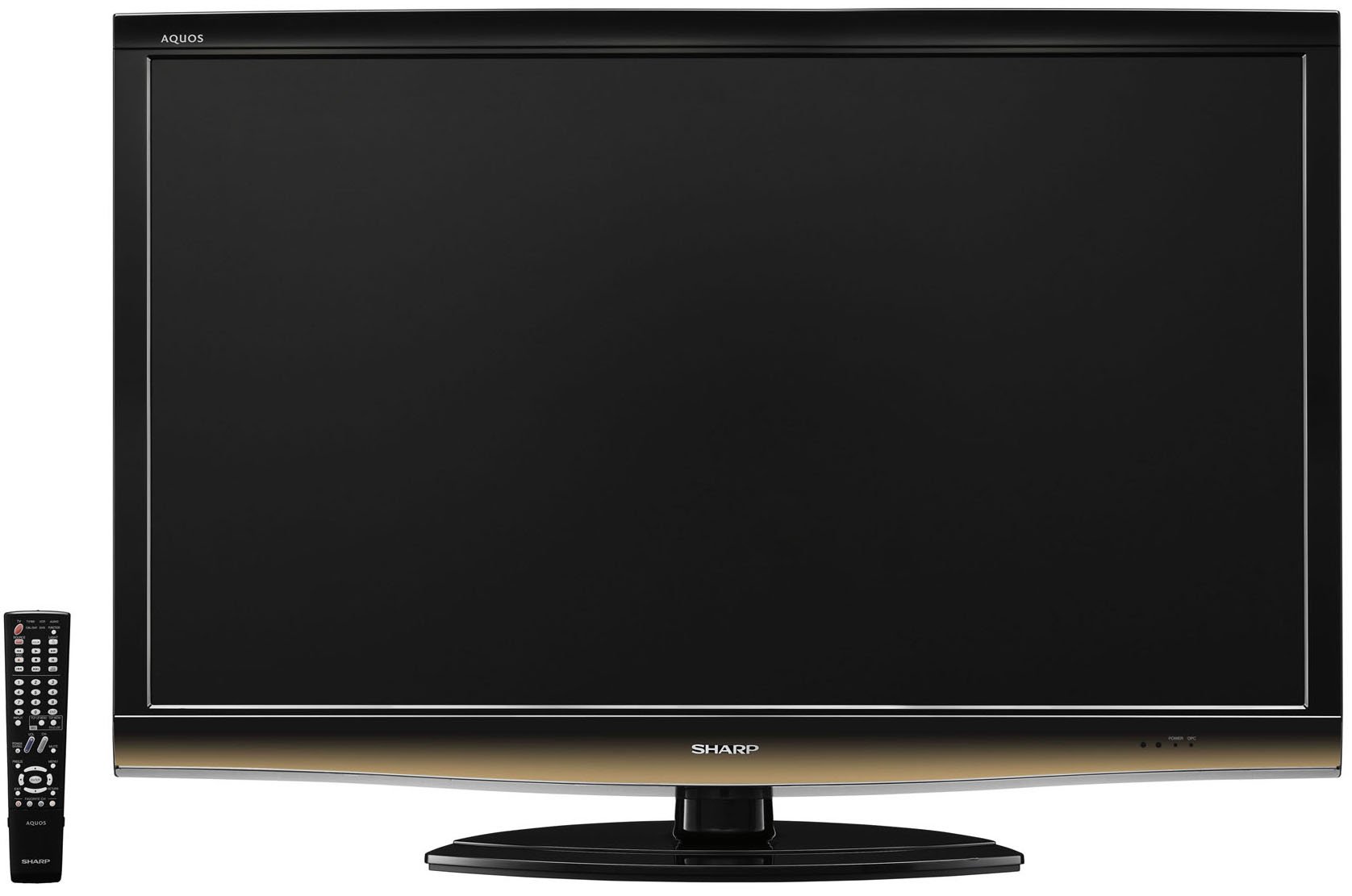
Přední view of the Sharp LC-52E77U AQUOS LCD HDTV, showcasinjeho tenký rámeček a obrazovku.
2. Bezpečnostní informace
Always follow basic safety precautions when using this television to reduce the risk of fire, electric shock, and injury to persons.
- Neblokujte větrací otvory. Zajistěte kolem televizoru dostatečný prostor pro správné proudění vzduchu.
- Neumisťujte televizor na nestabilní vozík, stojan, stativ, držák nebo stůl.
- Chraňte napájecí kabel před šlapáním nebo přiskřípnutím, zejména u zástrček, zásuvek a v místě, kde vychází z přístroje.
- Odpojte toto zařízení během bouřky s blesky nebo když se delší dobu nepoužívá.
- Veškeré opravy svěřte kvalifikovanému servisnímu personálu. Servis je nutný, pokud bylo zařízení jakýmkoli způsobem poškozeno, například je poškozen napájecí kabel nebo zástrčka, pokud do zařízení vnikla tekutina nebo do něj spadly předměty, zařízení bylo vystaveno dešti nebo vlhkosti, nefunguje normálně. , nebo byla vypuštěna.
3. Obsah balení
Ověřte, zda jsou v balení přítomny všechny položky:
- Sharp AQUOS LC-52E77U LCD HDTV
- Dálkové ovládání s bateriemi
- Detachable Table Stand
- Napájecí kabel
- Uživatelská příručka (tento dokument)
- Záruční list (pokud existuje)
4. Nastavení
4.1 Fyzická instalace
Your television can be installed on its included table stand or mounted on a wall using a compatible VESA wall mount (sold separately).
Instalace stolního stojanu:
- Carefully place the television screen-down on a soft, flat surface to prevent damage.
- Attach the stand base to the television using the provided screws. Ensure all screws are tightened securely.
- The table stand features swivel capability for adjusting the viewúhel.
Montáž na stěnu:
If wall-mounting, remove the table stand. Consult the instructions provided with your wall mount bracket for proper installation. Ensure the wall mount is rated for the weight and size of this television (approximately 59.5 pounds).
4.2 Připojení zařízení
The LC-52E77U offers various input terminals for connecting external devices.
- HDMI vstupy (x5): Connect Blu-ray players, game consoles, cable/satellite boxes, and other HDMI-compatible devices. These inputs are compatible with 1080p signals.
- Component Video Inputs (x2): Connect devices using component video cables (YPbPr) for high-definition signals up to 1080p.
- PC vstup: Connect a computer to use the television as a monitor.
- Vstup RS-232C: Pro pokročilé řídicí systémy.
- Anténní/kabelový vstup: Connect an antenna or cable TV feed for accessing built-in tuners.
Ensure all cables are securely connected to the correct ports on both the television and your external devices.
4.3 Počáteční zapnutí
- Plug the power cord into the television and then into a wall outlet.
- Press the Power button on the television or the remote control.
- Follow the on-screen prompts for initial setup, including language selection, channel scanning (for antenna/cable), and time zone settings.
5. Návod k obsluze
5.1 Základní ovládací prvky
- Moc: Zapíná nebo vypíná televizi.
- Hlasitost (+/-): Upravuje úroveň zvuku.
- Kanál (nahoru/dolů): Changes the television channel when using the built-in tuners.
- Vstup/zdroj: Cycles through available input sources (HDMI 1, Component 1, PC, etc.).
- Menu: Zpřístupňuje nabídku na obrazovce (OSD) pro úpravu nastavení.
5.2 Nastavení obrazu
Access the Picture menu to customize your viewzkušenosti. Mezi klíčové vlastnosti patří:
- Režim obrazu: Select from preset modes (e.g., Standard, Movie, Game) or customize your own.
- Kontrast: Adjusts the difference between light and dark areas of the picture. The Spectral Contrast Engine XD enhances deep black levels.
- Jas: Řídí celkový jas obrazovky.
- Color/Saturation: Upravuje intenzitu barev.
- Nádech: Adjusts the green-to-red balance (primarily for NTSC signals).
- Ostrost: Enhances or softens the edges of objects in the picture.
- 120Hz Fine Motion Enhanced: This feature processes fast-moving images to reduce motion blur, providing a smoother viewing experience. It can be adjusted or disabled in the picture settings.
- OPC (Optical Picture Control): This feature senses ambient room light and automatically adjusts the screen brightness. While designed for power saving and backlight longevity, some users may prefer to disable it for consistent brightness.
For optimal picture quality, consider calibrating your television using a calibration disc or professional service.
5.3 Nastavení zvuku
The LC-52E77U features built-in speakers. Access the Audio menu to adjust settings such as:
- Režim zvuku: Select from preset audio modes (e.g., Standard, Music, Movie).
- Basy/výšky: Adjust low and high-frequency audio levels.
- Váhy: Upravte vyvážení hlasitosti mezi levým a pravým reproduktorem.
- Prostorový zvuk: Povolí nebo zakáže efekty virtuálního prostorového zvuku.
For enhanced audio, connect the television to an external audio system (e.g., soundbar, AV receiver) via the available audio output ports.
5.4 Výběr vstupu
To switch between connected devices, press the 'Input' or 'Source' button on your remote control. A list of available inputs will appear on the screen. Navigate using the arrow keys and press 'Enter' or 'OK' to select the desired input.
5.5 Obsluha tuneru
The television includes built-in ATSC (digital terrestrial), QAM (digital cable), and NTSC (analog terrestrial) tuners. After connecting an antenna or cable feed and performing a channel scan during initial setup, you can use the Channel Up/Down buttons to browse available channels.
6. Údržba
6.1 Čištění obrazovky
Obrazovku jemně otřete měkkým hadříkem, který nepouští vlákna. V případě odolných skvrn ji lehce otřeteamphadřík vodou nebo specializovaným čističem obrazovek. Nikdy nestříkejte čistič přímo na obrazovku.
6.2 Čištění skříně
Wipe the television cabinet with a soft, dry cloth. Do not use abrasive cleaners, waxes, or solvents as they may damage the finish.
6.3 Obecná péče
- Avoid exposing the television to direct sunlight or extreme temperatures.
- Do not place heavy objects on top of the television.
- Keep the television away from sources of strong magnetic fields.
7. Řešení problémů
If you experience issues with your television, refer to the following common troubleshooting steps before contacting customer support.
| Problém | Možná příčina / řešení |
|---|---|
| Žádná síla | Ensure the power cord is securely plugged into the TV and a working electrical outlet. Check if the outlet has power. |
| Žádný obraz, ale zvuk je přítomný | Ověřte, zda je vybrán správný vstupní zdroj. Zkontrolujte připojení kabelů k externím zařízením. |
| Žádný zvuk, ale obraz je přítomen | Check the volume level and ensure the TV is not muted. If using external speakers, check their connections and power. |
| Dálkové ovládání nefunguje | Vyměňte baterie v dálkovém ovladači. Ujistěte se, že mezi dálkovým ovladačem a infračerveným senzorem televizoru nejsou žádné překážky. |
| Obraz je zkreslený nebo nejasný | Check cable connections for looseness or damage. Adjust picture settings (e.g., sharpness, picture mode). If using an antenna, check its position and signal strength. |
8. Specifikace
- Model: LC-52E77U
- Velikost obrazovky: 52 palce (úhlopříčka)
- Technologie displeje: LCD (10-Bit AVS Superlucent LCD Panel)
- Rezoluce: 1920 × 1080 (Full HD 1080p)
- Obnovovací frekvence: 120 Hz (with Fine Motion Enhanced)
- Doba odezvy: 4 ms
- ViewÚhly: 176°V x 176°V
- Kontrast: Spectral Contrast Engine XD
- Tunery: Built-in ATSC / QAM / NTSC
- Konektivita:
- HDMI Inputs: 5 (compatible with 1080p signals)
- Component Video Inputs: 2 (HD 1080p compatible)
- PC Input: 1
- Vstup RS-232C: 1
- Typ reproduktoru: Built-In, bottom-mounted
- Hmotnost položky: Approximately 59.5 Pounds (without stand)
- Rozměry produktu (Š x V x H): Přibližně 49.38 x 33.94 x 12.78 palce (se stojanem)
- Energetická účinnost: Vyhovuje Energy Star
9. Záruka a podpora
This product typically comes with a 15-month warranty from the date of purchase. For specific warranty terms and conditions, please refer to the warranty card included with your product or visit the official Sharp webmísto.
As part of the AQUOS Advantage Program, Sharp provides customer support for its AQUOS televisions. If you require technical assistance, service, or have questions regarding your LC-52E77U, please contact Sharp customer support through their official channels.
Pro více informací a podporu můžete navštívit Obchod Sharp na Amazonu or the official Sharp webmísto.