
1. Důležité bezpečnostní pokyny
Please read these instructions carefully before operating the unit. Keep this manual for future reference.
- Zdroj napájení: Zapojte přístroj pouze do zásuvky střídavého proudu s uvedeným objemem.tage.
- Větrání: Zajistěte dostatečné větrání. Neblokujte větrací otvory.
- Voda a vlhkost: Do not expose the unit to rain, moisture, or dripping water. Do not place objects filled with liquids on the unit.
- Teplo: Udržujte jednotku mimo dosah zdrojů tepla, jako jsou radiátory, topná tělesa, kamna nebo jiná zařízení produkující teplo.
- Čištění: Před čištěním odpojte přístroj ze zásuvky. Použijte měkký, suchý hadřík.
- Servis: Nepokoušejte se opravovat tento přístroj sami. Veškerý servis svěřte kvalifikovanému servisnímu personálu.
2. Konec produktuview
The Karcher KA 5300 is a compact audio system designed for versatile media playback. It integrates a 3-way CD changer, a double cassette deck, a turntable, and an FM tuner. The system delivers audio through two external speakers.

Obrázek 2.1: Přední strana view of the Karcher KA 5300 Compact System with integrated speakers.

Obrázek 2.2: Přední strana view of the Karcher KA 5300 showing the CD changer tray in the open position.
3. Nastavení
3.1 Vybalení
Opatrně vyjměte všechny součásti z obalu. Ujistěte se, že jsou přítomny následující položky:
- Karcher KA 5300 Compact System Unit
- Dálkové ovládání
- Návod k použití
- Dva externí reproduktory
3.2 Umístění
Place the main unit and speakers on a stable, flat surface. Allow sufficient space around the unit for proper ventilation. Avoid placing the unit near strong magnetic fields or direct sunlight.
3.3 Připojení reproduktorů
Connect the two external speakers to the main unit using the provided speaker wires. Observe the polarity: connect the red wire to the red (+) terminal and the black wire to the black (-) terminal on both the main unit and the speakers.

Obrázek 3.1: Zadní view of the Karcher KA 5300 main unit, illustrating the speaker connection terminals.
3.4 Připojení napájení
Plug the power cable into the AC inlet on the rear of the unit, then plug the other end into a standard wall outlet.
4. Návod k obsluze
4.1 Ovládací panel Overview
The main controls are located on the front panel of the unit. Familiarize yourself with the buttons and dials for power, volume, source selection, and media playback.
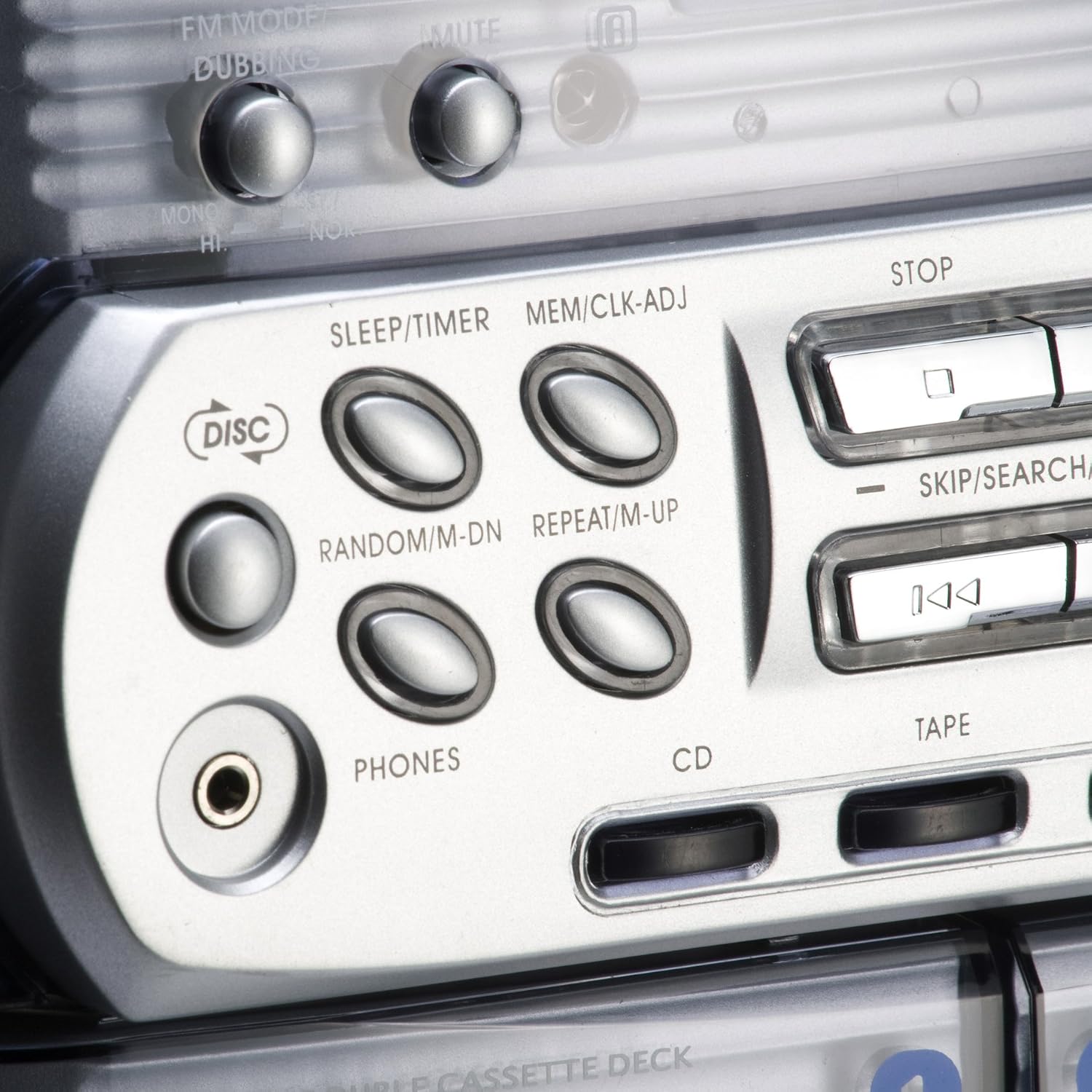
Obrázek 4.1: Detail view of the control buttons for CD, Tape, and Phono functions.
4.2 Ovládání CD přehrávače
- Stiskněte tlačítko CD pro výběr zdroje CD.
- Stiskněte tlačítko OTEVŘÍT/ZAVŘÍT button to open the 3-way CD changer tray.
- Place up to three CDs (CD, CD-R, CD-RW) onto the respective trays.
- Stiskněte OTEVŘÍT/ZAVŘÍT znovu pro uzavření zásobníku.
- Stiskněte PLAY/PAUSE pro spuštění přehrávání.
- Použití PŘESKOČIT / HLEDAT tlačítka pro procházení stop.
- The system supports programming up to 60 tracks. Refer to the detailed manual for programming instructions.
4.3 Obsluha kazetového přehrávače
- Stiskněte tlačítko PÁSKA button to select the cassette source.
- Otevřete dvířka kazetového magnetofonu stisknutím tlačítka EJECT tlačítko.
- Vložte kazetu otevřeným okrajem nahoru.
- Zavřete dvířka kazetového magnetofonu.
- Stiskněte HRÁT zahájíte přehrávání.
- Použití RYCHLE VPŘED a ZPĚT pro navigaci.
- Stiskněte ZASTÁVKA pro ukončení přehrávání.
- The unit features a double cassette deck for playback and dubbing.
4.4 Obsluha gramofonu
- Stiskněte tlačítko FONO button to select the turntable source.
- Carefully place a vinyl record on the turntable platter.
- Release the tone arm from its rest and position the stylus over the desired track on the record.
- Gently lower the tone arm onto the record. Playback will begin automatically.
- Chcete-li zastavit přehrávání, zvedněte raménko přenosky a vraťte ho do klidové polohy.
4.5 Provoz rádia
- Stiskněte tlačítko TUNER or FM button to select the radio source.
- Use the tuning dial or buttons to search for desired FM stations.
- Refer to the detailed manual for instructions on saving radio presets.
4.6 Dálkové ovládání
The included remote control provides convenient access to most functions, including power, volume, source selection, and media playback controls. Ensure batteries are correctly inserted.
5. Údržba a péče
Regular maintenance helps ensure the longevity and optimal performance of your Karcher KA 5300 system.
- Čištění jednotky: Vnější povrchy otřete měkkým, suchým hadříkem. Nepoužívejte abrazivní čisticí prostředky ani rozpouštědla.
- Péče o čočky CD: Use a specialized CD lens cleaner disc periodically to maintain optimal CD playback.
- Čištění hlavy kazety: Clean the cassette heads, pinch rollers, and capstans with a cotton swab lightly dampened with isopropyl alcohol after every 10-20 hours of use.
- Turntable Stylus Care: Gently clean the stylus with a soft brush designed for stylus cleaning. Replace the stylus when wear is noticeable to prevent damage to records.
- Obecná manipulace: Zabraňte pádu jednotky na zem nebo jejímu vystavení silným nárazům.
6. Řešení problémů
If you encounter issues with your Karcher KA 5300, refer to the following common problems and solutions:
| Problém | Možná příčina | Řešení |
|---|---|---|
| Žádná síla | Power cable not connected; Wall outlet not active | Ujistěte se, že je napájecí kabel bezpečně připojen; vyzkoušejte zásuvku s jiným zařízením. |
| Žádný zvuk z reproduktorů | Volume too low; Incorrect source selected; Speakers not connected correctly | Increase volume; Select correct source (CD, Tape, Phono, Tuner); Check speaker wire connections and polarity. |
| CD Player displays "Door Error" or does not play | CD tray not fully closed; Disc inserted incorrectly; Dirty CD lens | Ensure CD tray is fully closed; Reinsert disc correctly; Clean CD lens with a cleaner disc. |
| Cassette playback issues (e.g., muffled sound, tape jamming) | Dirty cassette heads; Worn tape | Clean cassette heads; Try a different tape. |
| Turntable skipping or poor sound | Dirty or damaged record; Worn or dirty stylus; Unit not level | Clean record; Clean or replace stylus; Ensure unit is on a level surface. |
| Špatný příjem rádia | Antenna not extended or positioned correctly; Interference | Extend and adjust the FM antenna; Relocate the unit away from other electronic devices. |
7. Specifikace
Technical specifications for the Karcher KA 5300 Compact System:
| Funkce | Detail |
|---|---|
| Značka | Karcher |
| Číslo modelu | Karcher KA 5300 |
| Technologie připojení | FM Tuner |
| Barva | Stříbro |
| Typ reproduktoru | Stereo |
| Rozměry položky (D x Š x V) | 70.5 x 41 x 38.8 centimetrů |
| Zdroj napájení | Elektrický kabel |
| Kompatibilní zařízení | CD, Cassette, Vinyl |
| Hmotnost položky | 10.9 kg |
| Wattage | 10 wattů (2 x 5 W RMS) |
| Podporované zvukové formáty | Vinyl Record, CD, Cassette |
| Počet reproduktorů | 2 |
| Režim zvukového výstupu | Stereo |
| Počet zvukových kanálů | 2.0 |
| Bluetooth Compatible? | Žádný |
| Země původu | Německo |
8. Záruka a podpora
For warranty information, technical support, or service inquiries, please contact Karcher customer service or your local dealer. The included manual may be available in multiple languages, including German and English.