
1. Úvod
This manual provides detailed instructions for the setup, operation, and maintenance of your NEC NP200 DLP Projector. Please read this manual thoroughly before using the projector to ensure proper and safe operation. Keep this manual for future reference.
The NEC NP200 is a versatile DLP projector designed for various applications, including home cinema. It offers 2100 lumens of brightness and supports a wide range of resolutions, including HDTV (1080i, 720p) and standard definition formats.
2. Nastavení
2.1 Vybalení a obsah
Opatrně vyjměte projektor a veškeré příslušenství z obalu. Zkontrolujte, zda jsou přítomny všechny níže uvedené položky:
- NEC NP200 DLP Projector
- Napájecí kabel
- Dálkové ovládání
- Uživatelská příručka (tento dokument)
Uschovejte si originální obal pro budoucí přepravu nebo skladování.
2.2 Umístění projektoru
Place the projector on a stable, flat surface. Ensure adequate ventilation around the unit. Avoid placing it near heat sources or in direct sunlight. The projector dimensions are approximately 7.3 x 15.2 x 14.6 inches (H x W x D).
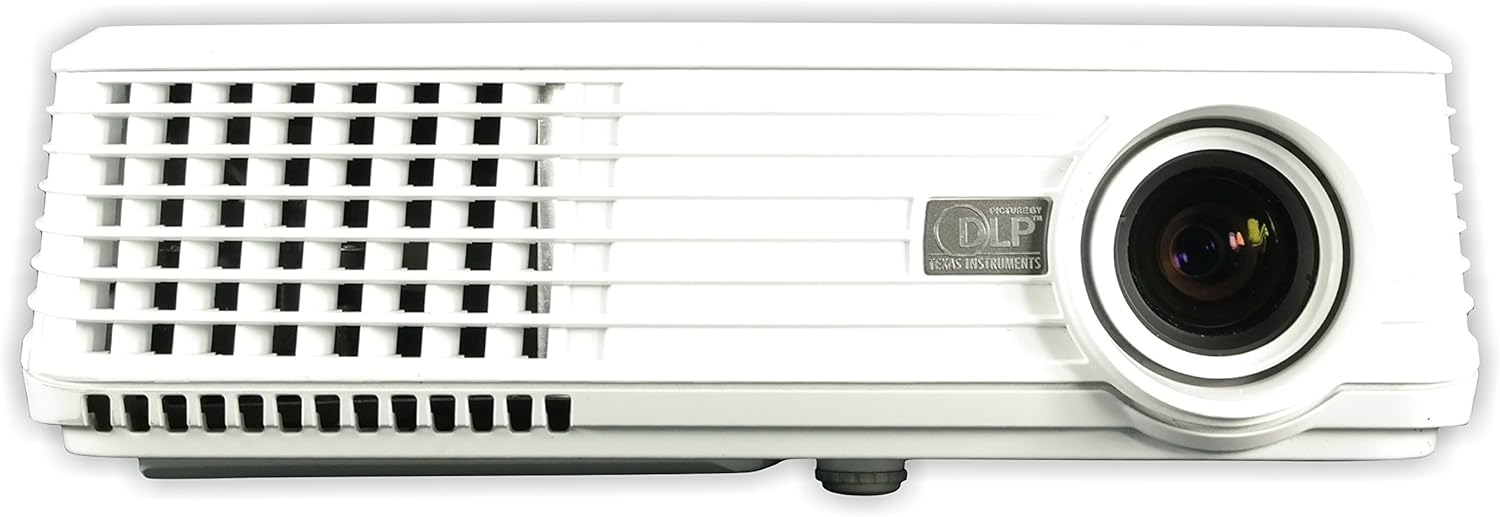
Obrázek 2.2.1: Přední view of the NEC NP200 DLP Projector, showing the lens and front ventilation grilles.
2.3 Připojení zařízení
The NEC NP200 projector offers various input ports for connecting different devices. Ensure the projector is powered off before making any connections.

Obrázek 2.3.1: Rear panel of the NEC NP200 projector, displaying various input and output ports including Computer In (VGA), S-Video In, Video In (RCA), Service, Monitor Out (VGA), and Audio In.
- Computer In (VGA): Connect your computer using a VGA cable.
- S-Video In: Connect devices with S-Video output.
- Video In (RCA): Connect devices with composite video output.
- Audio vstup: Connect audio sources to the 3.5mm audio jack.
- Výstup pro monitor (VGA): Connect an external monitor to mirror the projected display.
- AC vstup: Connect the supplied power cord to this port and a power outlet.
2.4 Zapnutí/vypnutí
After connecting all necessary cables, plug the power cord into a wall outlet. Press the power button on the projector's control panel or the remote control to turn the unit on. Allow a few moments for the projector to warm up and display the image. To turn off, press the power button again and confirm shutdown if prompted.
Obrázek 2.4.1: Nahoru view of the NEC NP200 projector, showing the focus and zoom rings, and the control panel with the power button and navigation controls.
2.5 Úprava obrazu
Use the focus ring around the lens to sharpen the image. The zoom ring allows you to adjust the size of the projected image without moving the projector. These controls are located on the top of the projector near the lens.
3. Návod k obsluze
3.1 Výběr zdroje
Once powered on, use the "Input" or "Source" button on the control panel or remote control to cycle through available input sources (e.g., Computer, S-Video, Video). Select the input corresponding to your connected device.
3.2 Navigace v nabídce
Press the "Menu" button to access the projector's on-screen display (OSD) menu. Use the arrow keys to navigate through options and the "Enter" or "OK" button to select. Adjust settings such as brightness, contrast, color, aspect ratio, and keystone correction as needed.
3.3 Supported Resolutions and Features
The NEC NP200 supports a variety of display resolutions and features:
- Nativní rozlišení: 1024 x 768 (XGA)
- Kompatibilita HDTV: 1080i, 720p
- EDTV Compatibility: 576p, 480p
- SDTV Compatibility: 576i, 480i
- Speciální funkce: 3D-ready (requires compatible 3D content and glasses)
- Doporučené použití: Domácí kino
The projector also includes a built-in speaker for audio output.
4. Údržba
Pravidelná údržba zajišťuje optimální výkon a prodlužuje životnost vašeho projektoru.
4.1 lamp Nahrazení
CAUTION: HOT SURFACE! Allow the projector to cool down for at least 60 minutes before attempting to replace the lamp. Failure to do so may result in severe burns.
Jáamp type for this model is NP10LP. Refer to the label on the bottom of the projector for specific lamp informace a varování.

Obrázek 4.1.1: Dno view of the NEC NP200 projector, showing the product label with model number, manufacturing details, and various caution and warning labels, including lamp informace o výměně.
- Ujistěte se, že je projektor odpojen od elektrické zásuvky.
- Najděte lamp kryt (viz schéma v kompletní servisní příručce, pokud je k dispozici).
- Carefully remove the screws securing the lamp pokrýt.
- Gently pull out the old lamp modul.
- Insert the new NP10LP lamp modul a ujistěte se, že je správně usazen.
- Vyměňte lamp zakryjte a zajistěte jej šrouby.
- Plug in the projector and reset the lamp časovač v nabídce OSD.
4.2 Čištění
Keep the projector clean to prevent overheating and maintain image quality.
- Vnější: Otřete vnější část casing with a soft, lint-free cloth. For stubborn dirt, slightly damphadříkem vodou. Nepoužívejte abrazivní čisticí prostředky nebo rozpouštědla.
- Čočka: Use a professional lens cleaning cloth and solution specifically designed for optical lenses. Avoid touching the lens with your fingers.
- Ventilační mřížky: Regularly check and clean the ventilation grilles to ensure proper airflow. Dust accumulation can lead to overheating. Use a soft brush or compressed air to remove dust.

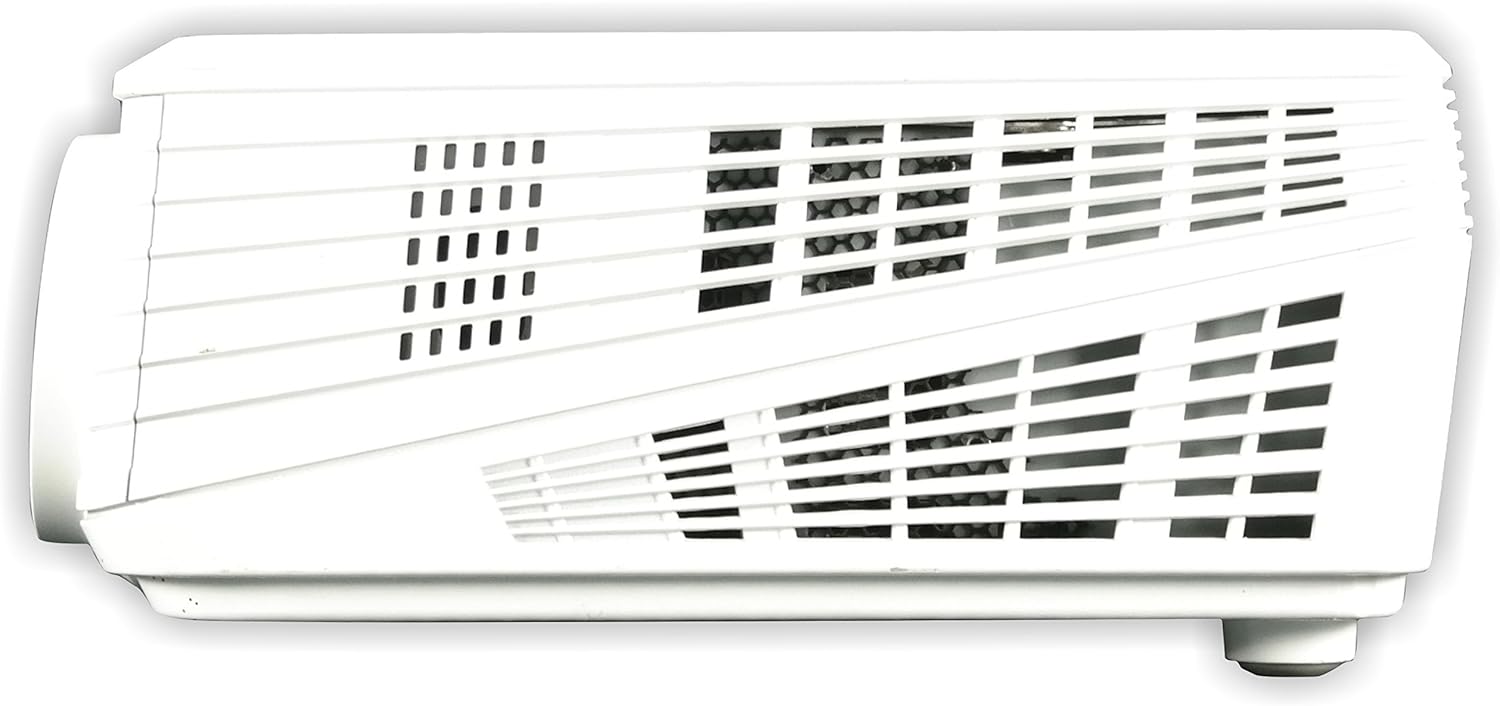
Obrázek 4.2.1: Levá strana view of the NEC NP200 projector, highlighting the ventilation grilles for airflow.

Obrázek 4.2.2: Pravá strana view of the NEC NP200 projector, showing additional ventilation grilles.
5. Řešení problémů
This section provides solutions to common issues you might encounter with your NEC NP200 projector.
| Problém | Možná příčina | Řešení |
|---|---|---|
| Není zobrazen žádný obrázek |
|
|
| Obraz je rozmazaný nebo nezaostřený |
|
|
| No sound from projector speaker |
|
|
| Projektor se přehřívá nebo vypíná |
|
|
Pokud problém přetrvává i po vyzkoušení těchto řešení, kontaktujte zákaznickou podporu.
6. Specifikace
| Funkce | Detail |
|---|---|
| Číslo modelu | NP200 |
| Značka | NEC |
| Technologie displeje | DLP |
| Jas | 2100 XNUMX lumenů |
| Nativní rozlišení | 1024 x 768 (XGA) |
| Podporovaná rozlišení | HDTV (1080i, 720p), EDTV (576p, 480p), SDTV (576i, 480i) |
| Technologie připojení | VGA (Computer In, Monitor Out), S-Video, Composite Video (RCA), Audio In (3.5mm) |
| Speciální funkce | 3D-ready, 3D-built-in |
| Doporučené použití | Domácí kino |
| Rozměry produktu | 7.3 x 15.2 x 14.6 palce |
| Hmotnost položky | 7.8 libry |
| Výrobce | NEC Display Solutions |
| První dostupný termín | 29. února 2008 |
7. Záruka a podpora
7.1 Informace o záruce
For detailed warranty terms and conditions, please refer to the warranty card included with your product or visit the official NEC Display Solutions webUschovejte si doklad o koupi pro případ reklamace.
7.2 Zákaznická podpora
If you require technical assistance, have questions about your product, or need to arrange for service, please contact NEC Display Solutions customer support. Contact information can typically be found on the manufacturer's official webmístě nebo na obalu produktu.
Výrobce: NEC Display Solutions
For the most up-to-date support resources, including FAQs and driver downloads, please visit the official NEC webmísto.