
Zavedení
This manual provides essential instructions for the safe and efficient operation of your NEC VT670 Value LCD Video Projector. Please read this manual thoroughly before using the projector and keep it for future reference. The NEC VT670 is designed for clear image projection with a native resolution of 1024 x 768 and a brightness of up to 2,100 ANSI lumens.
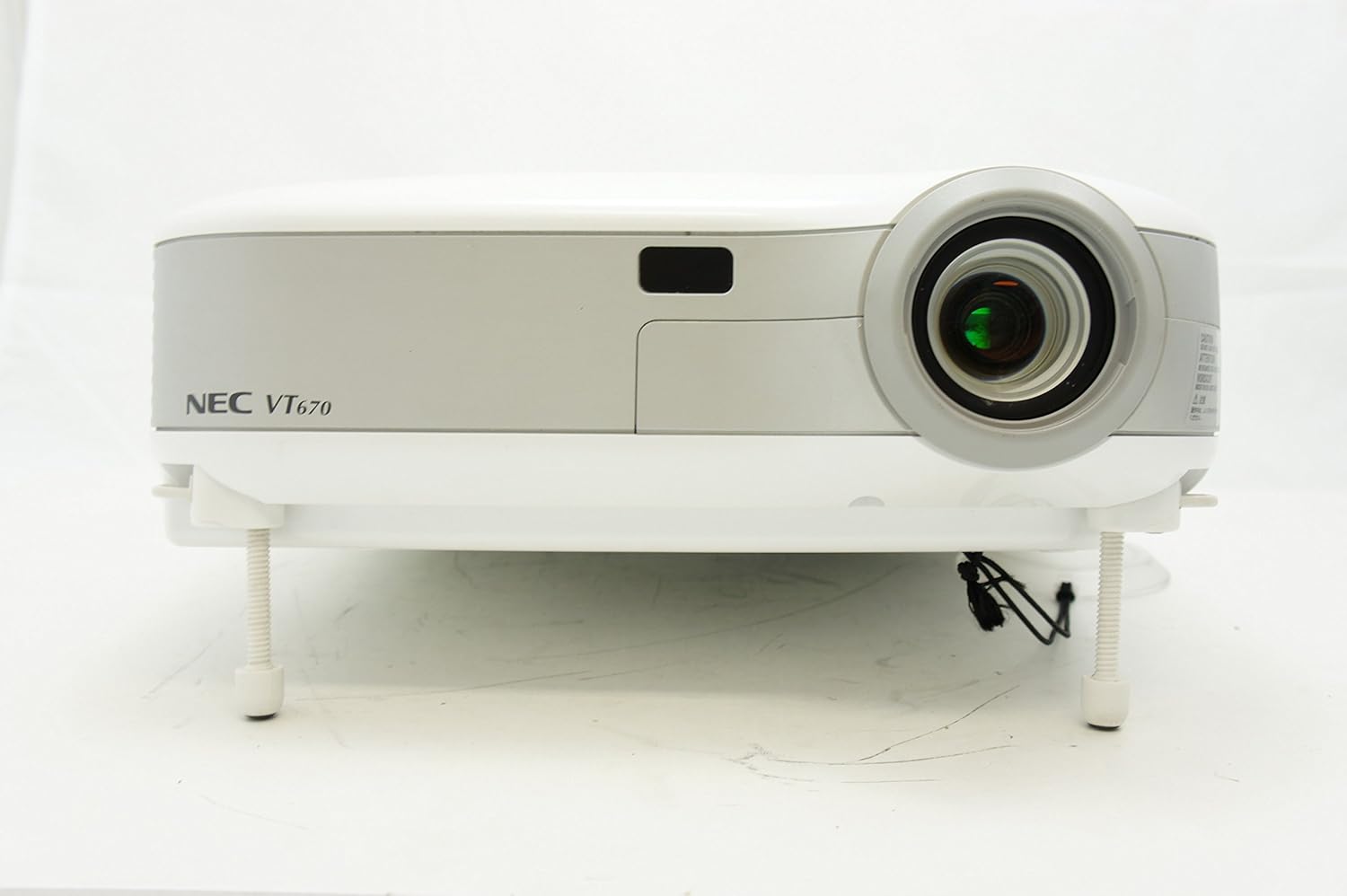
Obrázek 1: Přední view of the NEC VT670 projector, showing the lens and front panel.
Nastavení
Follow these steps to set up your NEC VT670 projector:
- Umístění: Position the projector on a stable, flat surface or mount it according to the instructions for your specific mounting solution. Ensure adequate ventilation around the unit. The projector is designed for tabletop mounting.
- Připojení napájení: Připojte napájecí kabel k napájecí zásuvce projektoru a poté k uzemněné elektrické zásuvce.
- Připojení zdroje: Connect your video source (e.g., computer, DVD player) to the appropriate input port on the projector. The VT670 supports VGA (D-Sub), S-Video, and composite video inputs. Use the color-coded connections for ease of setup.
- Připojení kabelů: Ensure all necessary cables, such as the VGA cable for computer input, are securely connected to both the projector and the source device.
- Audio připojení: If your source provides audio, connect it to the projector's audio input ports. The projector features built-in speakers.
- Počáteční zapnutí: Stisknutím tlačítka napájení na projektoru nebo dálkovém ovladači zapněte jednotku.

Obrázek 2: Rear panel of the NEC VT670 projector, illustrating various input and output ports including VGA, S-Video, and audio connections.

Obrázek 3: Example of a VGA cable (left) and a power cable (right) used for connecting the projector.
Návod k obsluze
This section details the basic operation of your projector.
Zapnutí/vypnutí
- Pro zapnutí stiskněte MOC button once. The power indicator will illuminate.
- Pro vypnutí stiskněte tlačítko MOC button twice. The projector will enter a cooling cycle before shutting down completely.
Výběr zdroje vstupu
- Použijte VSTUP or dedicated source buttons (e.g., POČÍTAČ 1, VIDEO) na ovládacím panelu nebo dálkovém ovladači procházejte dostupné vstupní zdroje.

Obrázek 4: Top control panel of the NEC VT670 projector, showing power, input selection, and navigation buttons.
Nastavení zaostření a zoomu
- Upravte SOUSTŘEDIT ring on the lens until the image is sharp and clear.
- Použijte ZOOM lever on the lens to adjust the image size to fit your screen.
Navigace v nabídce
- Stiskněte tlačítko MENU button to access the on-screen display (OSD) menu.
- Použijte tlačítka se šipkami (UP, DOLŮ, VLEVO, PRÁVO) to navigate through menu options.
- Stiskněte ENTER or VYBRAT pro potvrzení výběru.
- Stiskněte EXIT or MENU again to close the OSD menu.
Údržba
Pravidelná údržba zajišťuje optimální výkon a prodlužuje životnost vašeho projektoru.
Lamp Nahrazení
Projektor lamp má omezenou životnost. Když lamp Pokud se indikátor rozsvítí nebo se obraz ztlumí, tlačítko lamp může být nutná výměna. Podrobné informace naleznete v kompletní servisní příručce.amp postupy výměny. Před pokusem o výměnu nechte projektor vždy zcela vychladnout.amp nahrazení.
Čištění vzduchového filtru
Dust accumulation on the air filter can reduce cooling efficiency and affect projector performance. Clean the air filter regularly (e.g., every 100 hours of operation) by removing it and gently brushing off dust or using a vacuum cleaner. Replace the filter if it is damaged.
Čištění objektivu
Jemně otřete čočku projektoru měkkým hadříkem bez žmolků, který je speciálně určen pro optické povrchy. Nepoužívejte abrazivní čisticí prostředky ani nadměrnou sílu.
Odstraňování problémů
Tato část obsahuje řešení běžných problémů, se kterými se můžete setkat.
| Problém | Možná příčina | Řešení |
|---|---|---|
| Není zobrazen žádný obrázek |
|
|
| Obraz je rozmazaný |
|
|
| Žádný zvuk |
|
|
Specifikace
Key technical specifications for the NEC VT670 Value LCD Video Projector:
- Název modelu: VT670
- Typ displeje: LCD
- Nativní rozlišení: 1024 x 768 (XGA)
- Maximální jas: 2,100 ANSI lumenů
- Kontrastní poměr: 400:1
- Technologie připojení: VGA (D-Sub), S-Video, Composite Video
- Hardwarové připojení: D-Sub, VGA
- Maximální velikost obrázku: 300 palce
- Form Factor: Přenosný
- Typ montáže: Stolní držák
- Typ ovladače: Ovládání tlačítkem
- Hmotnost položky: 9.2 libry
- Další vlastnosti: Vestavěné reproduktory
- Podporované signály: PC, NTSC, PAL, SECAM, HDTV
Informace o záruce
The NEC VT670 Value LCD Video Projector comes with a 2-letá záruka. This warranty covers defects in materials and workmanship under normal use. For specific terms and conditions, please refer to the warranty card included with your product or contact NEC customer support.
Podpora
For further assistance, technical support, or service inquiries regarding your NEC VT670 projector, please visit the official NEC website or contact their customer service department. Keep your product model number (VT670) and serial number ready when contacting support.
Online zdroje: www.nec.com