
Zavedení
This manual provides essential instructions for the safe and efficient use of your Olympus Note Corder 100 digital voice recorder. Please read this manual thoroughly before operating the device and retain it for future reference.
Konec produktuview
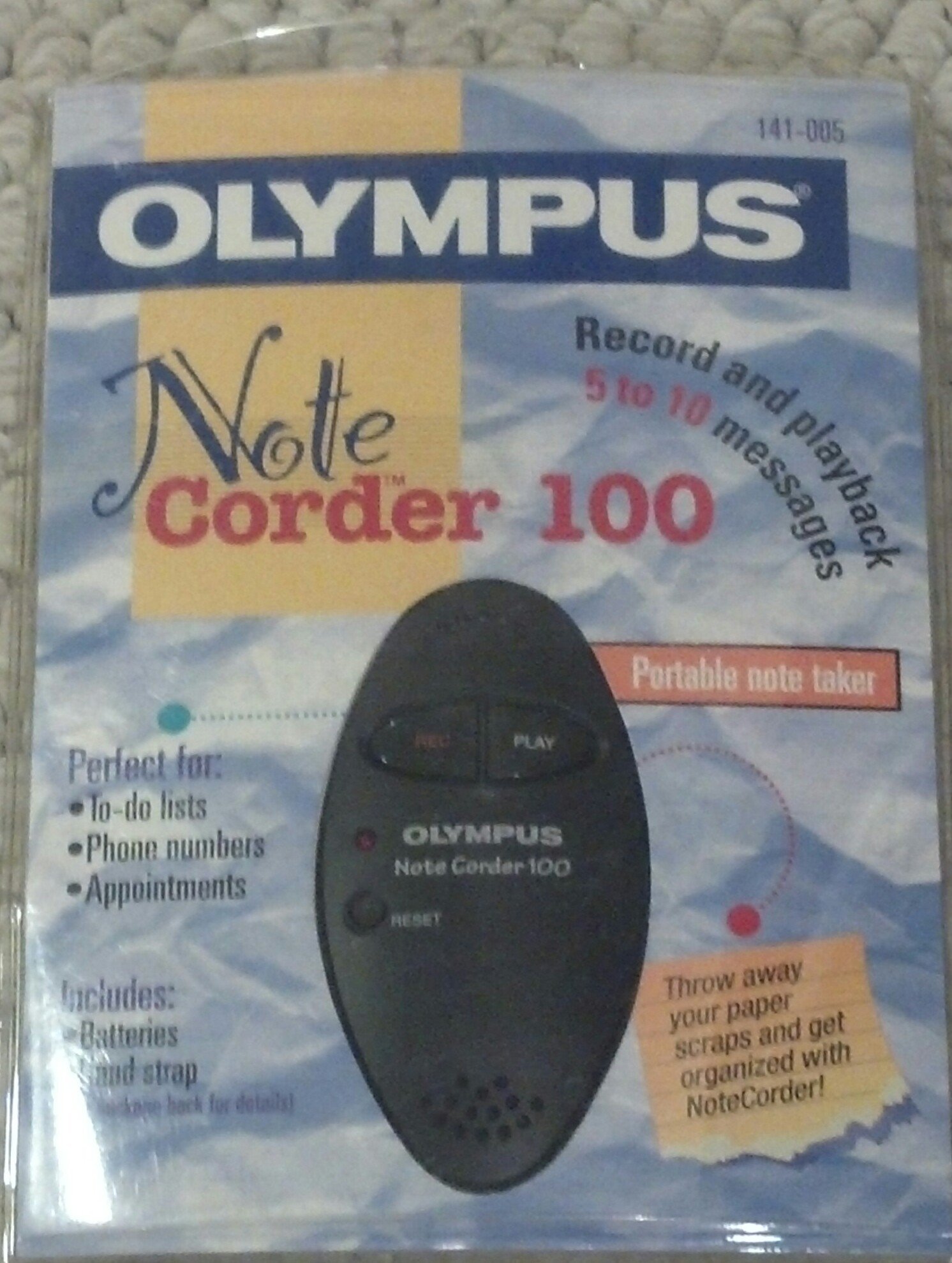
Image: The Olympus Note Corder 100 digital voice recorder, packaged. This image illustrates the product's compact design and highlights its primary features such as ergonomic design, 20-second recording time, and an LED indicator.
The Olympus Note Corder 100 is a compact, portable digital voice recorder designed for quick and convenient voice memos. Its ergonomic design ensures comfortable handling, making it ideal for recording short notes on the go.
Klíčové vlastnosti:
- Ergonomický design: Fits comfortably in the palm of your hand.
- 20-Second Recording Time: Ideal for short, concise messages.
- LED indikátor: Poskytuje vizuální zpětnou vazbu o stavu zařízení.
- Vestavěná paměť: Stores recordings internally.
- Portable Format: Snadné přenášení a použití kdekoli.
Nastavení
1. Instalace baterie
The Note Corder 100 requires two (2) CR2032 1.5V batteries for operation. Ensure correct polarity when inserting the batteries.
- Najděte kryt přihrádky na baterii na zařízení.
- Otevřete kryt posunutím nebo zvednutím podle označení.
- Insert two CR2032 batteries, observing the positive (+) and negative (-) terminals.
- Bezpečně zavřete kryt bateriového prostoru.
2. Připevnění popruhu na ruku
Attach the included hand strap to prevent accidental drops and for convenient carrying.
- Locate the strap attachment point on the device.
- Thread the thin loop of the hand strap through the attachment point.
- Pass the main strap through the loop and pull firmly to secure it.
Návod k obsluze
1. Recording Messages
The Note Corder 100 allows for quick voice recordings up to 20 seconds in length.
- Stiskněte a podržte Záznam button. The LED indicator will illuminate.
- Mluvte jasně do vestavěného mikrofonu.
- Uvolněte Záznam button to stop recording. The LED indicator will turn off.
- If the recording exceeds 20 seconds, the device will automatically stop recording.
2. Playing Back Messages
To listen to your recorded messages:
- Stiskněte tlačítko Hrát button. The device will play back the last recorded message.
- Přehrávání zastavíte stisknutím tlačítka Hrát znovu tlačítko.
3. Indikátor LED
The LED indicator provides visual cues for the device's status:
- Illuminated during Record: Označuje aktivní nahrávání.
- Vypnuto: Indicates standby or stopped recording/playback.
Údržba
1. Výměna baterie
Replace batteries when the device's performance degrades or the LED indicator suggests low power.
- Postupujte podle kroků pro instalaci baterie uvedených v části Nastavení.
- Always use two new CR2032 1.5V batteries.
- Staré baterie zlikvidujte zodpovědně v souladu s místními předpisy.
2. Čištění
Keep your Note Corder 100 clean to ensure optimal performance.
- Vnější povrch zařízení otřete měkkým, suchým hadříkem.
- Nepoužívejte tekuté čisticí prostředky, rozpouštědla ani abrazivní materiály.
- Zabraňte vniknutí vlhkosti do jakýchkoli otvorů.
Odstraňování problémů
| Problém | Možná příčina | Řešení |
|---|---|---|
| Zařízení se nezapne. | Baterie jsou vybité nebo nesprávně vložené. | Vyměňte baterie za nové články CR2032 a dbejte na správnou polaritu. |
| Cannot record messages. | Record button not held down, or batteries are low. | Ensure the Record button is pressed and held during recording. Check and replace batteries if necessary. |
| Během přehrávání není slyšet žádný zvuk. | No message recorded, or low battery. | Verify a message has been recorded. Replace batteries. |
Specifikace
- Model: Olympus Note Corder 100 (Model No. 141-005)
- Doba nahrávání: Up to 20 seconds per message
- Zdroj napájení: 2 x CR2032 1.5V lithiové baterie
- Paměť: Built-in (non-expandable)
- Mikrofon: Integrovaný
- Připojení k PC: Není podporováno
- Hlasová aktivace: Není podporováno
- Rok zavedení: 1996
Záruka a podpora
The Olympus Note Corder 100 comes with a 90denní omezená záruka od data nákupu. Tato záruka se vztahuje na výrobní vady vzniklé při běžném používání.
For warranty claims or technical support, please contact Olympus America Inc. at the address below. Please have your proof of purchase and product model number ready.
Olympus America Inc.Two Corporate Center Drive
Melville, NY 11747-3157 USA
Poznámka: This product was manufactured in China.