
EIZO L767-R
NANAO FlexScan L767-R User Manual
Model: L767-R | Brand: EIZO
1. Úvod
Děkuji za nákupasing the NANAO FlexScan L767-R 19-inch Color LCD Display. This manual provides essential information for setting up, operating, and maintaining your monitor. Please read this manual thoroughly before use to ensure proper and safe operation.
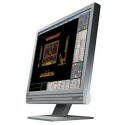
Figure 1: NANAO FlexScan L767-R LCD Monitor. This image shows the monitor from a slight angle, highlighting its slim bezel and adjustable stand.
2. Vlastnosti
The FlexScan L767-R is designed for optimal visual performance and user convenience. Key features include:
- Živý barevný displej: Supports approximately 16.77 million full colors for impressive color vibrancy.
- FineContrast Function: Easily adjust brightness and gamma settings to match content (text, images) for optimal viewIng.
- Podpora duálního vstupu: Equipped with both analog and digital input terminals for versatile connectivity.
- Integrovaný zvuk: Features built-in speakers for audio output.
- Ergonomický stojan: The stand allows for a 50mm vertical height adjustment, enhancing user comfort.
- Non-Glare Surface: The screen surface is non-glare, reducing reflections and eye strain.
3. Nastavení
Follow these steps to set up your FlexScan L767-R monitor:
- Rozbalte monitor: Opatrně vyjměte monitor a veškeré příslušenství z obalu.
- Umístění monitoru: Place the monitor on a stable, flat surface. Ensure adequate ventilation around the monitor.
- Připojte video kabel:
- Pro Analogové připojení: Connect the D-Sub (VGA) cable from your computer's video output to the analog input port on the monitor.
- Pro Digitální připojení: Connect the DVI cable from your computer's video output to the digital input port on the monitor.
- Connect Audio Cable (Optional): If you wish to use the built-in speakers, connect an audio cable from your computer's audio output to the audio input port on the monitor.
- Připojte napájecí kabel: Plug the power cable into the monitor's power input, then plug the other end into a grounded electrical outlet.
- Zapnutí: Press the power button on the monitor. Power on your computer. The monitor should display your computer's screen.
4. Provoz
This section describes the basic operation of your FlexScan L767-R monitor.
4.1. FineContrast Function
The FineContrast function allows you to quickly switch between different display modes optimized for various content types. Use the dedicated buttons on the monitor's front panel to cycle through modes such as Text, Picture, Movie, and Custom. Each mode adjusts brightness, gamma, and color temperature for the best viewzkušenosti.
4.2. Nastavení stojanu
The monitor stand offers vertical height adjustment. Gently push or pull the monitor panel up or down to adjust its height within the 50mm range. Ensure the monitor is stable after adjustment.
4.3. Nabídka na obrazovce (OSD).
Access the OSD menu using the control buttons on the front panel to fine-tune settings such as brightness, contrast, color balance, input selection, and more. Refer to the detailed OSD menu guide in the full manual for comprehensive options.
5. Údržba
Správná údržba zajistí dlouhou životnost a výkon vašeho monitoru.
- Čištění obrazovky: Použijte měkký hadřík, který nepouští vlákna dampened with water or a non-abrasive, monitor-specific cleaning solution. Do not spray liquid directly onto the screen.
- Čištění Casing: Otřete monitor casinměkkým, suchým hadříkem. Nepoužívejte silné čisticí prostředky nebo rozpouštědla.
- Větrání: Ujistěte se, že ventilační otvory na monitoru nejsou zablokované, aby nedošlo k přehřátí.
- Vypnout: Před čištěním nebo pokud nebudete monitor delší dobu používat, vždy jej vypněte a odpojte ze zásuvky.
6. Řešení problémů
Pokud se s monitorem setkáte s problémy, podívejte se na následující běžné problémy a jejich řešení:
- Žádný obraz na obrazovce:
- Zkontrolujte, zda je monitor zapnutý.
- Verify that the video cable is securely connected to both the monitor and the computer.
- Ensure the correct input source is selected on the monitor (Analog/Digital).
- Obraz je zkreslený nebo rozmazaný:
- For analog connections, perform an auto-adjustment via the OSD menu.
- Check the display resolution settings on your computer. Ensure it matches the monitor's native resolution (1280x1024).
- Z reproduktorů není slyšet žádný zvuk:
- Verify the audio cable is properly connected.
- Zkontrolujte nastavení hlasitosti na monitoru i v počítači.
If the problem persists after trying these solutions, please contact EIZO customer support or refer to the comprehensive troubleshooting guide in the full product manual.
7. Specifikace
| Funkce | Specifikace |
|---|---|
| Značka | EIZO |
| Model | L767-R |
| Velikost obrazovky | 19 palce |
| Rezoluce | 1280 x 1024 |
| Popis povrchu obrazovky | Neoslňující |
| Jas | 250 cd/m² |
| Obnovovací frekvence | 60 Hz |
| Technologie podsvícení | CCFL |
| Vstupní porty HDMI | 0 |
| Funkce USB | Žádný |
| Vestavěný reproduktor | Ano |
| Funkce TV | Žádný |
| 3D Display Support | Není podporováno |
| Dotykový panel | Není podporováno |
| Hmotnost položky | 10 kg |
| Rozměry balení | 56 x 53.5 x 22.5 cm |
8. Záruka a podpora
For detailed warranty information, please refer to the warranty card included with your product or visit the official EIZO webZáruční podmínky se mohou lišit v závislosti na regionu.
For technical support, product inquiries, or service requests, please contact EIZO customer support through their official channels. Keep your product model number (L767-R) and serial number ready when contacting support.
EIZO Official Webmísto: www.eizo.com
Ask a question about this manual
Ask about setup, troubleshooting, compatibility, parts, safety, or missing instructions. Manuals+ will review the question and use this page’s manual context to help answer it.