
1. Konec produktuview
The Lindy 31376 is a high-quality, straight-through RS-232 serial cable designed for reliable data communication between a PC and various serial peripherals such as fax machines, modems, or other serial devices. This cable features a 25-pin D-sub male connector on one end and a 25-pin D-sub female connector on the other, ensuring compatibility with standard DB25 serial ports. All pins are connected for full functionality.
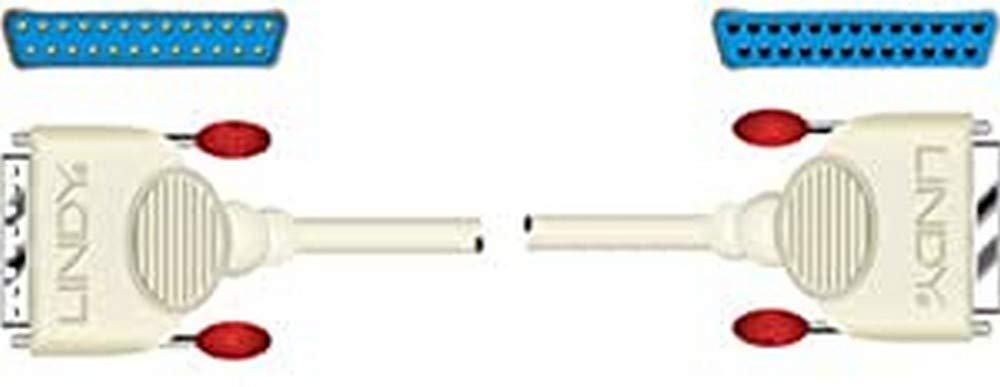
An image showing the Lindy 31376 RS-232 Serial Cable, featuring a 25-pin D-sub male connector on one end and a 25-pin D-sub female connector on the other. This cable is used for serial data transmission.
2. Vlastnosti
- Typ konektoru: 25-pin D-sub Male to 25-pin D-sub Female (DB25M to DB25F)
- Typ připojení: Straight Through, with all pins connected for comprehensive data transfer.
- Délka kabelu: 3 metru (přibližně 9.8 stop)
- Konstrukce: Fully molded connectors for enhanced durability and strain relief.
- Kompatibilita: Suitable for connecting PCs to fax/modems and other RS-232 serial devices.
3. Pokyny k nastavení
- Vypínací zařízení: Ensure both your computer and the peripheral device (e.g., fax/modem) are powered off before making any connections. This prevents potential damage to the devices or the cable.
- Identifikace portů: Locate the 25-pin D-sub serial port on your computer. This is typically a male connector. On your peripheral device, locate the corresponding 25-pin D-sub female serial port.
- Připojovací kabel: Plug the male end of the Lindy 31376 cable into the female port of your peripheral device. Plug the female end of the cable into the male port of your computer.
- Zabezpečená připojení: Tighten the thumbscrews on both connectors to ensure a secure and stable connection. A loose connection can lead to intermittent communication issues.
- Zapnutí zařízení: Once the cable is securely connected, power on your peripheral device first, then your computer.
4. Návod k obsluze
The Lindy 31376 RS-232 serial cable facilitates direct data communication between two devices. Once physically connected, the operation primarily depends on the software and drivers installed on your computer and the configuration of your peripheral device.
- Konfigurační software: Refer to the instruction manual of your computer's operating system or the specific application you are using (e.g., terminal emulator, fax software) to configure the serial port settings (e.g., COM port number, baud rate, data bits, parity, stop bits, flow control). These settings must match those of your peripheral device.
- Ovladače zařízení: Ensure that any necessary drivers for your peripheral device are correctly installed on your computer. The cable itself is a passive component and does not require specific drivers.
- Testing Communication: After configuring the software, initiate a test communication session as per your application's instructions to verify the connection.
5. Řešení problémů
If you encounter issues with your serial connection, consider the following troubleshooting steps:
- Zkontrolujte připojení: Verify that both ends of the cable are securely fastened to the correct serial ports on your computer and peripheral device. Ensure thumbscrews are tightened.
- Stav napájení: Confirm that both the computer and the peripheral device are powered on and functioning correctly.
- Nastavení softwaru: Double-check that the serial port settings (baud rate, data bits, parity, stop bits, flow control) in your software application exactly match those required by your peripheral device. Incorrect settings are a common cause of communication failure.
- Correct Cable Type: This cable is a přímo skrz serial cable. Ensure that your application or device specifically requires a straight-through connection, not a null modem cable. Using the wrong type of cable will prevent communication.
- Otestujte s jiným zařízením/kabelem: If possible, test the cable with another known-working serial device or test your device with another known-working serial cable to isolate the problem.
- Správce zařízení (Windows): In Windows, check Device Manager to ensure your serial port is recognized and has no error indicators.
6. Specifikace
| Značka | Lindy |
| Číslo modelu | 31376 |
| Typ produktu | Sériový kabel RS-232 |
| Konektor A | 25-pin D-sub Male (DB25M) |
| Konektor B | 25-pin D-sub Female (DB25F) |
| Typ připojení | Straight Through, All Pins Connected |
| Délka kabelu | 3 metrů (přibližně 9.8 stop) |
| Konstrukce | Fully Molded |
| Kompatibilní zařízení | PC, Fax/Modem, other RS-232 serial devices |
7. Záruka a podpora
The Lindy 31376 RS-232 Serial Cable is backed by a 10-letá záruka, demonstrating Lindy's commitment to quality and reliability. This warranty covers defects in materials and workmanship under normal use.
For technical support, warranty claims, or further assistance, please contact Lindy customer service through their official website or your local distributor. Please have your product model number (31376) and purchase information ready when contacting support.